Settings
50 Manual m600 basic 2.6_01
6
Image refresh
Updating of time and date fields, adjustable in seconds (see Chapter
6.2.6)
Pulse genera-
tor/Pulses/
Speed
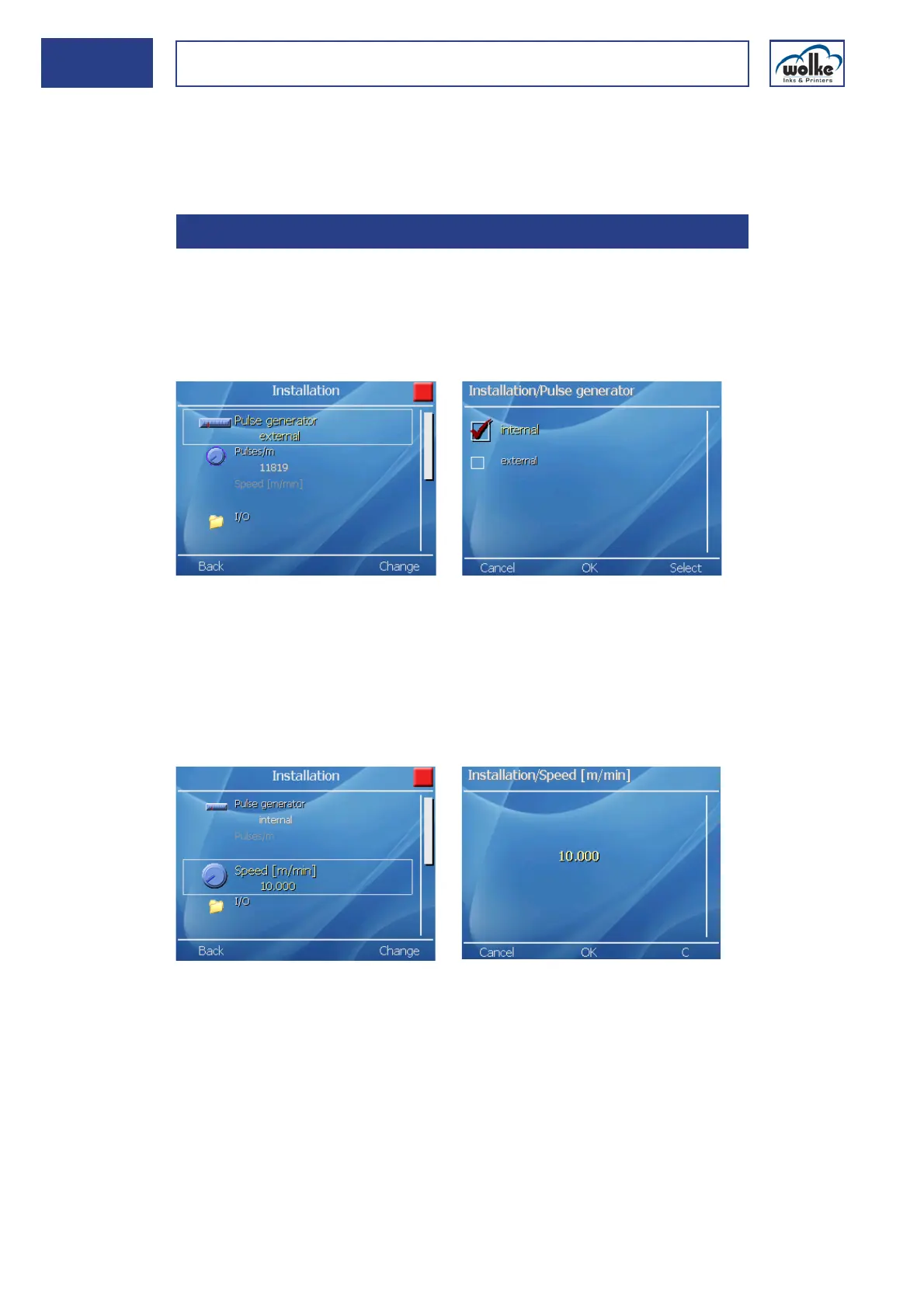
This menu item is for activating and deactivating the input for the external
pulse generator. In order to achieve an optimum print image we recom-
mend as a matter of principle that you use an external pulse generator -
especially for printing barcodes or if both nozzle rows are active (see also
Chapter 4.5.1)
Fig. 6_81: Installation > Pulse generator > internal/external
When the pulse generator input is activated, the pulses/m line is automat-
ically made visible.
Deactivation:
If the pulse generator is not activated, the measured product speed in
"m/min" can be entered in the field ("Speed [m/min]").
Fig. 6_82: Installation > Speed [m/min]
6.2.1 Pulse generator/Pulses/Speed



 To Next Page