Technical data
Manual m600 basic 2.6_01 169
14
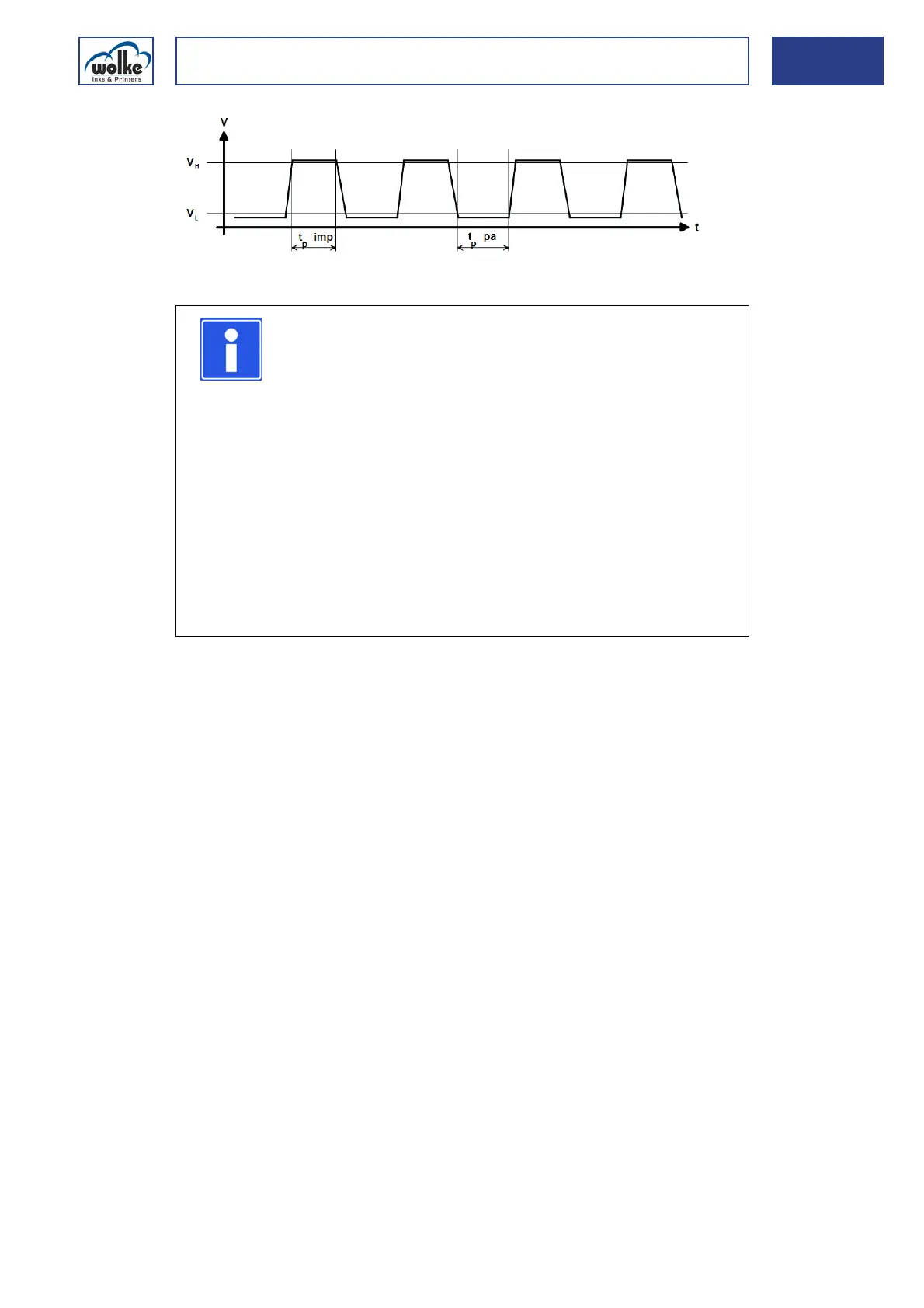
Fig. 14_243: Output signal profile of pulse generator
Pulse generators from other manufacturers
A pulse generator from another manufacturer can be used instead of the
standard type from Wolke Inks & Printers GmbH at any time. However,
any such pulse generator must have exactly the same values as those set
out in Chapter 14.2, "Terminals".
Pulse generator
socket
Important information about the use of a pulse generator:
Incorrect pulses per meter ratio set on the m600 basic
If the ratio of pulses per meter set on the m600 basic identical to the ac-
tual situation (e. g. a different pulse generator wheel, pulse generator
wheel is not in direct contact with the belt, different pulse generator), the
print image will either be stretched or compressed lengthwise. If the print
heads print with both nozzle rows, the two print images created by the two
offset nozzle rows will not be exactly aligned with each other. A shadow
will be the result. If the print image is made up of several print heads, an
offset will also be visible at the transition from one print head to the other.
NOTE
You must ensure that the maximum frequency of the
m600 basic pulse generator input is never exceeded.
If a standard pulse generator is used along with a select-
ed resolution of 60 dpi and product speed of 300 m/min,
the resultant frequency is approx. 59 kHz. A look at the
table above will show that this considerably exceeds the
maximum frequency of 30 kHz. This will cause the m600
basic to stop in the middle of printing or possibly not even
start at all. The solution is to either use an alternative
pulse generator with a lower number of pulses per revo-
lution (e.g. 1,000 pulses/revolution), or a larger pulse
generator wheel which is capable of being mounted on
the standard pulse generator. The new ratio of pulses/m
has to be entered in the "Settings/System configuration"
menu on the m600 basic.



 To Next Page