Settings
44 Manual m600 basic 2.6_01
6
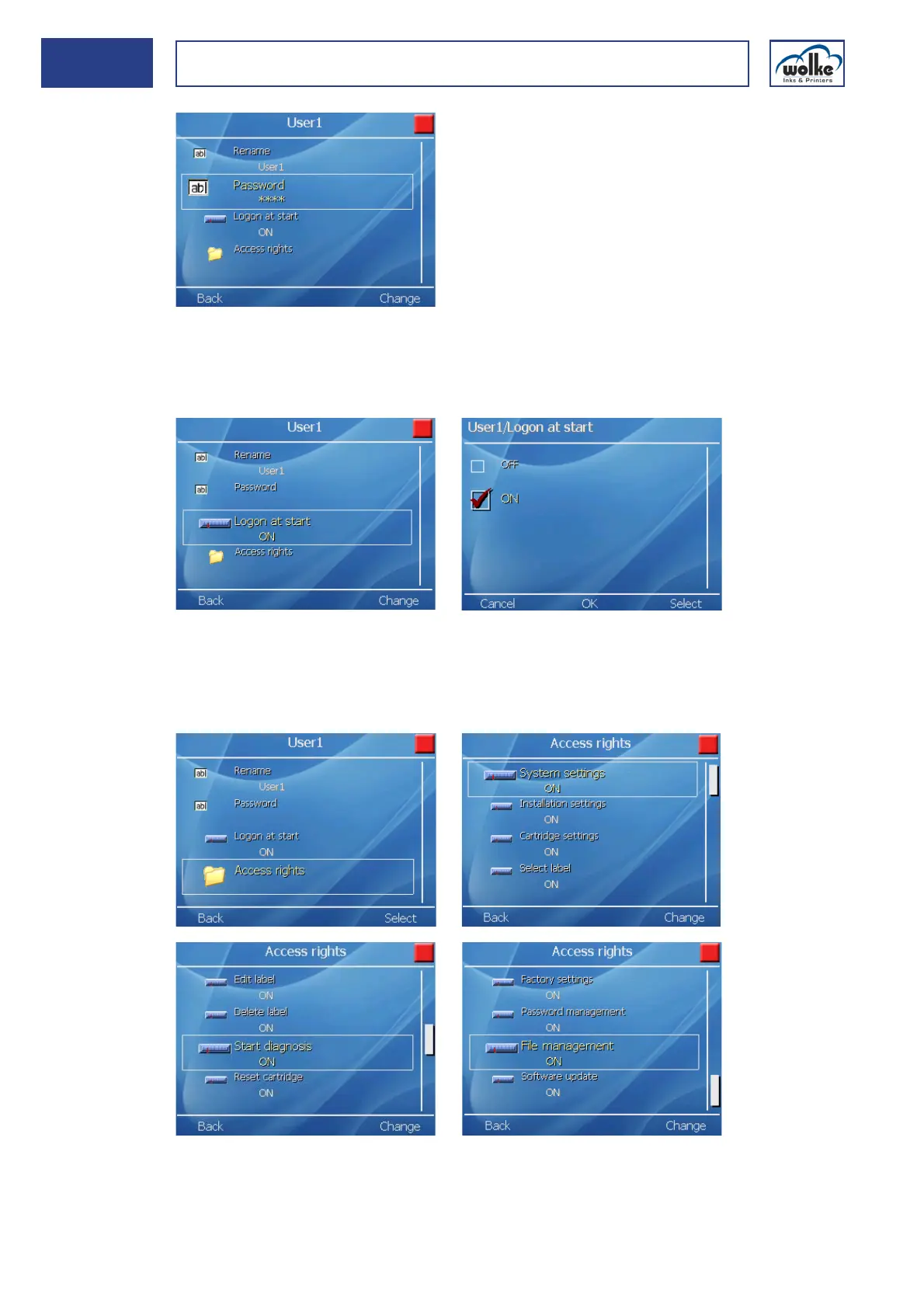
Logon at start:
In this menu, a user can be defined who is to be logged on automatically
after a power failure or after switching OFF/ON.
Password Assigning or changing access rights:
Each user can be assigned different access rights. However, only a user
should be able to perform this assignment who has administrator status.
All access rights are available under menu item "Releases".
Fig. 6_72: User > User 1 > Access rights
If the menu item "Password" ap-
pears as "****", this means that a
password has already been as-
signed here.
Four asterisks always appear, no
matter how many characters the
password really contains.



 To Next Page