Label
106 Manual m600 basic 2.6_01
7
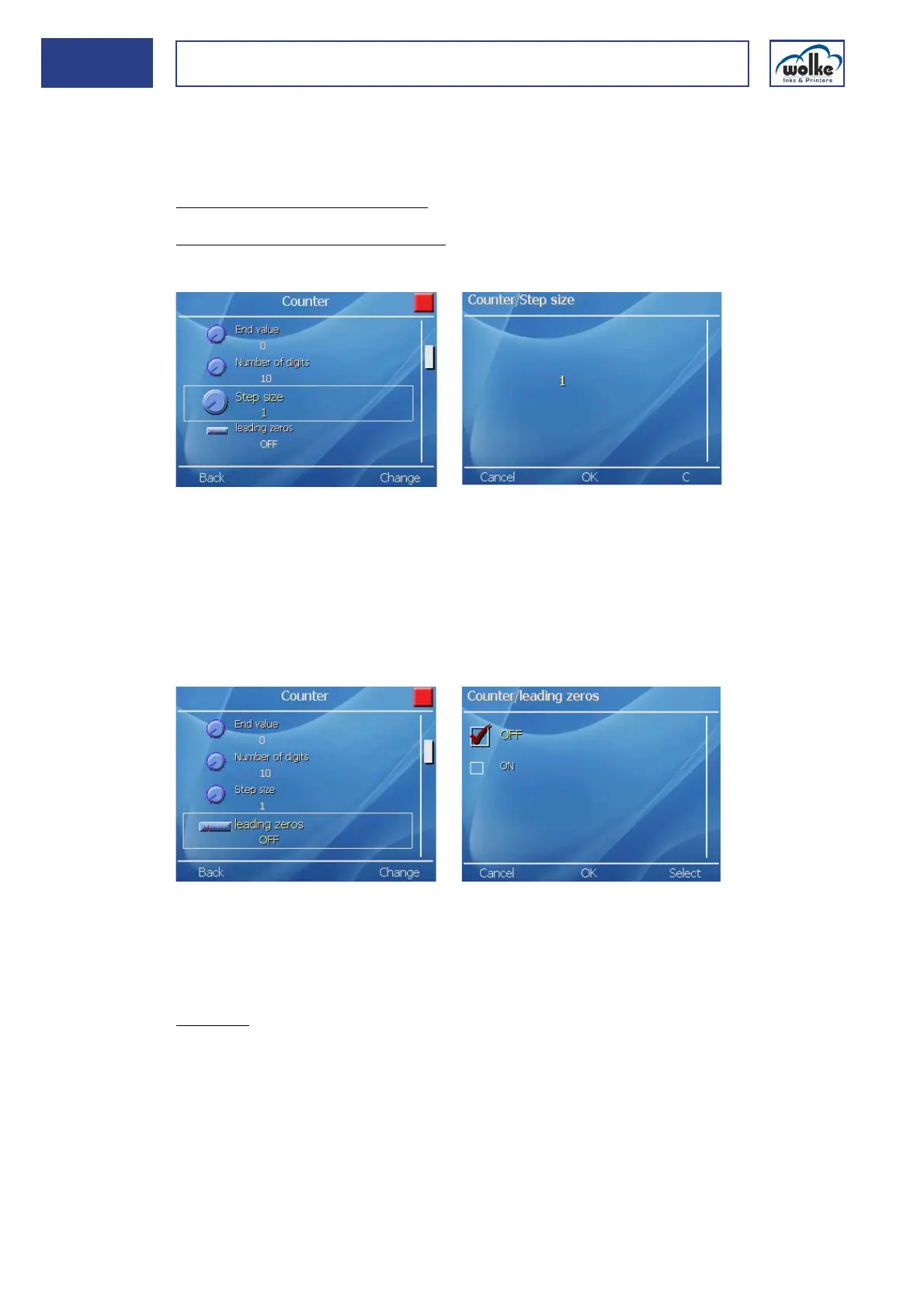
Counter Step size
"Step size" is for setting the counting increments and specifying whether
counting is to be in ascending order or, with a minus sign in front, in de-
scending order.
Ascending counting increments:
Enter the step size without a sign, e.g.:
Step size 1 /Counter status 100 => 100, 101, 102... .
Descending counting increments:
Enter the step size with sign " ", e.g.:
Step size -20 / Counter status 100 => 80, 60, 40... .
Fig. 7_176: Counter – Step size
Leading zeros
This menu item is for specifying whether to show preceding zeroes or not.
If, for example, 6 were to be entered for the “Number of digits” and 212
for the “Counter status”, selecting “No leading zeroes” would result in 212
being displayed whereas “Leading zeroes” would result in 000212 being
displayed. A maximum of 10 digits are possible.
Fig. 7_177: Counter – Leading zeros
Batch number
This is for setting the number of products to be identified with the same
counter value.
Example:
The first product batch is comprised of 50 packages:
Number of batches: 50 The first 50 packages will be printed with the
same counter value (=batch number).
Then the counter is increased by the set step size (see previous counter
menu view).



 To Next Page