Settings
Manual m600 basic 2.6_01 41
6
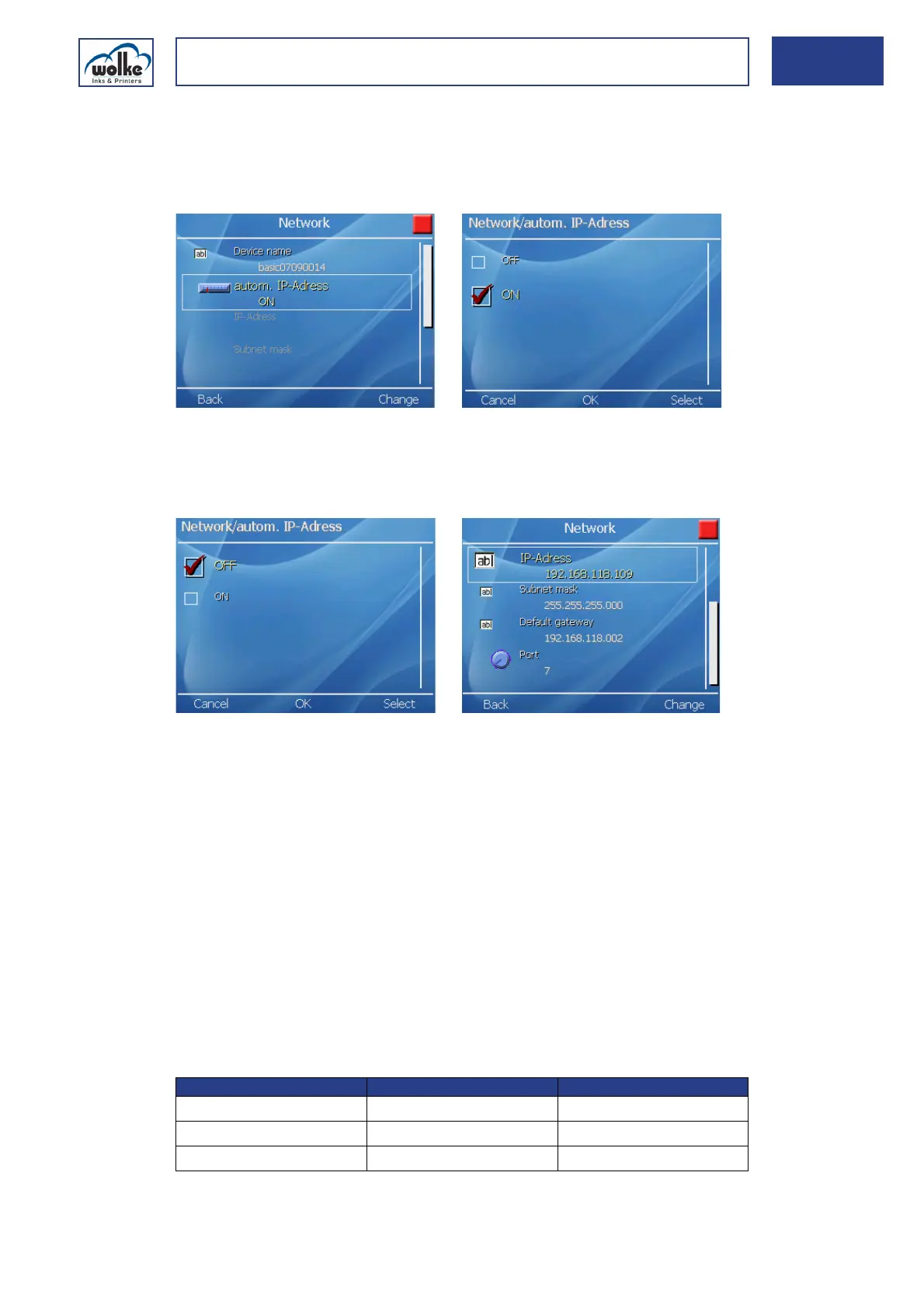
Autom. network address
If the function is activated, an IP address is assigned automatically to the
m600 basic as soon as it is connected to the DHCP network. The function
is activated as standard.
Fig. 6_67: Network > autom. network address
If the function is deactivated, you can make the settings for the IP
address, gateway, network mask and port manually.
Network
Fig. 6_68: Network > autom. network address > OFF
IP address
IP address is for entering the static IP address to be used in your network
for the m600 basic. The IP address to be entered here is dependent on the
specific network in which the m600 basic is to be integrated.
Gateway
The gateway is for communication within your network. The gateway IP
address is dependent on your company network, e.g. in a Class C network
your gateway IP address could be 192.168.2.1.
Network mask
Network masks are only of relevance if your company network is
subdivided into several sub-networks. If your company network is only
comprised of one network you should specify the following network mask:
Tab. 6_3: Address classes and network masks
Address class Address area Network mask
Class A network 0.0.0.1-127.255.255.255 255.0.0.0
Class B network 128.0.0.1-191.255.255.255 255.255.0.0
Class C network 192.0.0.1-223.255.255.255 255.255.255.0



 To Next Page