Settings
46 Manual m600 basic 2.6_01
6
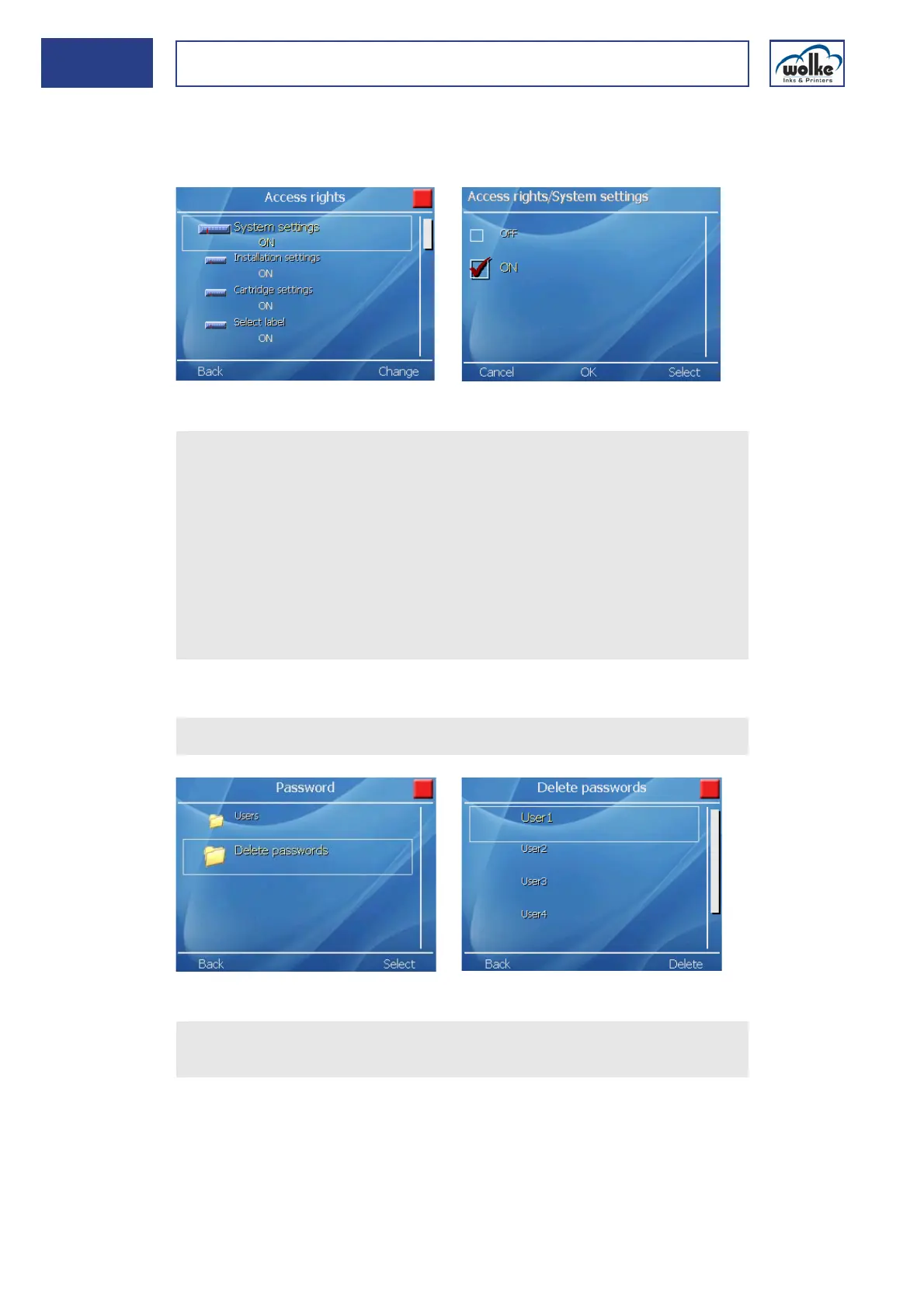
Below, please find a representative example for assigning the access
right: "System settings".
For all the other rights, settings are performed in the same way.
Fig. 6_73: User 1 > Access rights > System settings
Delete pass-
words
Deleting a password:
Fig. 6_74: User1 > Delete passwords
Actuate the cursor buttons to activate the release you wish to
change.
Select "Password" and enter your password.
Only numeric characters are taken into consideration by the sys-
tem.
Actuate "Select" to activate "OFF" (no access right) or "ON" (access
permitted) and acknowledge via "OK".
You exit the menu automatically and can change further releases.
To exit the Release menu, press the "Back" menu button.
Repeat this procedure if you wish to change other releases.
Select "Delete passwords".
Select the user whose password is to be deleted, and actuate the
function key "Delete".



 To Next Page