Settings
Manual m600 basic 2.6_01 61
6
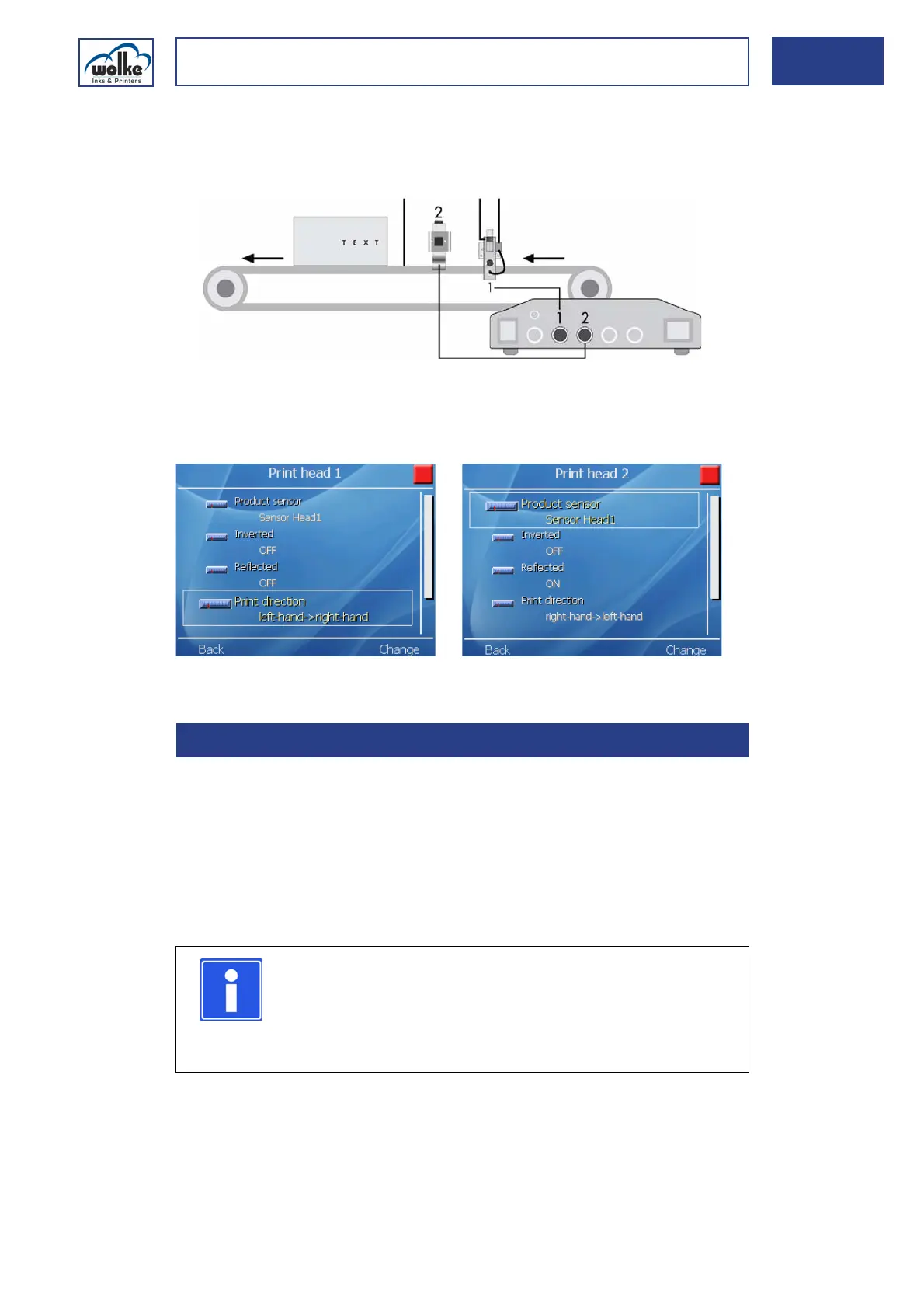
Alternative C - Print direction as in the factory setting but with printing
from two sides
Various system
settings
Fig. 6_99: Alternative C – Menu settings print head 1 and 2
SpittingDepending on the type of ink used, the ink may dry on the nozzle row of
the cartridge if not used for some time. This is very much dependent on
ambient conditions (air temperature, air humidity).
The “Spitting” function helps to improve such sticking characteristics after
a the printer has not been used for a while. This is done by spitting out a
few drops of ink before the actual printing process begins.
The spit parameters "Waiting time“ and "Spitting duration“ apply globally
for each label.
1Conveyor belt 3Photoelectric cell
2 Print heads
6.2.5 Spitting
NOTE
Spitting (automatic or manual) is only possible if the
m600 basic is in start mode.
The spit process is displayed on top left of the menu with
a drop icon.



 To Next Page