Label
Manual m600 basic 2.6_01 133
7
Loading and
printing label
file
To enable a label to be printed, it must have been selected and loaded pre-
viously.
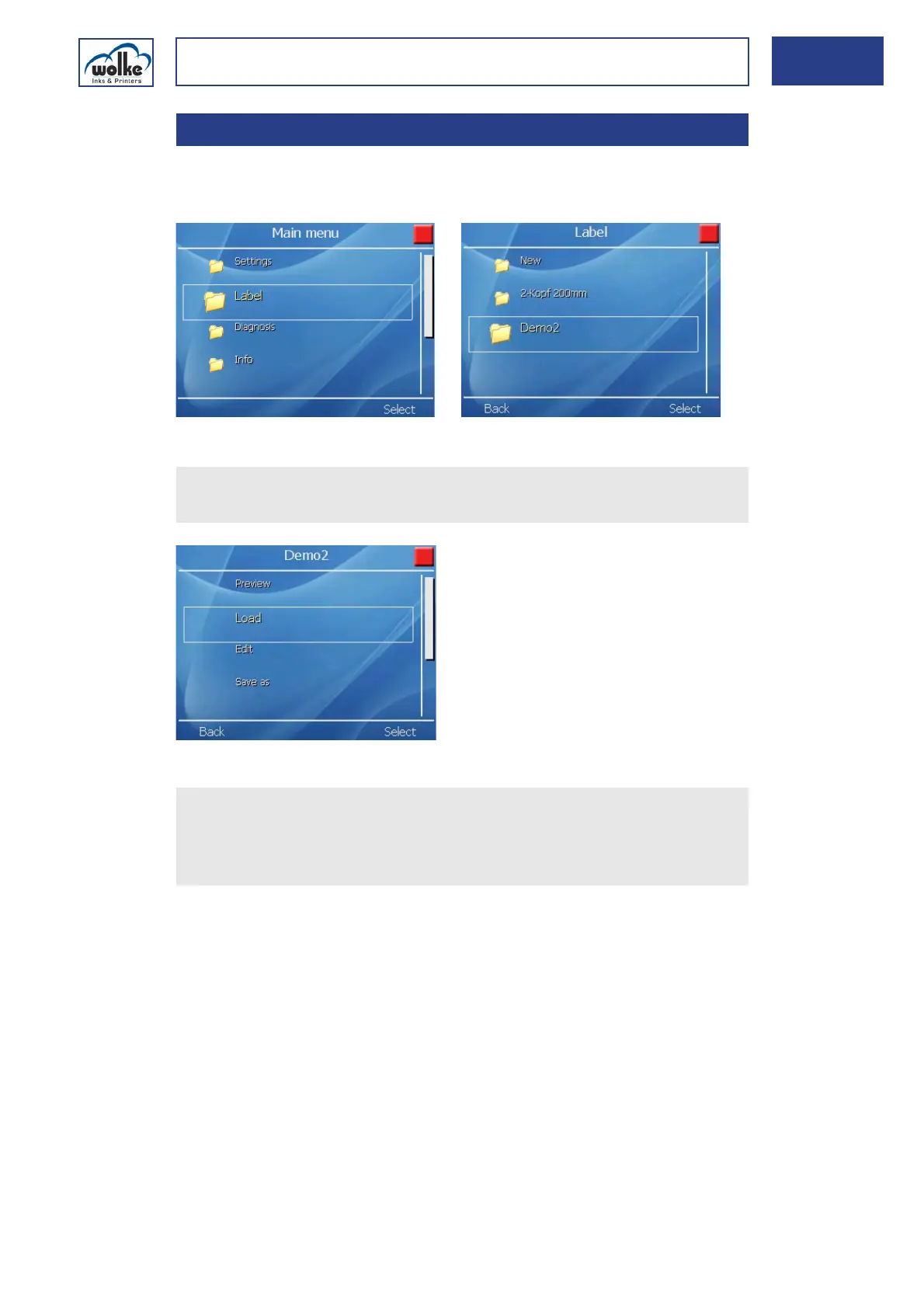
Fig. 7_223: Select label file
Fig. 7_224: Menu label > Load
"Info" informs you which label is currently selected.
7.7 Loading and printing label file
Actuate the cursor buttons under "Label" to select the required la-
bel.
Select "Load" and acknowledge the selection via the menu button
"Select". On loading a label, the preview appears in terms of confir-
mation. Now the label has been loaded.
To print, actuate the "START" button.



 To Next Page