Installation
20 Manual m600 basic 2.6_01
4
Installing the
photoelectric
cell
Make sure that you account for the product path direction when fit-
ting the head plate to the bottom of the print head. The cutout on the
underside of the head plate points in the direction of movement of
the belt.
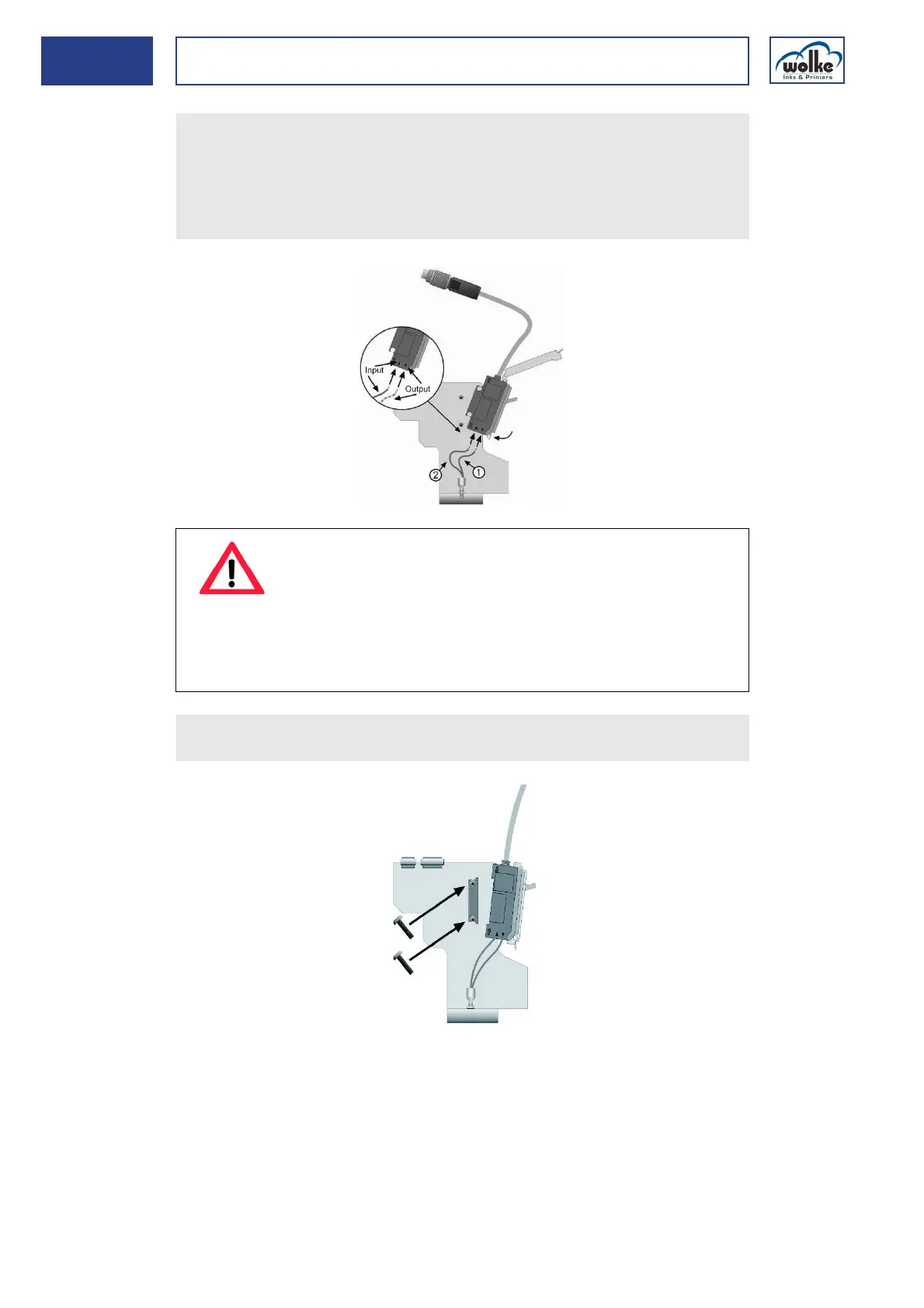
Insert the optical fiber in the photoelectric cell and fasten it with the
quick-release fastener.
ATTENTION
When connecting the optical fiber, please note the follow-
ing:
The output (insulation optical fibre is identified with
dots!) and the input (insulation of optical fibre is not
identified!) must not be replace! Otherwise the sensor will
not be able to issue the correct signal.
Fasten the installation mount to the print head with the supplied
screws and latch the photoelectric cell onto the installation mount!



 To Next Page