Installing a QSFPPluggable Transceiver
3. Verify that you are properly grounded with an anti-static wrist strap or heel strap
connected to the grounded ESDjack.
4. Identify the port on the traffic module where the pluggable transceiver is to be
installed.
Do not install a pluggable transceiver with the optical fiber pair
attached. You could damage the optical fibers, the optical fiber
connectors, or the optical port of the module.
5. If installed, remove the dust cover from the module port and store it in a resealable
container for future use.
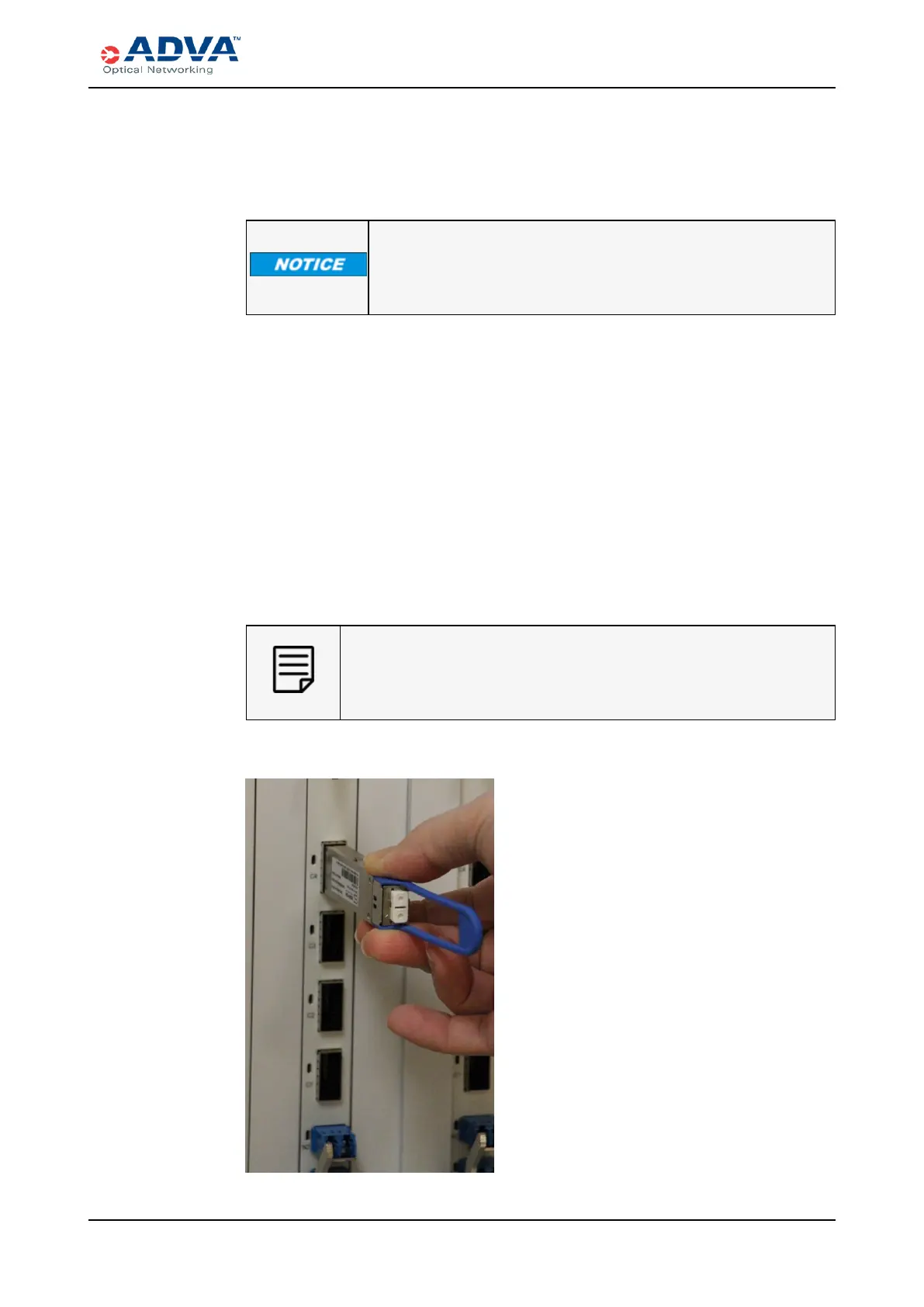
6. Insert the desired pluggable transceiver into the empty port:
a. Hold the pluggable transceiver between your thumb and forefinger and orient it so
that the label is on the left.
b. Align the pluggable transceiver with the cage opening and gently insert it into the
empty cage.
c. Apply light pressure to the pluggable transceiver until it snaps into place. A click
indicates that the transceiver is completely inserted and securely seated in the
cage.
If there is resistance, remove the transceiver, realign it so that the bale clasp faces
the other direction, and insert the transceiver again.
When you apply power to the system in a later chapter, the
ADVAequipment will automatically provision.
Figure 61: Inserting a QSFPPluggable Transceiver
FSP3000 C Hardware Guide - R1.1 - Issue:A (12/09/2016) 223



 To Next Page