Connecting ACPower to theSH4R Shelf
Connecting ACPower to theSH4R Shelf
ELECTRIC VOLTAGEWARNING
Before connecting the ACpower cable, ensure that power is
removed from the dedicated AC supply circuit.
This procedure assumes that:
l The shelf has been properly grounded and mounted in the rack;
l The PSM-AC4s have been securely installed in the SH4R; and
l The ACpower cable is specific to your country and was provided by
ADVA Optical Networking.
1. Verify that you are properly grounded with an anti-static wrist strap or heel strap
connected to the grounded ESD jack.
2. If the dedicated ACpower source outlet has a power switch, set it to the OFF (0)
position.
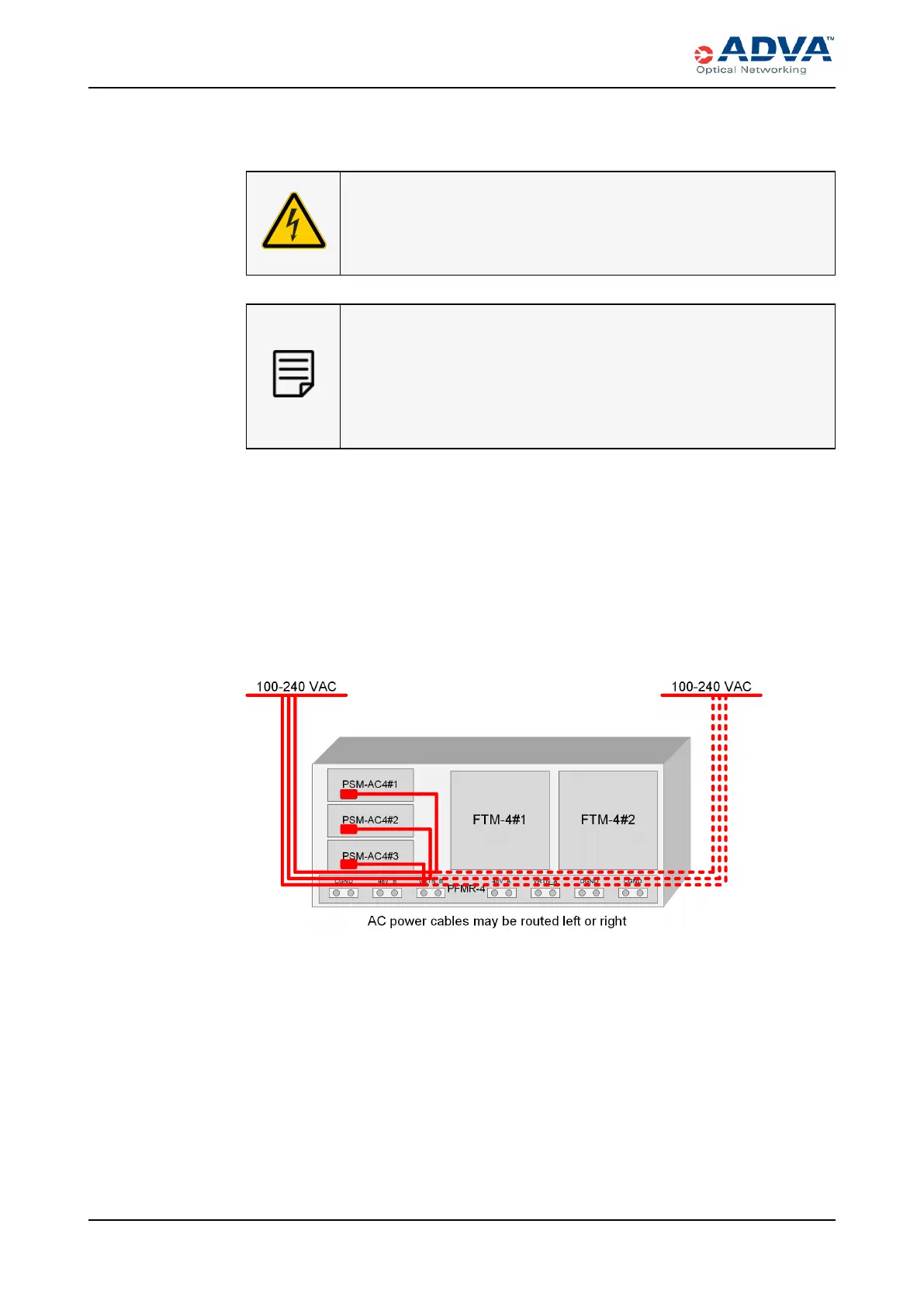
3. For the SH4R that you want to power, determine which redundant, load-sharing
mode configuration you want to support. The following figures detail the supported
AC power wiring configurations.
Figure 69: 2+1 Configuration Wiring
240 FSP3000 C Hardware Guide - R1.1 - Issue:A (12/09/2016)



 To Next Page