Installing the SH12 Upper Front Cover
Installing the SH12 Upper Front Cover
If you plan to have a front cover installed on your FSP 3000 C shelf and
will be using cables with MPOconnectors, you must have the front cover
extension installed. To determine if your shelf rack/cabinet configuration
supports front covers and extensions, as well as more information about
accessory installation requirements, see Accessory Installation
Requirements.
The lower front cover houses an air filter for the PSM-DCs and it must be
installed.
This procedure assumes that you have completed the physical
installation of the FSP 3000 C components and connections.
1. Verify that you are properly grounded with an anti-static wrist strap or heel strap
connected to the grounded ESD jack.
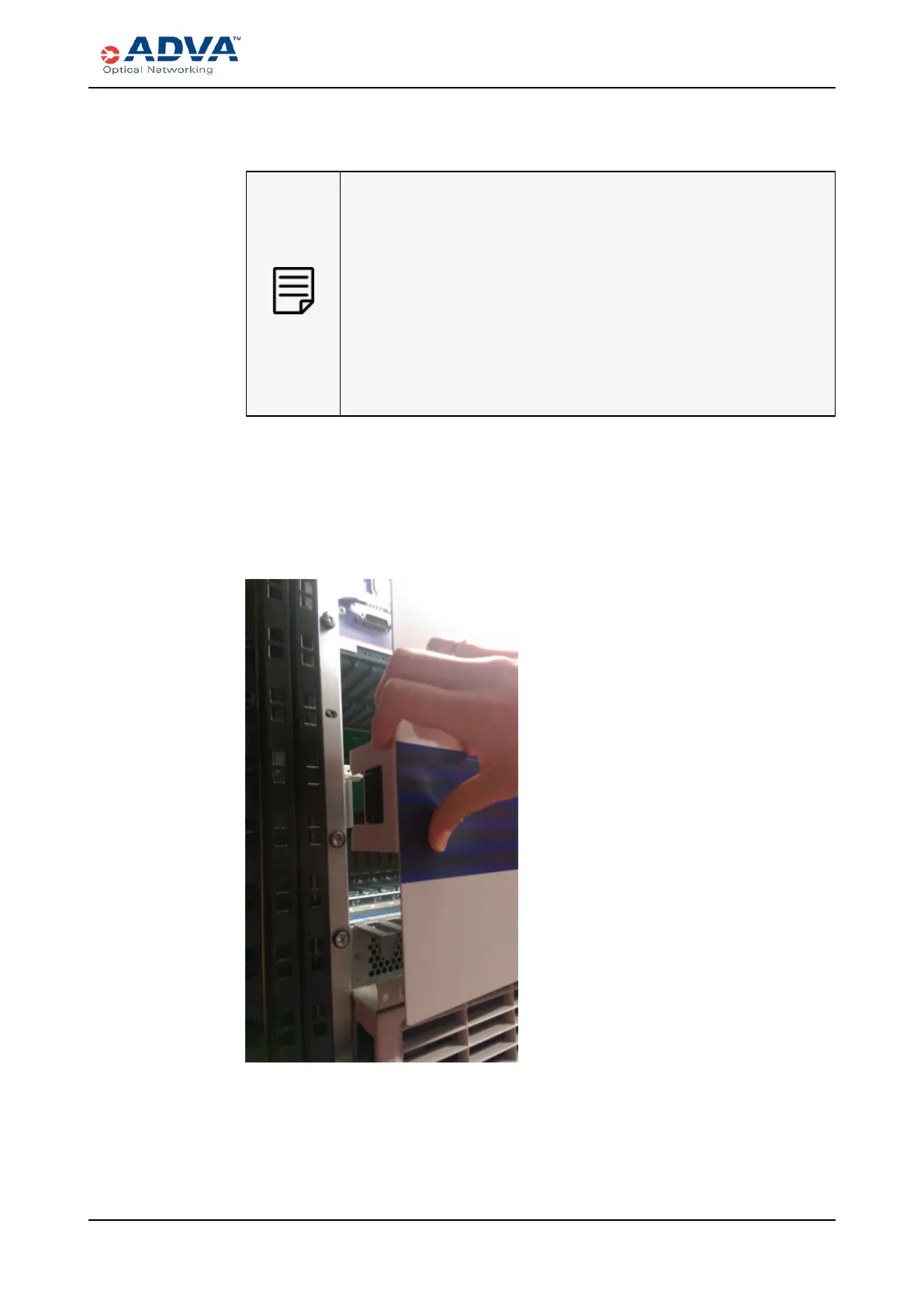
2. Position the upper cover on the front of the shelf so that the latches and brackets on
either side align. The curvature will be at the top.
Figure 74: Positioning the Upper Front Cover
3. Press the cover inward until both latches snap into place. Be careful not to pinch any
fibers or cables.
4. Repeat this procedure for each SH12 shelf.
FSP3000 C Hardware Guide - R1.1 - Issue:A (12/09/2016) 251



 To Next Page