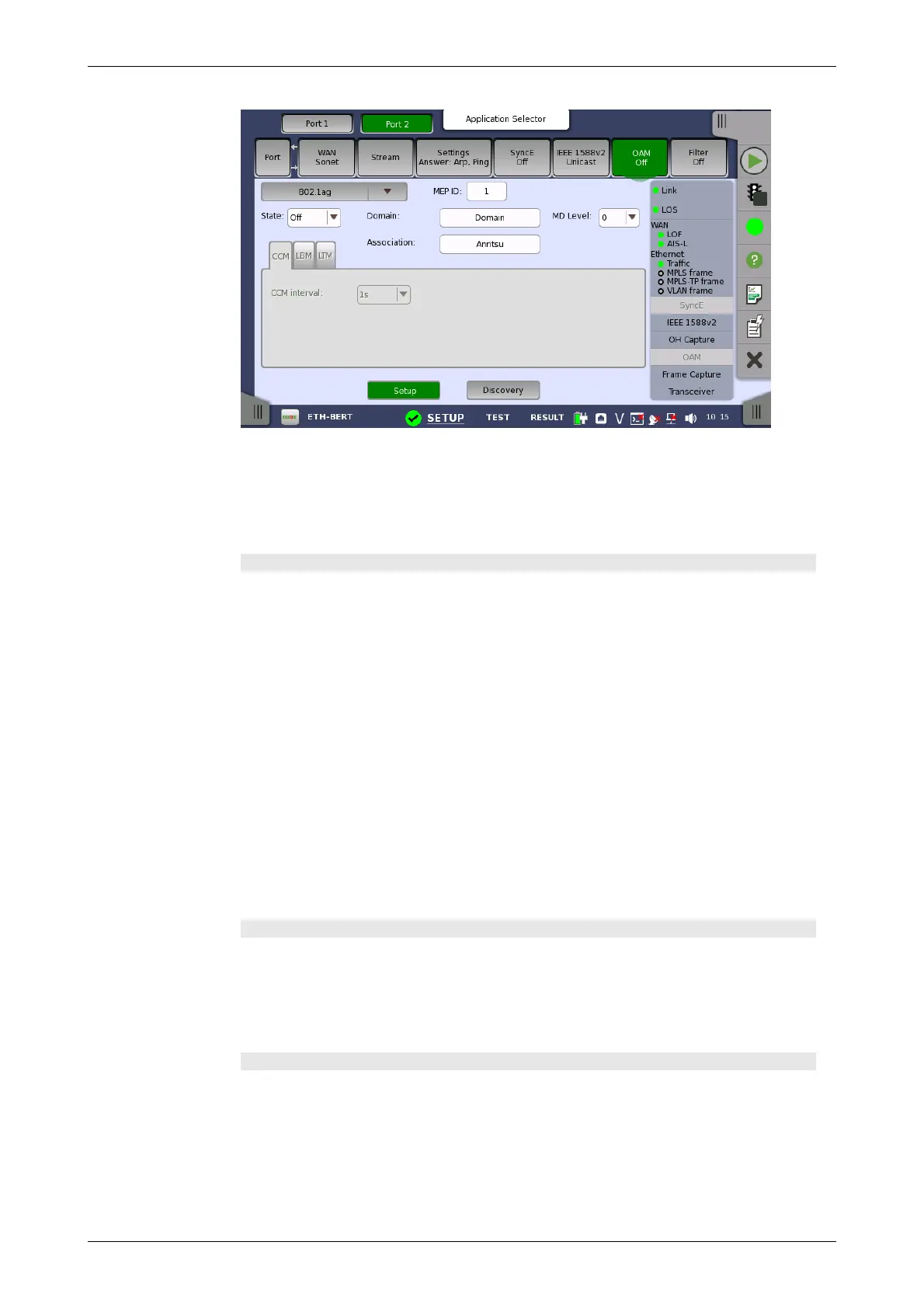
The screen contains two views: the default Setup view and the Discovery
view. Use the Setup and Discovery buttons at the bottom of the screen to
switch between the two views.
The Setup view is described below. The Discovery view is described in a
separate section.
General parameters
State
Allows you to set the state of the protocol to either On or Off. Note that when
State is set to On, the other general parameters are disabled, but the tab
pages and their contents are enabled.
MEP ID
Allows you to specify the Local Maintenance Point ID, which will identify the
unit in the MA.
Domain
Allows you to identify the network or part of the network for which faults in
connectivity are managed.
MD Level
Use the drop-down menu to specify the level at which the MEP exists.
Association
Allows you to specify the Main Association Identifier.
CCM tab page
The CCM tab page contains the following parameter:
CCM interval
Use the drop-down menu to specify the frequency at which CCMs are
transmitted and expected to be received.
LBM tab page
The LBM tab page contains the following parameters:
Optional TLV
Use the drop-down menu to select a TLV type, if relevant. The possible types
are: Data TLV and Test TLV. If you select one of the TLV types, fields for
specifying the length and value will appear.
Length














 To Next Page