Touch the left-hand number to set the lower limit for "Warning". Touch the
right-hand number to set the lower limit for "Fail". The lower limit of "Fail"
must be equal to or greater than the lower limit of "Warning" (defining a
"Within limits" range in between them).
7.3.3 Test Results
7.3.3.1 Summary
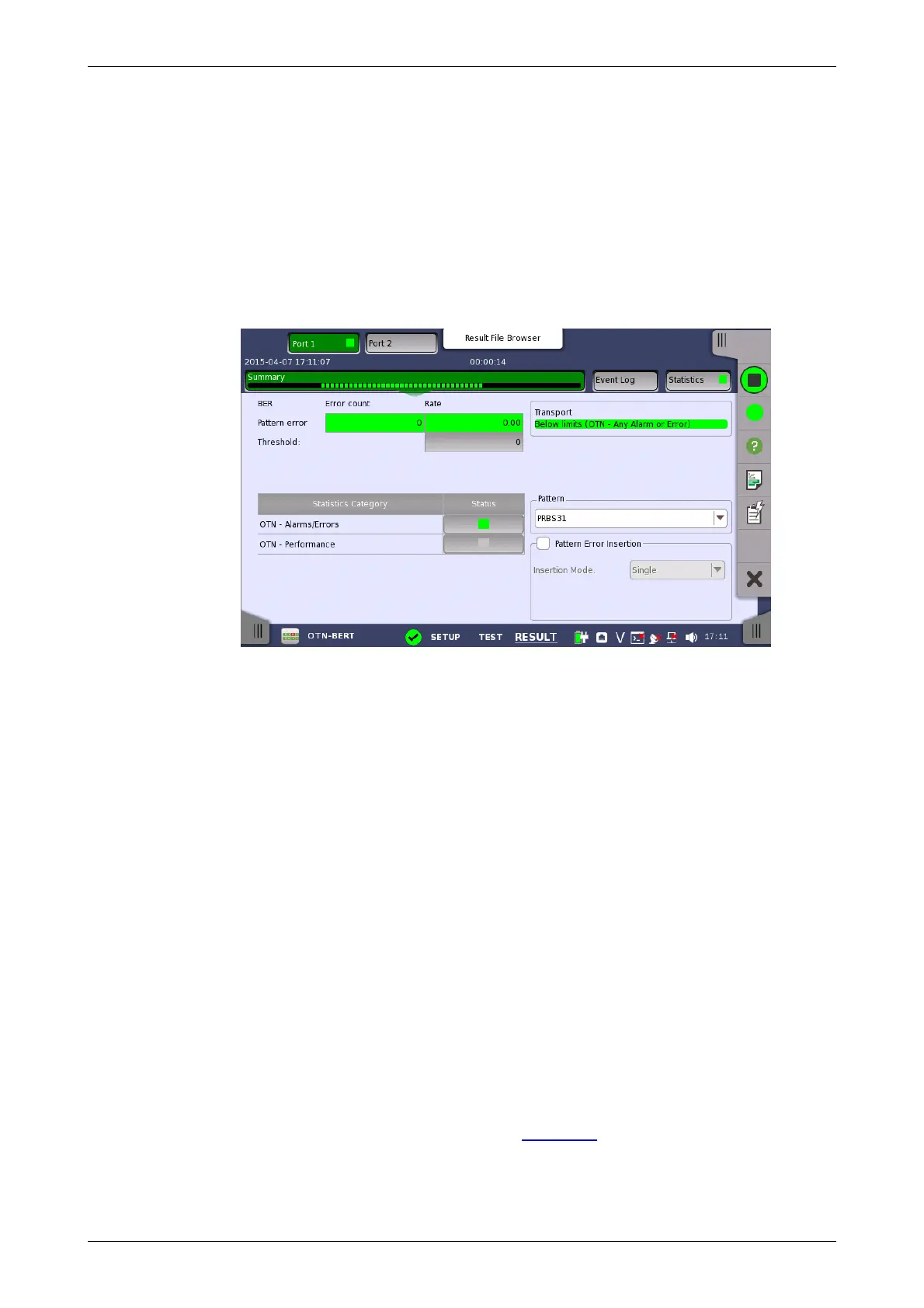
Touching the Summary button in the navigation area will display the screen
shown below.
This screen shows the summary of all error count and ratio. You can insert
the pattern error in this screen.
BER
Displays the result of pattern errors and threshold.
Statistics Category
The lamp icon in Status column shows the Pass or Fail results. Touching the
Status column displays the statistics results.
Transport
Displays the result of Pass & fail threshold if Transport is selecting in Test
Setup screen.
Pattern
Select the pattern. You can edit bit pattern when the pattern is User[32] bit or
User[2048] bit.
Pattern Error Insertion
Select the check box to enable the pattern error insertion.
Select Insertion Mode to Single or Rate. When Single is selecting, touch
Alarm/Error Insert icon in the Application Toolbar.
7.3.3.2 Event Log
Touching the Event Log button in the navigation area displays the screen
providing the event log data. Refer to Event Log of SDH/SONET/PDH/DSn
BERT application.
7.3.3.3 Statistics














 To Next Page