Port mode
Line rate
Clock
Configuration
OBSAI Line bit rates
Bit Rate
(MBaud)
Multiplexer ×
Base bit rate (MBaud)
768 1 × 768
1536 2 × 768
3072 4 × 768
6144 8 × 768
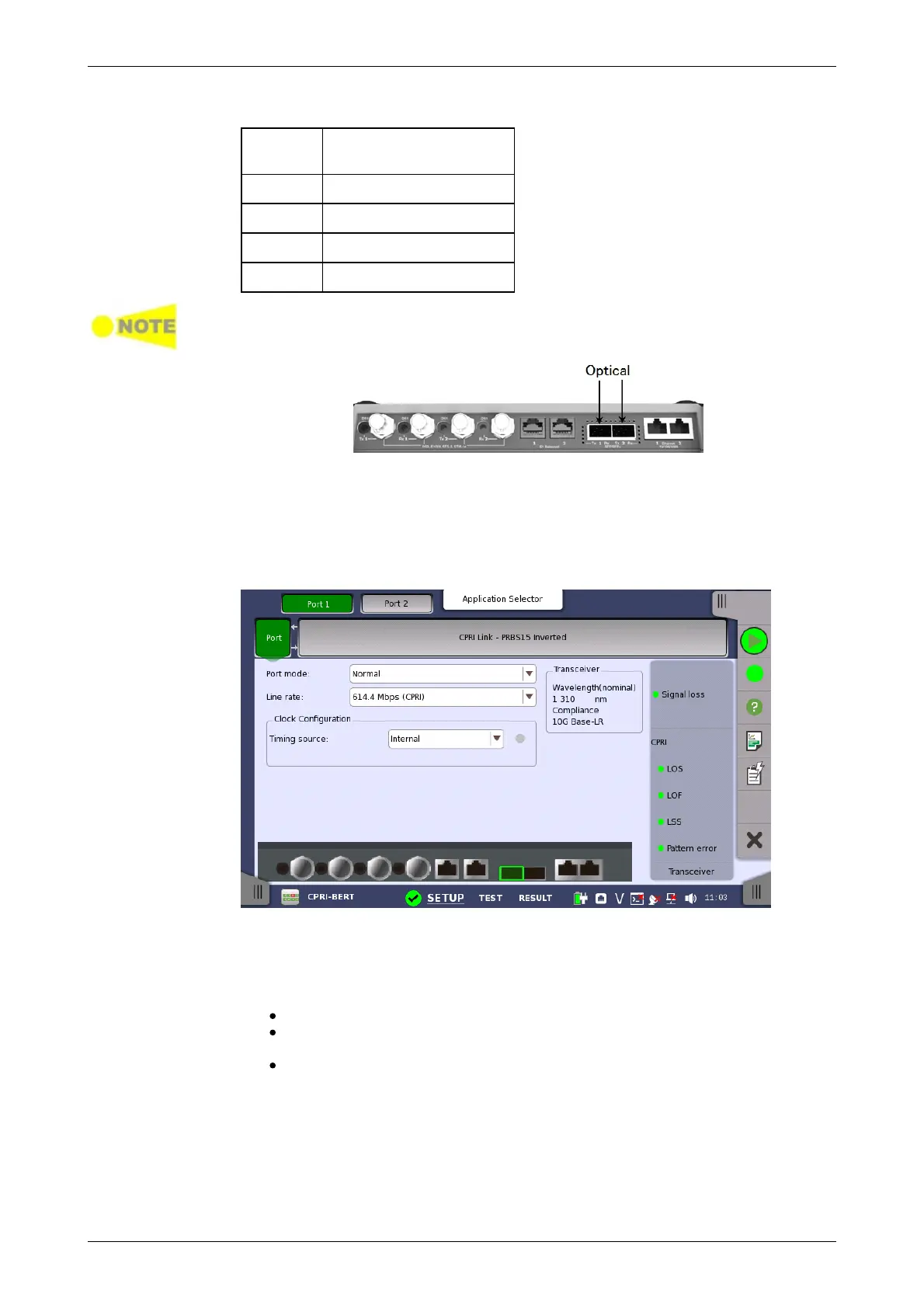
The CPRI/OBSAI uses the optical ports.
MU100010A Connector Panel
8.1.1 Physical Port Setup
When the port is set up with a CPRI/OBSAI interface, touching the Port button
in the navigation area will display the following screen.
This screen allows you to specify the physical port configuration of the
currently selected CPRI/OBSAI port. It can also be used to inspect the current
status of the selected port.
Select the port mode from the drop-down menu. The possible values are:
Off: The transmission will be disabled.
Normal: The Network Master terminates and transmits the signal
generated in the Network Master.
Through: The Network Master transmits the received data by own port.
Select the bit rate of the line from the drop-down menu.
Use the drop-down menu to select the clock source. This is fixed to
Received when the Port mode is set to Through.
Timing Source
Internal: Internal clock of the module
External: The clock input to the connector














 To Next Page