Transceiver
Content
Pattern
CPRI Link
GPS: The clock provided from the external GPS sensor
Received: The clock generated from the received signal
When External or Received is set, the indicator on the right is on if the
clock is detected.
Displays the Transceiver information.
8.1.2 CPRI/OBSAI Frame Setup
The CPRI Link or Unframe button appears in the navigation area. Touching
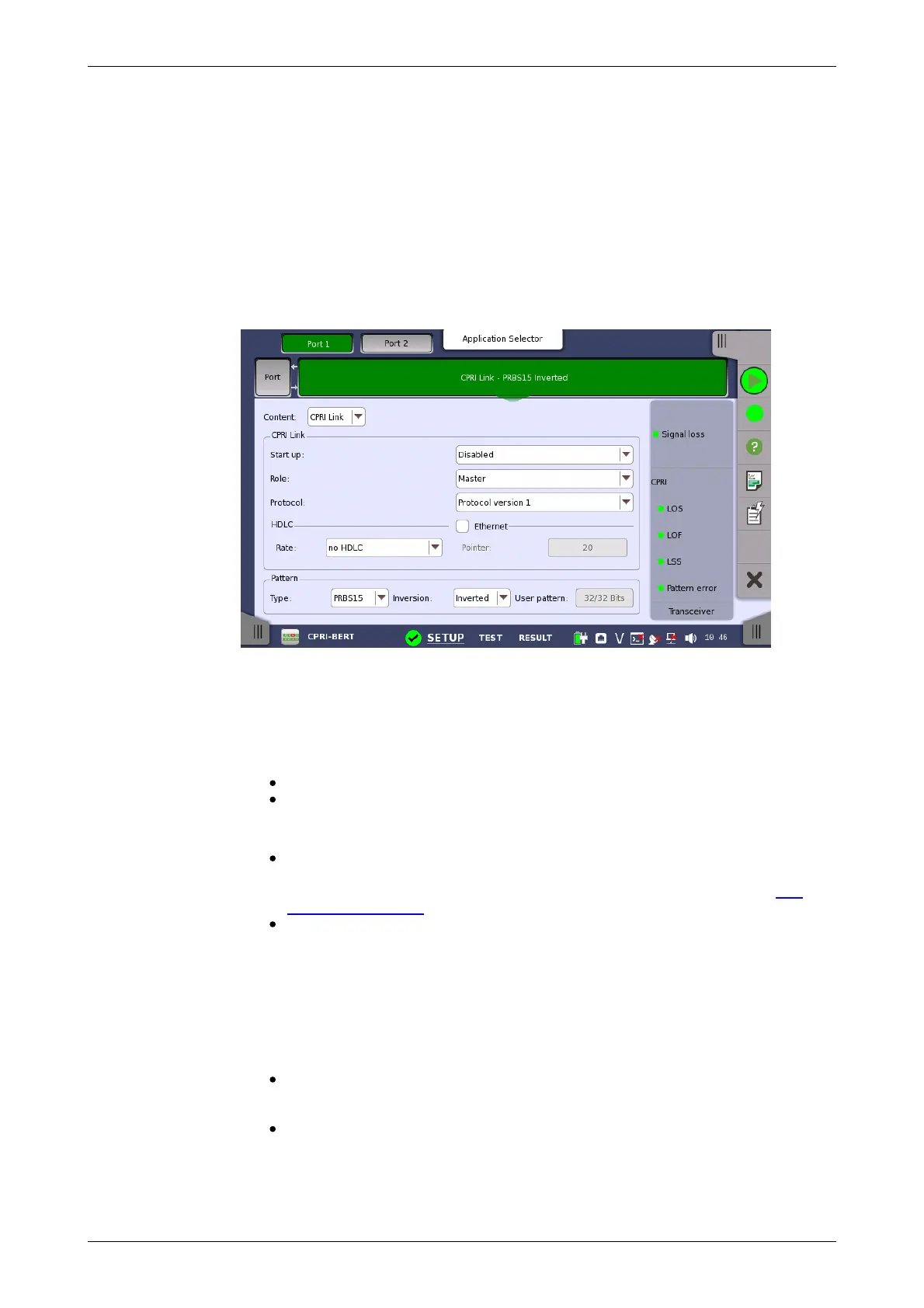
the button will display the screen shown below.
This screen allows you to specify the CPRI Link frame structure of the
currently selected CPRI port.
The configuration options available in the setup area of the screen are
described below. The status information is described in a separate section.
Select the frame type. Available options depend on the Line rate setting.
Unframed: Pattern data without frame.
CPRI Link: CPRI frame structure
Select a predefined pattern or define a user pattern.
User [32] bit: Pattern of 32-bit length.
The field which shows bit length is enabled. Touch the User pattern field
to oprn the dialog box wher you can define the bit pattern. Refer to The
User Pattern Editor.
PRBS15 to PRBS31: Pseudo-random bit sequence. The number indicates
the bit length of sequence.
For example, bit length of PRBS15 is 2
15
-1=32767.
Touch Inversion field to invert the bit pattern or not.
Set the CPRI Link conditions, if Content is set to "CPRI Link" and Port mode
is set to "Normal".
Start up
Enabled: The line rate, protocol version, and C&M Channel will be
decided by auto-negotiation. You can confirm the negotiated settings in
Link of the status information.
Disabled: The specified line rate, protocol version, and C&M Channel
are applied.
Role














 To Next Page