Physical Status
Alarm/Error
Status
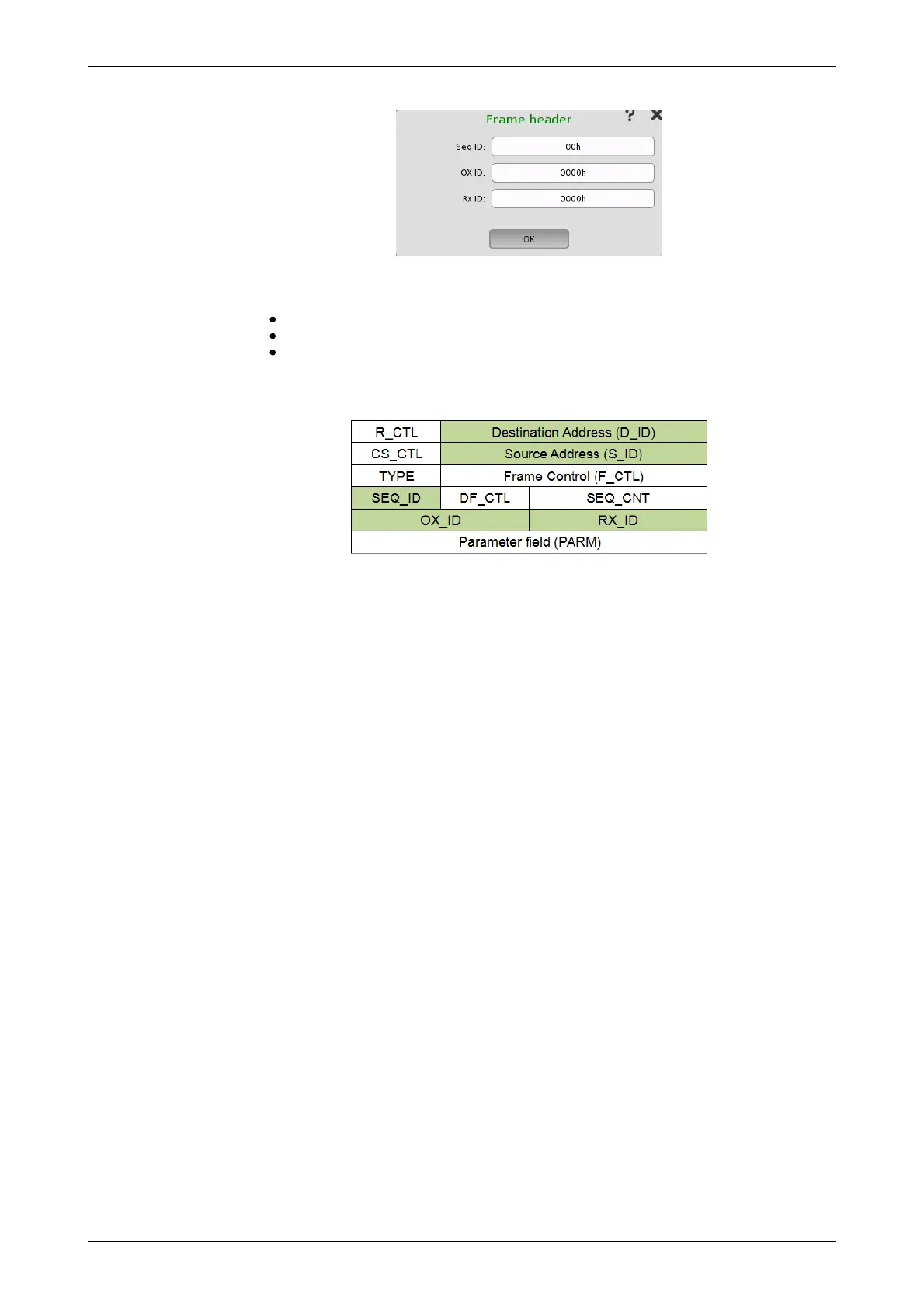
This dialog box allows you to configure the frame header for framed Fibre
Channel signals. The following parameters can be edited:
Seq ID: Unique frame sequence identifier
OX ID: Originator Exchange ID
Rx ID: Responder Exchange ID
The figure below shows the full frame header structure. The parts which can
be edited are shown as colored boxes.
9.1.3 Status Information
This section describes the status information available in the status area of
the Fibre Channel ports setup screen.
9.1.3.1 Status Summary
The status summary displayed for the Fibre Channel interface consists of the
following information:
The topmost part of the status area gives you access to information about
the current physical status of the selected interface. A summary consisting
of the most relevant status indicators is displayed constantly. By touching
anywhere in this part, you can open a dialog box that contains the detailed
status information.
The middle part of the status area gives you access to alarm and error
information for the selected interface. The status is indicated by the Lamp
color. You can choose whether to view only the current alarm and error
status, or to view all alarms and errors in the alarm trap since it was last
reset.
A summary consisting of the most relevant alarm/error indications is
displayed constantly.
9.1.3.2 Physical Details
Touching the topmost summary box in the status area of the Ports Setup
screen opens the dialog shown below.














 To Next Page