General
Configuration
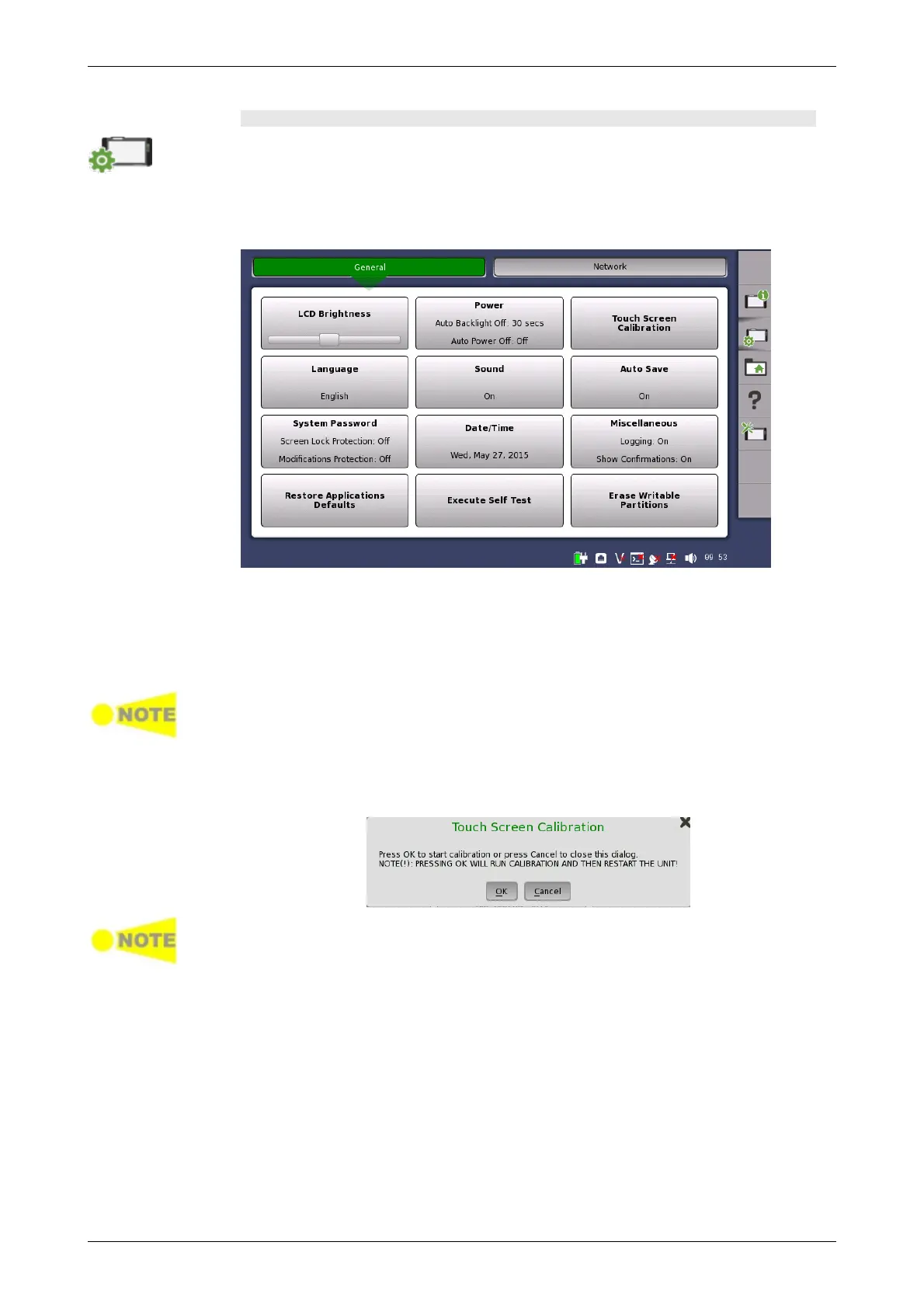
The Configuration icon launches the Global Configuration screen. From this
screen, it is possible to configure both the general instrument settings (such as
date/time, password etc.) and various network settings.
The General screen contains the following configuration options:
LCD Brightness
Allows you to change the screen brightness by using the slide bar.
Power
Allows you to specify auto backlight duration and auto power-off time.
These settings are applied for the battery operation only.
Touch Screen Calibration
Allows you to calibrate the touch screen. Touch OK in the dialog box to start
the calibration.
Save the measurement results or settings before the touch screen calibration.
Network Master reboots after the touch screen calibration. The measurement
data which is not saved will be lost.
Language
Allows you to select language for the screens, and the keypad layout.
Sound
Allows you to specify speaker and headphones on/off. Change the volume
by using the slide bar.














 To Next Page