Network
Date/Time
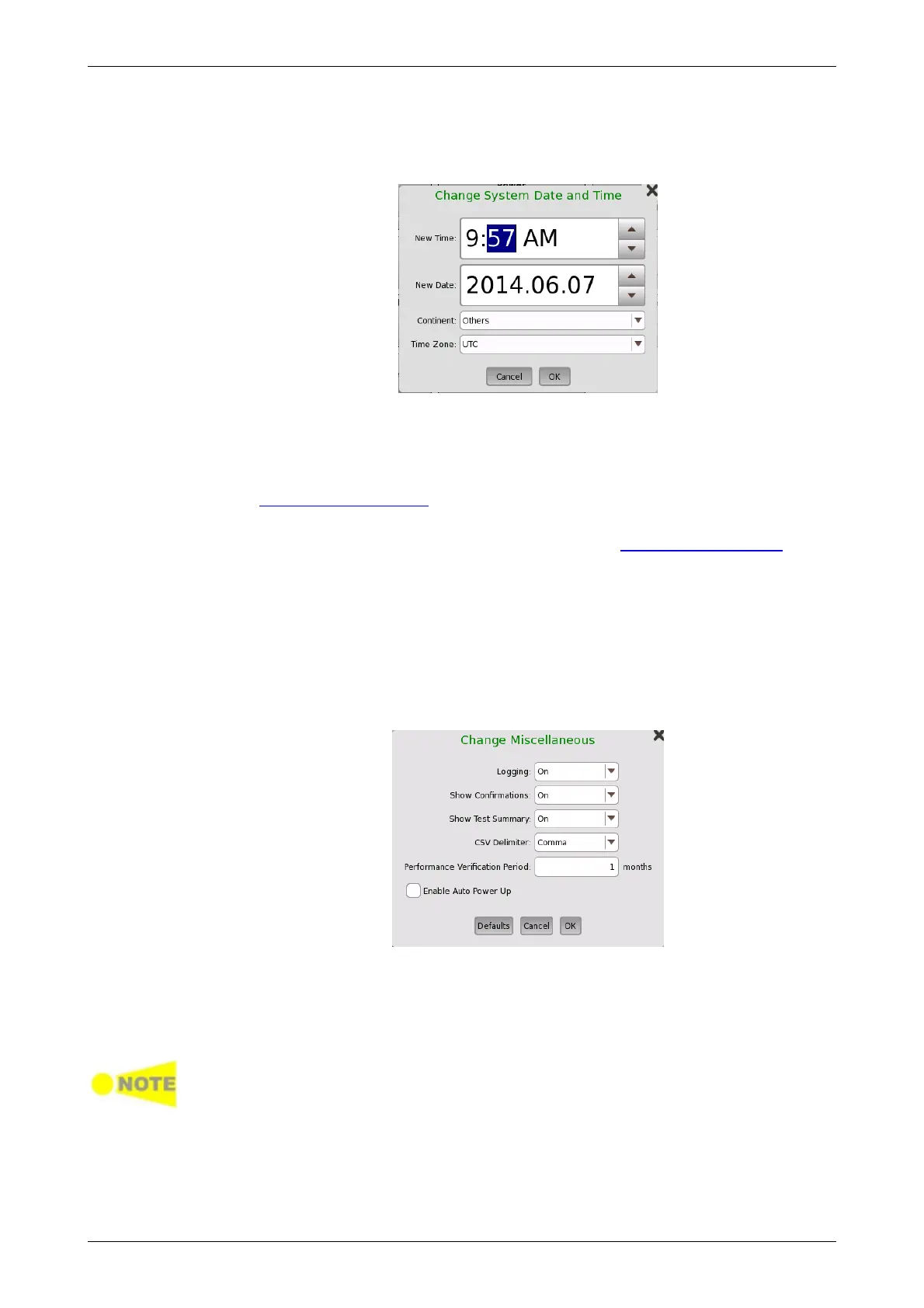
Allows you to change the system date and time. Select a part in New Time
or New Date field and touch the up/down button.
Miscellaneous
Logging Level allows you to specify the logging level. Select Off always.
Other options are used for the service use.
Show Confirmations allows you to specify whether showing the prompts
to confirm dependencies.
Show Test Summary allows you to specify whether to show the
summarized Test Status in the Status Bar. Refer to Test Status Summary for
more details.
CSV Delimiter allows you to specify the delimiter character to be used
when generating output of Comma Separated Values.
Performance Verification Period is used to calculate the performance
validation due dates. Due dates are note calculated if the period is set to
zero.
Enable Auto Power Up controls whether the Network Master starts
automatically when the external power is applied.
Restore Applications Defaults
Touching this button restores each application settings to defaults.
Execute Self Test
Touching this button starts the self test.
Save the measurement results or settings of the running applications before
executing the self test. Otherwise, the unsaved measurement data will be lost
when Network Master reboots.
Erase Writable Partitions
Touching this button erase writable partitions.
The Network screen contains the following configuration options for the
instrument's network connection:














 To Next Page