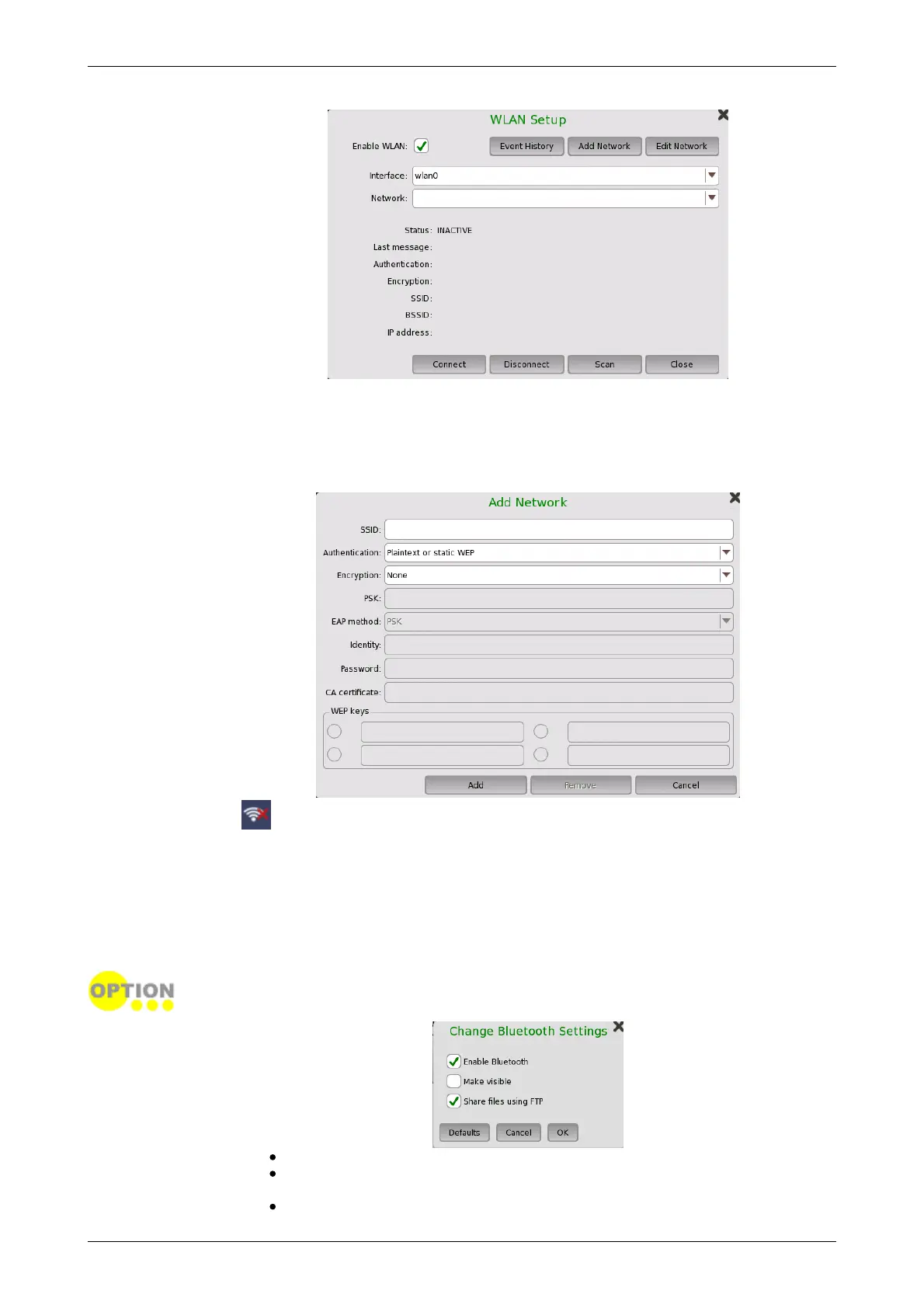
1. Touch the WLAN button. WLAN Setup dialog box appears.
2. Touch the Scan button. Scan results are displayed.
3. Select the network from scan results and touch the View button.
4. Touch the Add Network button. Specify relevant items of network, touch
the Add button.
5. Confirm that Status in WLAN Setup dialog box changes to Connected.
When the option is installed, this icon indicates the connection status of the
WLAN.
To edit the settings of the current network, touch the Edit Network button.
The Event History button is available to diagnose the WLAN connection.
Bluetooth
Allows the instrument to use a Bluetooth connection.
This feature requires an option (MT1000A-003).
Enable Bluetooth: Enables using the Bluetooth.
Make visible: Allows to discover Network Master from other Bluetooth
devices.
Share files using FTP: Allows to share files stored in Network Master














 To Next Page