143
Parameter Default Setting range Description
Sample Area Full Screen
Full
Screen,
-
Bottom
Right
User Area1
User Area2
Sets the sample area to calculate the
adjustment.
10 options are available: Eight fixed areas and
tow custom areas.
Fixed areas
Full Screen, Letter Box, Pillar Box, Center,
Top-Left, Top-Right,
Bottom Left, Bottom Right
Custom areas
Clicking Set Area opens the User Area1, 2
setting dialog box.
See section 9-2-2-3 “User Area 1, 2” for
details.
Area Display
(Marker
display)
Off
Off
On
Sets sample area display On/Off. If set to On,
the sample area appears as a
semi-transparent white rectangle on all output
videos.
It is set to Off at startup. Also, if Mode is set to
Off, Area Display is automatically set to Off.
IMPORTANT
Auto Level Adjustment will provide optimal results in many cases, but not always.
Sample Area determines the area where the data is sampled and the level
adjustments are applied to whole images.
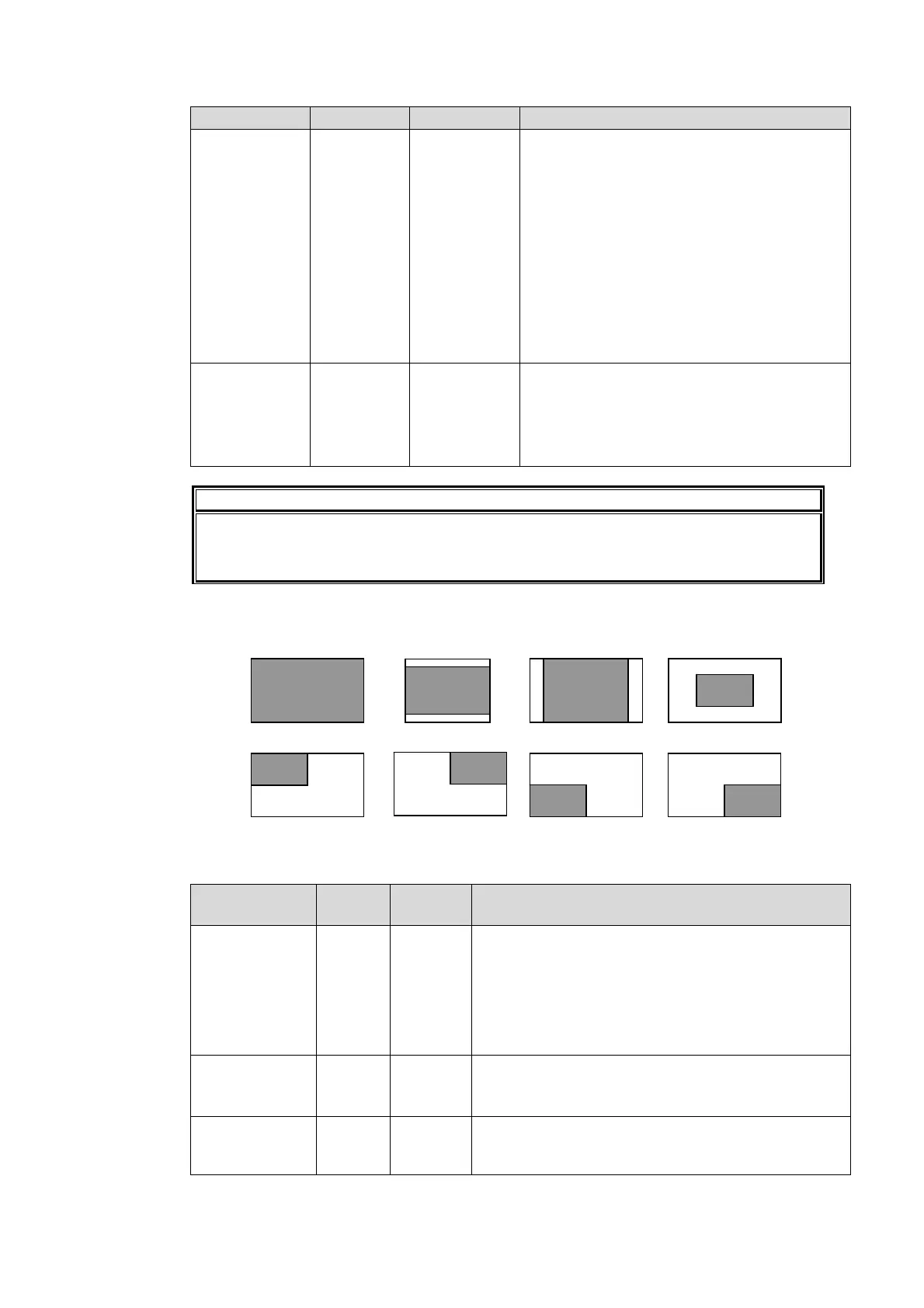
Sample Area (Fixed area)
Eight available sample areas are as shown below. Data is continuously sampled within each
area. (See section 9-2-2-3 “User Area 1, 2” for USERA REA 1, and 2.)
AVO Setup
Parameter Default
Setting
range
Description
Response
(Filtering
strength)
Level 3
Level 1 -
Level 5
Sets the filtering strength for calculating the mean
distances that are applied to histograms created
using the sample data.
The larger the value, the more gradually filtering is
performed, with a more stable image but slower
response. The smaller the value, the less stable
the image, but with a faster response.
Scene Cut Det
(Scene cut
detection)
Off
Off,
On
When set to On, the cut transitions are detected
and images are properly adjusted even if there are
sharp luminance changes.
Gamma Mode
(Gamma
correction)
On
Off,
On
When set to On, signal levels are adjusted using
the Gamma Level settings.
Full Screen
Sample area
Letter Box
Sample area
Pillar Box
Sample area
Center
Top-Left
Sample
area
Sample
area
Top-Right
Sample
area
Bottom-Left
Sample
area
Bottom-Right
Sample
area



 To Next Page