218
21-17-4. EXT I/F - ROUTER
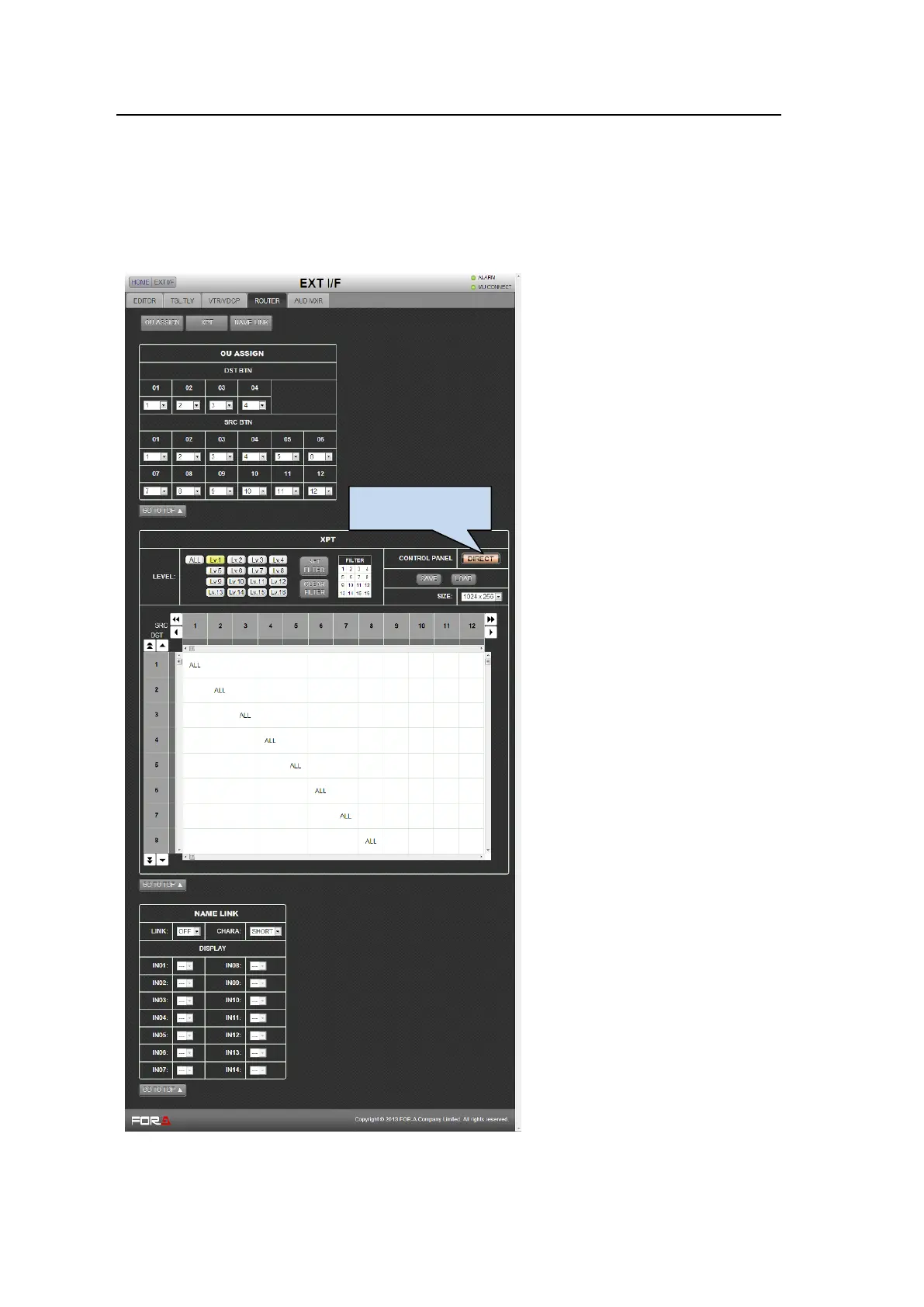
Click the ROUTER tab to display the ROUTER setting page.
See section 20-3. "Router Control."
Before displaying the ROUTER menu page, assign the ROUTER channel to an RS-422 port
in the [SETUP - SYSTEM - RS-422] page.
See section 21-15-1. "SETUP - SYSTEM"-RS-422.
See section 20-3-1. "RS-422 Port Settings."
Click a button to go to the desired menu
block. See the operation manual main
pages for details on each function.
See section 20-3-4. "Crosspoint
Switches with Control Buttons
(Setup)"
To assign ROUTER ENABLE to a
USER button, go to the [SETUP
-PANEL] menu page
See section "21-15-4. "SETUP -
PANEL"- OU USER BUTTON.
The CONTROL PANEL button changes
the crosspoint switching mode.
See section 20-3-2. "Setting MFR
Link."
Note that NAME LINK is available only
for FOR-A MFR Series routers. To use
the NAME LINK for other routers, two
RS-422 connections are required. Ask
your FOR-A reseller for mode details.



 To Next Page