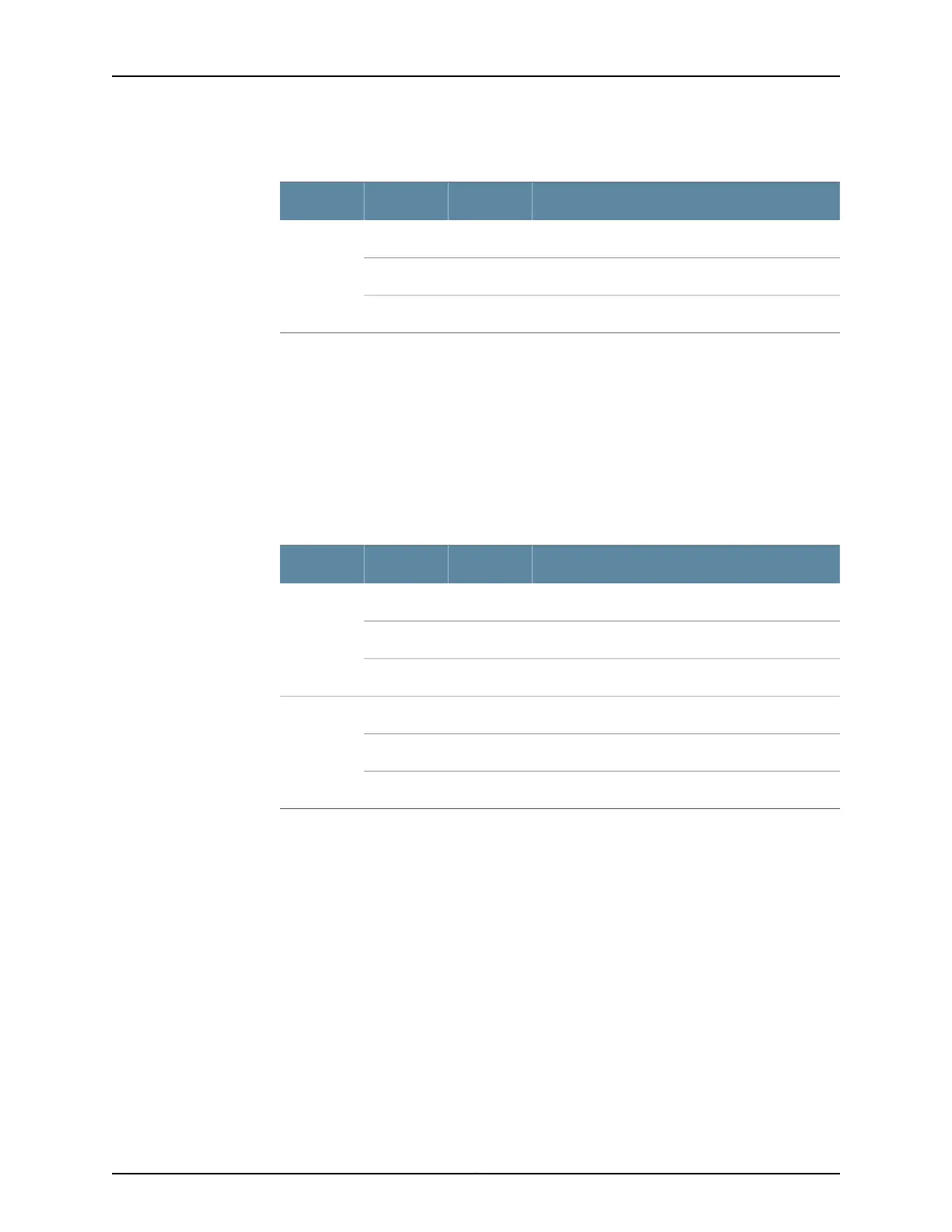
Table 60: AS MSC LEDs (continued)
DescriptionStateColorLabel
AS MSC storage operation is normal.On steadilyGreenAP
AS MSC storage operation has an error.On steadilyRed
AS MSC storage operation is not activated.Off–
See Also MX480 Application Services Modular Storage Card Description on page 96•
• Replacing an MX480 AS MSC on page 359
MX480 AS MXC LEDs
Two LEDs (CPU and AP) indicate the status of the AS MXC and are located on the AS
MXC. Table 61 on page 98 describes the functions of the AS MXC LEDs.
Table 61: AS MXC LEDs
DescriptionStateColorLabel
AS MXC operates normally.On steadilyGreenCPU
AS MXC has an error or has failed.On steadilyRed
AS MXC is offline.Off–
AS MXC applications operation is normal.On steadilyGreenAP
AS MXC applications operation has an error.On steadilyRed
AS MXC applications are not activated.Off–
See Also • MX480 Application Services Modular Processing Card Description on page 97
• Replacing an MX480 AS MXC on page 363
Copyright © 2017, Juniper Networks, Inc.98
MX480 3D Universal Edge Router Hardware Guide



 To Next Page