Related
Documentation
Verifying the MX480 Router Parts Received on page 179•
• Installing the MX480 Router Mounting Hardware for a Rack or Cabinet on page 183
• Installing the MX480 Router Using a Mechanical Lift on page 194
• Tools Required to Install the MX480 Router with a Mechanical Lift
• Tools Required to Install the MX480 Router Without a Mechanical Lift on page 201
Verifying the MX480 Router Parts Received
A packing list is included in each shipment. Check the parts in the shipment against the
items on the packing list. The packing list specifies the part numbers and descriptions of
each part in your order.
If any part is missing, contact a customer service representative.
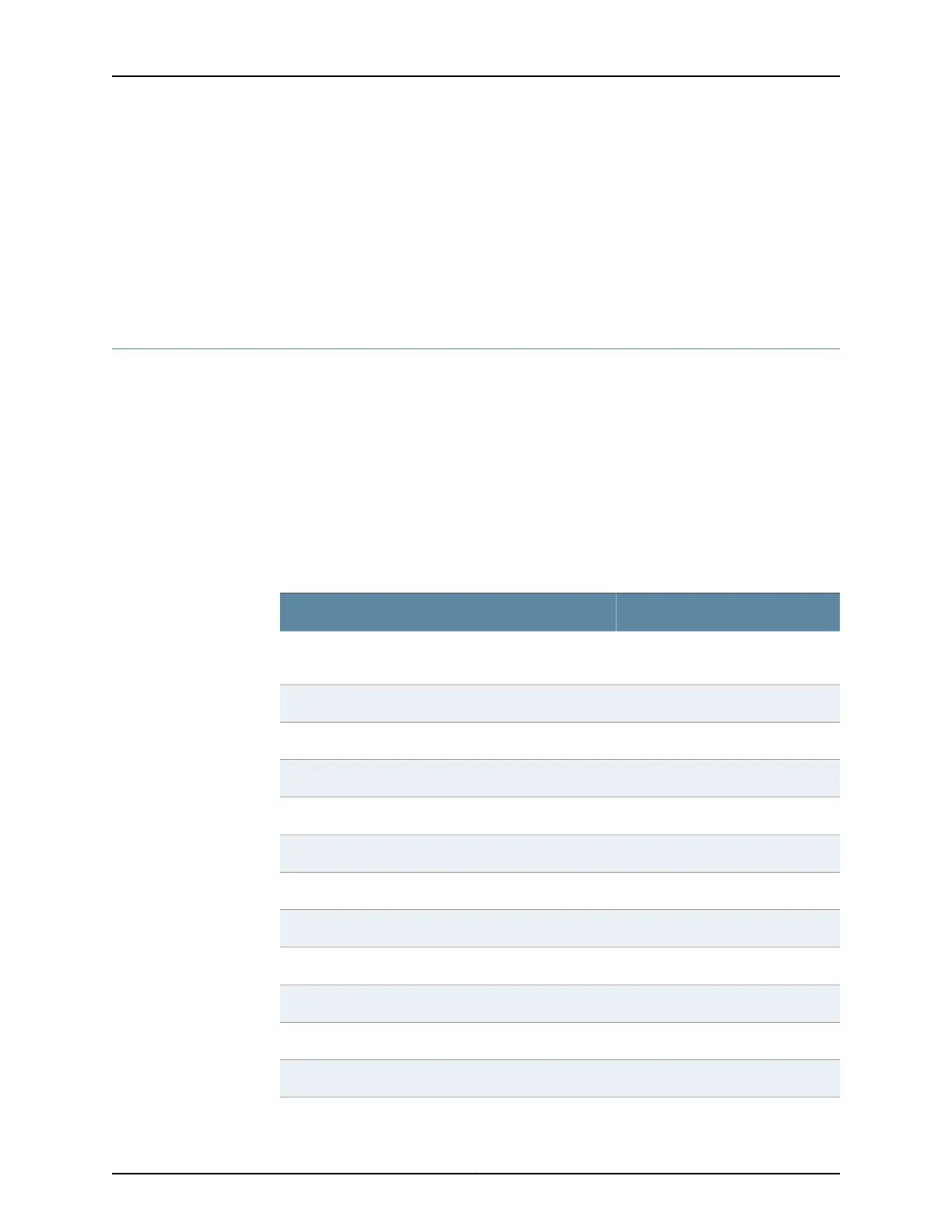
A fully configured router contains the router chassis with installed components, listed in
Table 98 on page 179, and an accessory box, which contains the parts listed in
Table 99 on page 180. The parts shipped with your router can vary depending on the
configuration you ordered.
Table 98: Parts List for a Fully Configured Router
QuantityComponent
1Chassis, including midplane, craft interface, and
center-mounting brackets
Up to 6DPCs
Up to 3FPCs
Up to 6MPCs
Up to 12MICs
Up to 6PICs
1 or 2Routing Engines
1 or 2SCBs
Up to 4Power supplies
1Fan tray
1Air filter
1Air filter tray
179Copyright © 2017, Juniper Networks, Inc.
Chapter 14: Unpacking the MX480 Router



 To Next Page