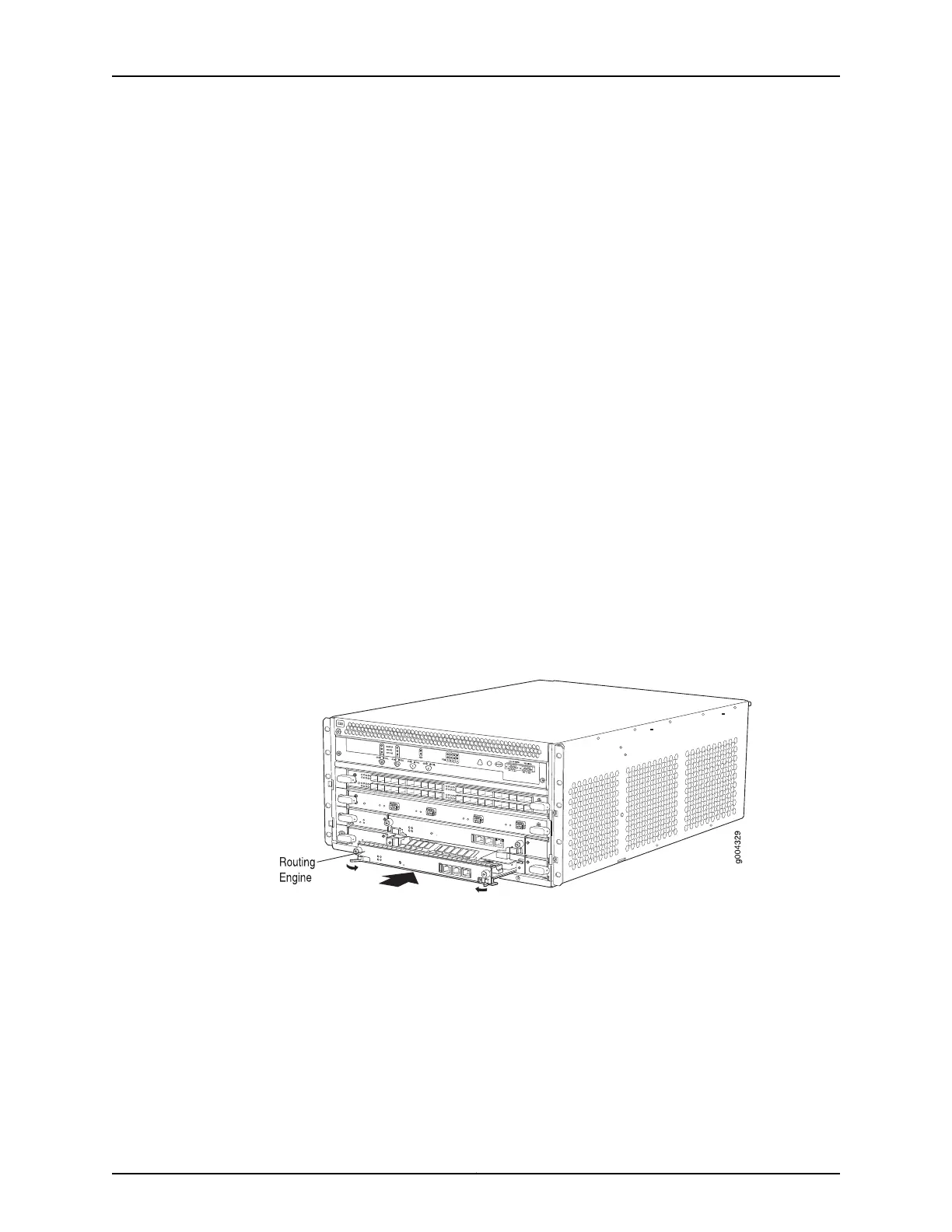
5. Slide the Routing Engine into the SCB until you feel resistance, and then press the
Routing Engine's faceplate until it engages the connectors.
6. Press both of the ejector handles inward to seat the Routing Engine.
7. Tighten the captive screws on the left and right of the Routing Engine.
8. Connect the management device cables to the Routing Engine.
The Routing Engine might require several minutes to boot.
After the Routing Engine boots, verify that it is installed correctly by checking the FAIL,
RE0, and RE1 LEDs on the craft interface. If the router is operational and the Routing
Engine is functioning properly, the green ONLINE LED lights steadily. If the red FAIL LED
lights steadily instead, remove and install the Routing Engine again. If the red FAIL LED
still lights steadily, the Routing Engine is not functioning properly. Contact your customer
support representative.
To check the status of the Routing Engine, use the CLI command:
user@host> show chassis routing-engine
Routing Engine status: Slot 0: Current state Master ...
For more information about using the CLI, see the Junos OS documentation.
Figure 94: Installing a Routing Engine
Related
Documentation
Preventing Electrostatic Discharge Damage to an MX480 Router on page 484•
• Replacing Connections to MX480 Routing Engine Interface Ports on page 311
• Removing an MX480 Routing Engine on page 301
• Removing an MX480 Routing Engine on page 301
255Copyright © 2017, Juniper Networks, Inc.
Chapter 21: Installing Components



 To Next Page