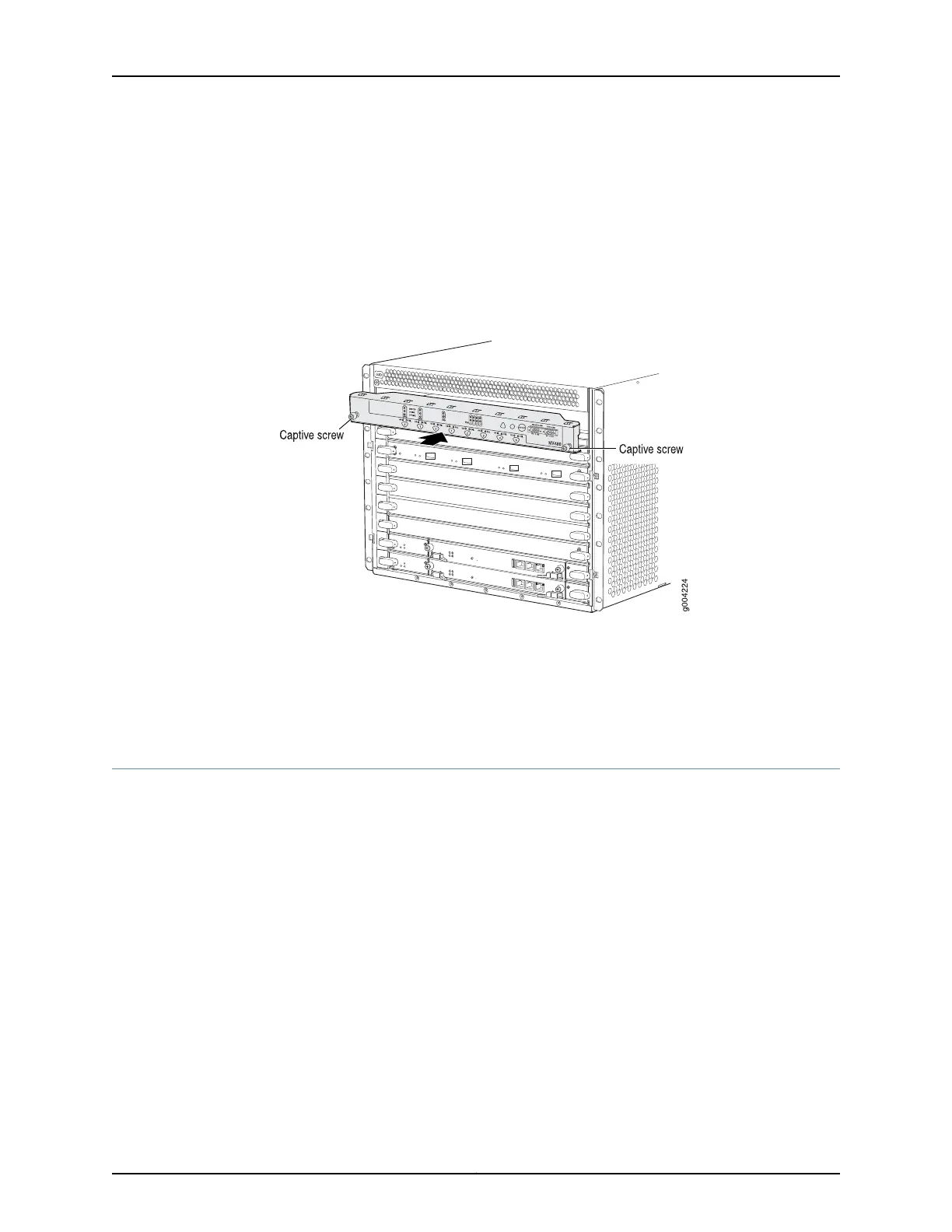
4. Align the bottom of the craft interface with the sheet metal above the card cage and
press it into place.
5. Tighten the screws on the left and right corners of the craft interface faceplate.
6. Reattach any external devices connected to the craft interface.
Figure 91: Installing the Craft Interface
Related
Documentation
Preventing Electrostatic Discharge Damage to an MX480 Router on page 484•
• Removing the MX480 Craft Interface on page 288
• Connecting the Alarm Relay Wires to the MX480 Craft Interface on page 239
Installing the MX480 Air Filter
To install the air filter (see Figure 92 on page 253):
1. Attach an ESD grounding strap to your bare wrist and connect the strap to one of the
ESD points on the chassis.
2. Locate the up arrow and ensure that the air filter is right side up.
3. Slide the air filter straight into the chassis until it stops.
4. Align the captive screws of the air filter cover with the mounting holes on the chassis.
5. Tighten the captive screws on the air filter cover.
Copyright © 2017, Juniper Networks, Inc.252
MX480 3D Universal Edge Router Hardware Guide



 To Next Page