• MX480 MIC Serial Number Label on page 465
Installing an MX480 MIC
To install a MIC (see Figure 99 on page 266):
1. Attach an ESD grounding strap to your bare wrist and connect the strap to one of the
ESD points on the chassis.
2. If you have used a dual-wide MIC and are now replacing it with two “single” MICs,
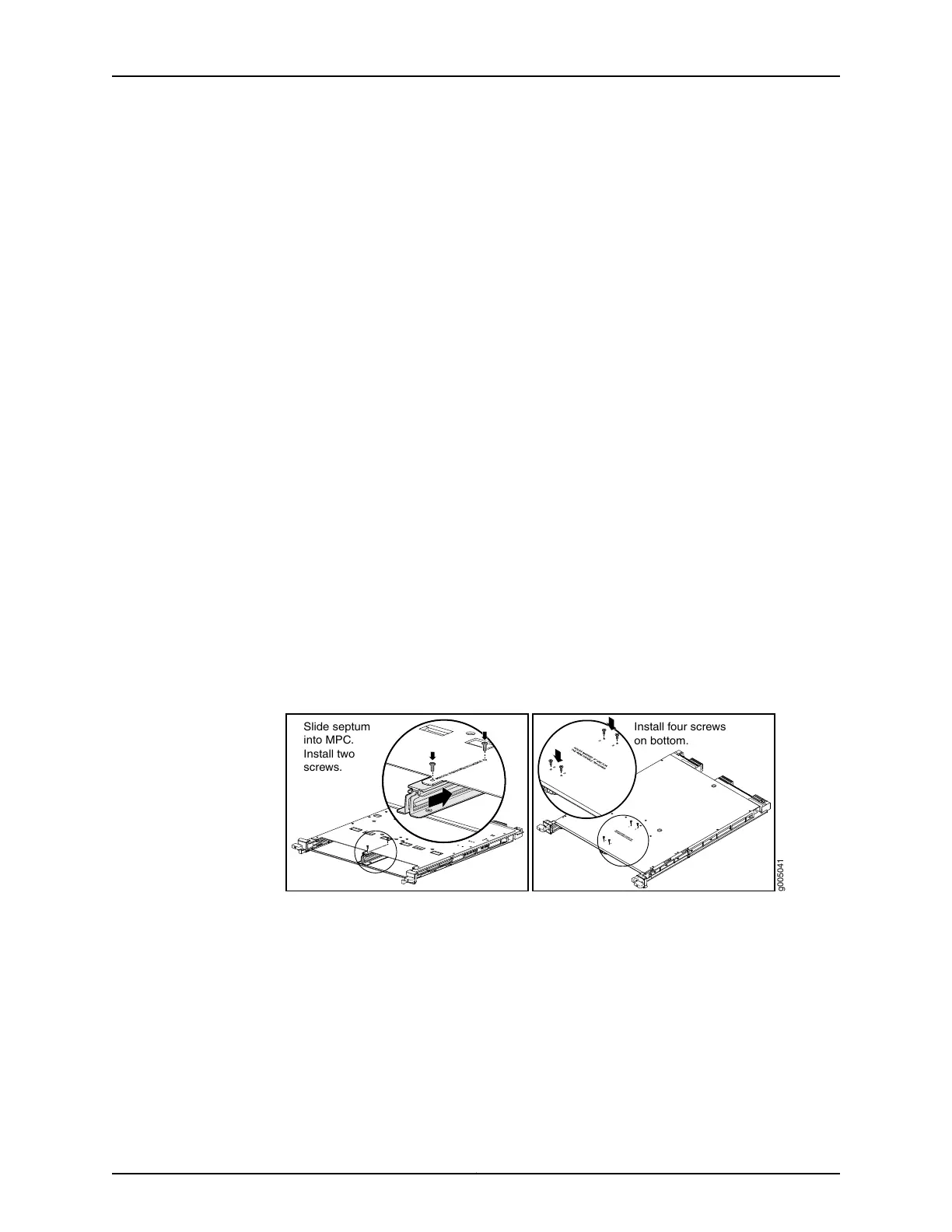
install the septum (see Figure 98 on page 264):
a. Place the MPC on a flat surface (If necessary, remove the MPC from the router as
described in “Removing an MX480 MPC” on page 345).
b. Position the septum in the center of the MPC so that it lines up with holes labeled
S on the top of the MPC.
c. Insert a screw into each of the two holes labeled S, and then tighten completely.
d. On the bottom of the MPC, insert a screw into each of the four holes labeled S, and
then tighten completely.
e. Install the MPC as described in “Installing an MX480 MPC” on page 269.
Figure 145: Installing the Septum
g005041
Install four screws
on bottom.
Slide septum
into MPC.
Install two
screws.
3. If the MIC uses fiber-optic cable, verify that a rubber safety cap is over each transceiver
on the faceplate. Install a cap if necessary.
4. On the MPC, pull the ejector lever that is adjacent to the MIC you are installing away
from the MPC faceplate.
5. Align the rear of the MIC with the guides located at the corners of the MIC slot.
Copyright © 2017, Juniper Networks, Inc.340
MX480 3D Universal Edge Router Hardware Guide



 To Next Page