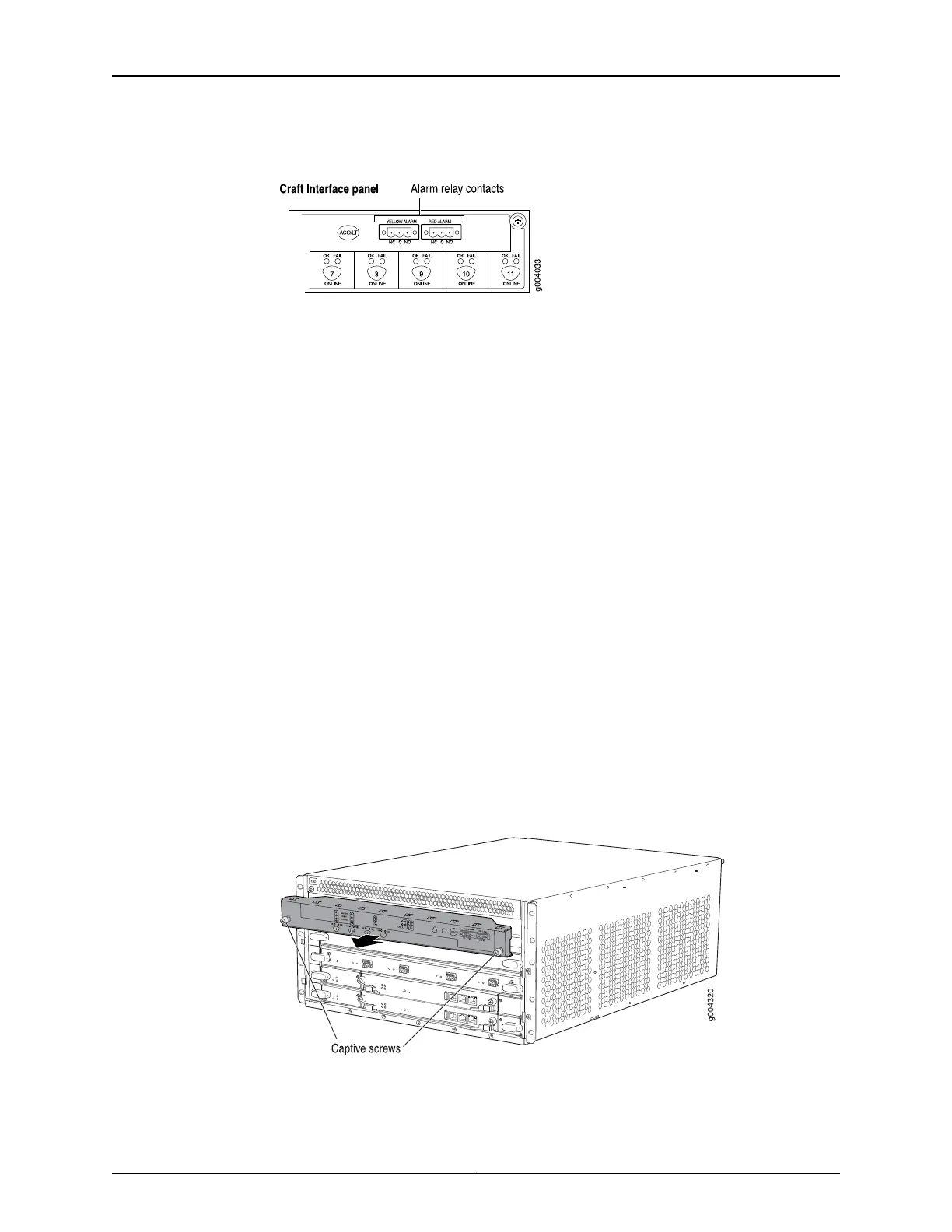
Figure 111: Alarm Relay Contacts
See Also Preventing Electrostatic Discharge Damage to an MX480 Router on page 484•
• Connecting the Alarm Relay Wires to the MX480 Craft Interface on page 239
• Removing the MX480 Craft Interface on page 288
• Installing the MX480 Craft Interface on page 251
Removing the MX480 Craft Interface
To remove the craft interface (see Figure 112 on page 288):
1. Attach an ESD grounding strap to your bare wrist and connect the strap to one of the
ESD points on the chassis.
2. Detach any external devices connected to the craft interface.
3. Loosen the captive screws at the left and right corners of the craft interface faceplate.
4. Grasp the craft interface faceplate and carefully tilt it toward you until it is horizontal.
5. Disconnect the ribbon cable from the back of the faceplate by gently pressing on both
sides of the latch with your thumb and forefinger. Remove the craft interface from
the chassis.
Figure 112: Removing the Craft Interface
See Also Preventing Electrostatic Discharge Damage to an MX480 Router on page 484•
Copyright © 2017, Juniper Networks, Inc.288
MX480 3D Universal Edge Router Hardware Guide



 To Next Page