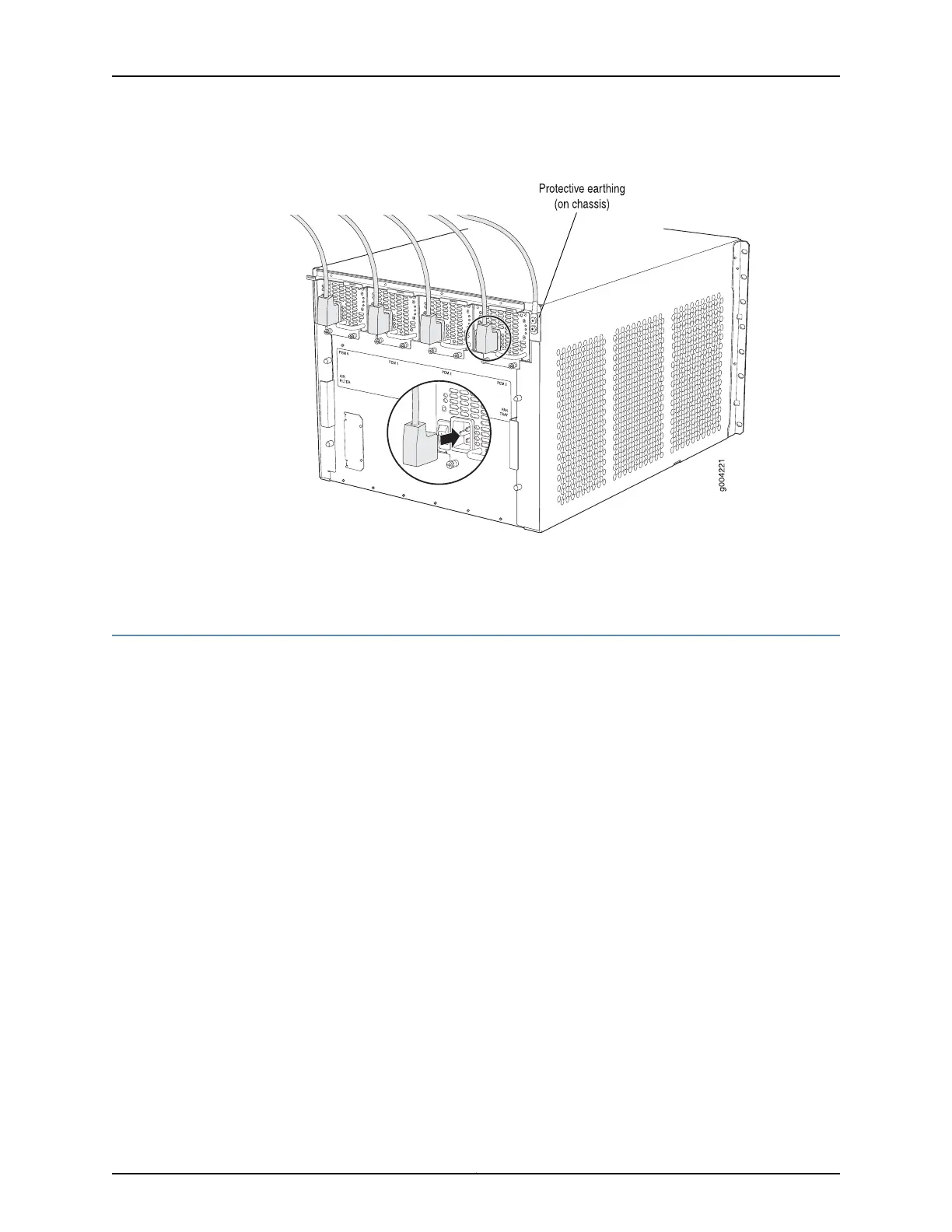
Figure 75: Connecting AC Power to the Router (110V)
Related
Documentation
Preventing Electrostatic Discharge Damage to an MX480 Router on page 484•
Powering On an AC-Powered MX480 Router
To power on an AC-powered router:
1. Attach an ESD grounding strap to your bare wrist and connect the strap to one of the
ESD points on the chassis.
2. Verify that the power supplies are fully inserted in the chassis.
3. Verify that each AC power cord is securely inserted into its appliance inlet.
4. Verify that an external management device is connected to one of the Routing Engine
ports (AUX, CONSOLE, or ETHERNET).
5. Turn on the power to the external management device.
6. Switch on the dedicated customer site circuit breakers for the power supplies. Follow
the ESD and safety instructions for your site.
7. Move the AC input switch on each power supply to the on (|) position and observe
the status LEDs on each power supply faceplate. If an AC power supply is correctly
installed and functioning normally, the AC OK and DC OK LEDs light steadily, and the
PS FAIL LED is not lit.
Copyright © 2017, Juniper Networks, Inc.220
MX480 3D Universal Edge Router Hardware Guide



 To Next Page