CAUTION: Avoid bending fiber-optic cable beyond its minimum bend
radius.An arc smallerthan a few inches in diameter can damage the cable
and cause problems that are difficult to diagnose.
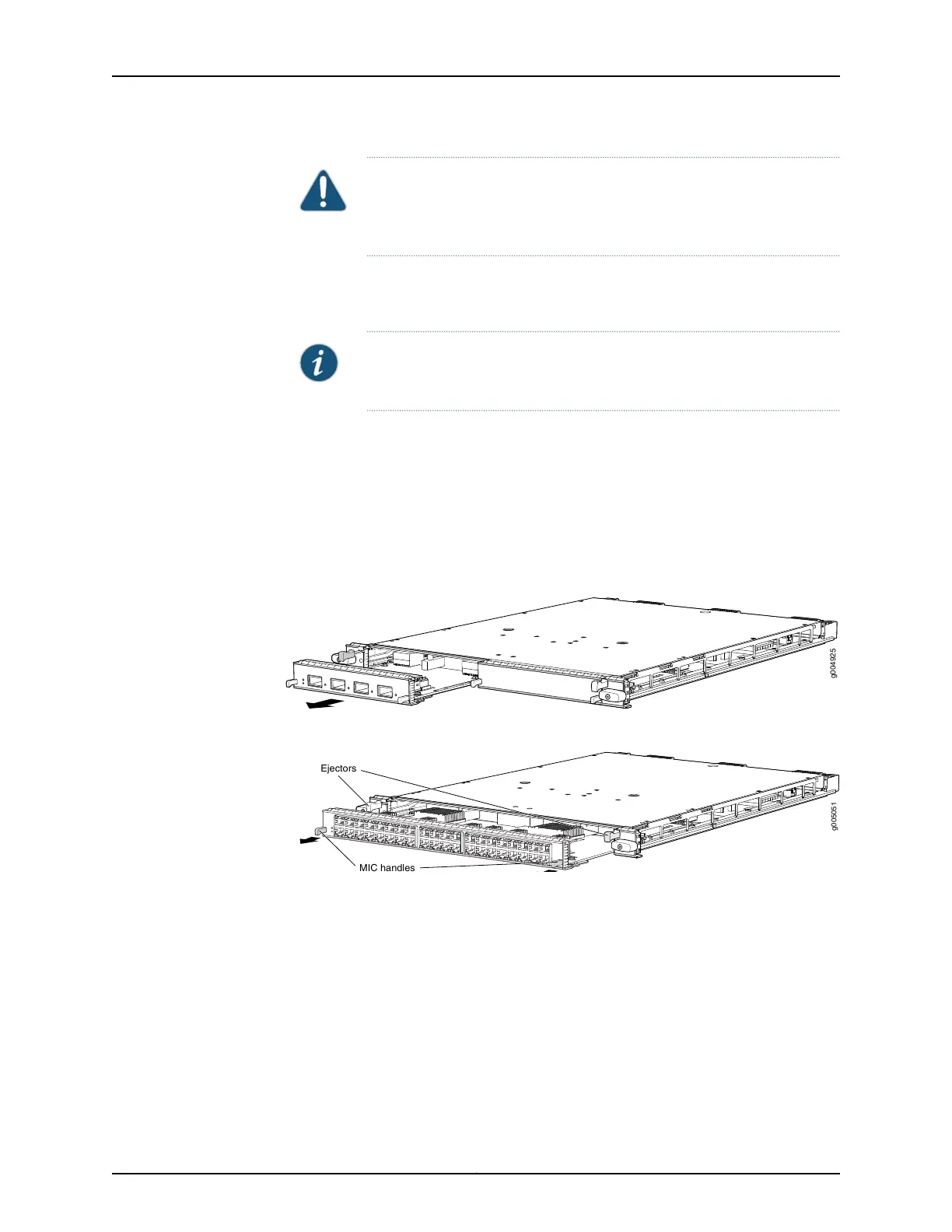
7. On the MPC, pull the ejector lever that is adjacent to the MIC you are removing away
from the MPC faceplate. Pulling the ejector lever disconnects the MIC from the MPC.
NOTE: To remove a dual-wide MIC that takes up both MIC slots, you must
pull both ejector levers away from the MPC faceplate.
8. Grasp the handles on the MIC faceplate, and slide the MIC out of the MPC card carrier.
Place it in the electrostatic bag or on the antistatic mat.
9. If you are not reinstalling a MIC into the emptied MIC slot within a short time, install
a blank MIC panel over the slot to maintain proper airflow in the MPC card cage.
Figure 143: Removing a MIC
Figure 144: Removing a Dual-Wide MIC
g005051
Ejectors
MIC handles
See Also MX480 Modular Interface Card (MIC) Description on page 76•
• Maintaining MX480 MICs on page 430
• Troubleshooting the MX480 MICs on page 446
• Replacing an MX480 MPC on page 345
• Installing an MX480 MIC on page 264
• Installing an MX480 Dual-Wide MIC on page 266
• Preventing Electrostatic Discharge Damage to an MX480 Router on page 484
339Copyright © 2017, Juniper Networks, Inc.
Chapter 25: Replacing Line Card Components



 To Next Page