If only disk1 is replaced:
a. Bring the Routing Engine online by pressing the ONLINE/OFFLINE button.
b. The router boots from disk2 . To be able to boot from disk1:
user@host> request vmhost snapshot partition
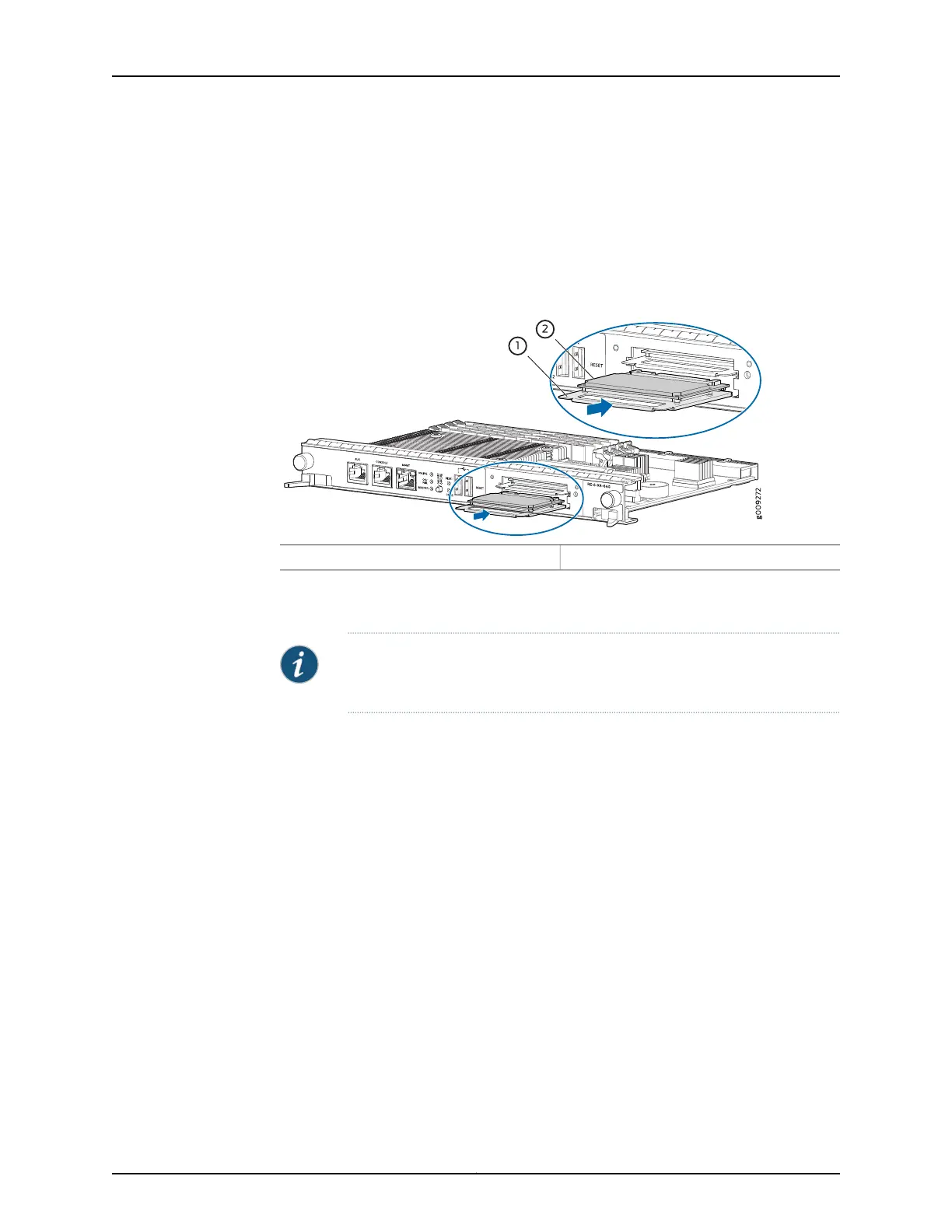
Figure 128: Installing an SSD in the Routing Engine RE-S-X6-64G
2—1— SSD cardCarrier
Copying vmhost and Junos OS from an USB disk when both the SSDs are replaced
together:
NOTE: To preparea bootable USB disk, see Creating an Emergency Boot Device
for RE-MX-X6, RE-MX-X8 and RE-PTX-X8 Routing Engines.
1. Insert the USB disk in the USB slot on the Routing Engine.
2. After the Routing Engine boots from the USB, press y when you are prompted to
confirm Install vmhost and Junos software on Primary and Secondary disk [y/N]? on
the console.
3. After the installation is completed, press y when prompted to confirm Reboot now?
[y/N]? to reboot from the SSD disk.
Copying vmhost and Junos OS to the SSDs from the PXEBoot server:
1. Set up the PXEBoot server. See Copying VM Host Installation Package to the PXE Boot
Server.
2. Bring the Routing Engine online by pressing the ONLINE/OFFLINE button.
3. During the boot, when you see the message Press Esc for boot options press Esc key
to enter into the BIOS menu boot options.
Copyright © 2017, Juniper Networks, Inc.310
MX480 3D Universal Edge Router Hardware Guide



 To Next Page