On routers that accept two Routing Engines, you cannot mix Routing Engine types except
for a brief period (one minute or so) during an upgrade or downgrade to two Routing
Engines of the same type.
Related
Documentation
Supported Routing Engines by Router on page 40•
MX480 Routing Engine LEDs
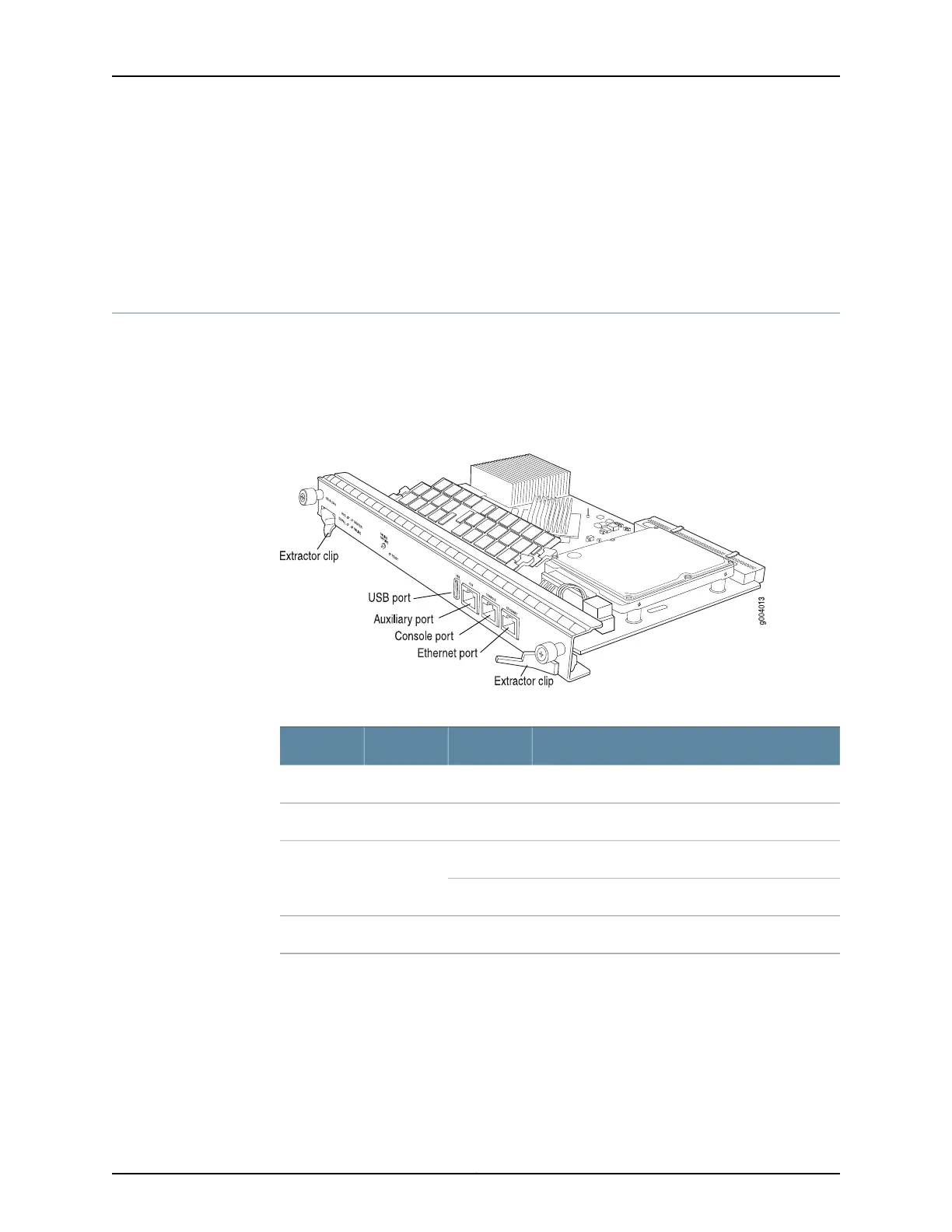
Each Routing Engine has four LEDs that indicate its status. The LEDs, labeled MASTER,
HDD, ONLINE, and FAIL, are located directly on the faceplate of the Routing Engine.
Table 18 on page 38 and Table 19 on page 39 describe the functions of the Routing Engine
LEDs.
Figure 19: RE-S-1800 Routing Engine
Table 18: RE-S-1800 Routing Engine LEDs
DescriptionStateColorLabel
Routing Engine is the Master.On steadilyBlueMASTER
Indicates activity on the hard disk drive.BlinkingGreenHDD
Routing Engine is transitioning online.BlinkingGreenONLINE
Routing Engine is functioning normally.On steadily
Routing Engine has failed.On steadilyRedFAIL
Copyright © 2017, Juniper Networks, Inc.38
MX480 3D Universal Edge Router Hardware Guide



 To Next Page