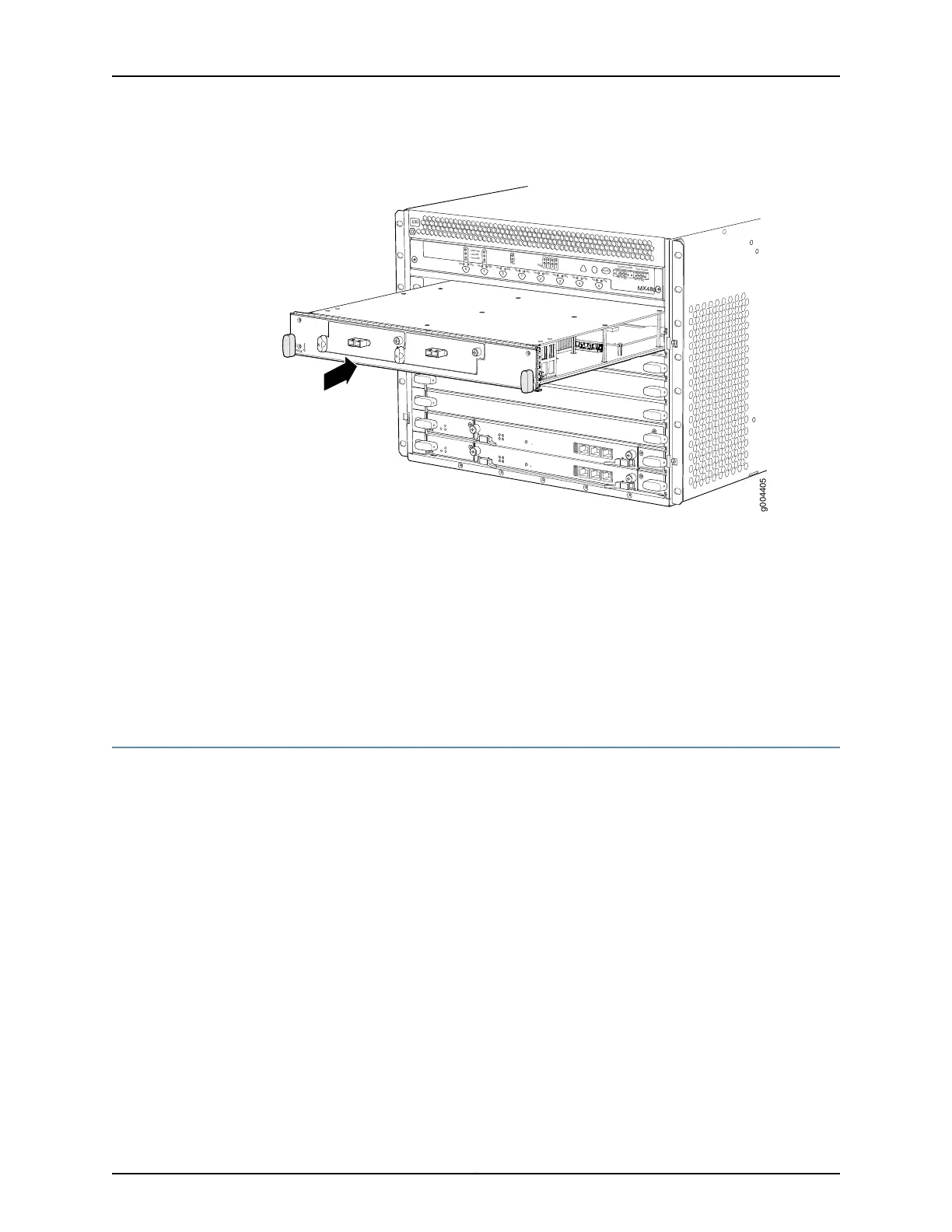
Figure 62: Reinstalling an FPC
OK
MASTER
F
AN
ONLINE
OFFLINE
0
1
1
0
F
AI
L
F
AI
L
PEM
F
AI
L
F
AI
L
F
AI
L
F
AI
L
F
AI
L
F
AI
L
ESD
OK
OK
OK
OK
OK
OK
OK
2
3
4
5
ACO/
L
T
Y
EL
L
OW ALARM
RED ALARM
NC
NO
C
NC
NO
C
MX480
REO
RE1
0
1
2
3
g004405
Related
Documentation
Preventing Electrostatic Discharge Damage to an MX480 Router on page 484•
• Tools Required to Install the MX480 Router with a Mechanical Lift on page 188
• Removing Components from the MX480 Router Before Installing It with a Lift on
page 189
• Installing the MX480 Router Using a Mechanical Lift on page 194
• Installing the MX480 Router Cable Management Bracket on page 215
Tools Required to Install the MX480 Router Without a Mechanical Lift
To install the router, you need the following tools and parts:
•
Phillips (+) screwdrivers, numbers 1 and 2
•
7/16-in. (11 mm) nut driver
•
ESD grounding wrist strap
Related
Documentation
Removing Components from the MX480 Router Before Installing It Without a Lift on
page 202
•
• Installing the MX480 Chassis in the Rack Manually on page 208
• Reinstalling Components in the MX480 Router After Installing It Without a Lift on
page 210
201Copyright © 2017, Juniper Networks, Inc.
Chapter 16: Installing the MX480 Router



 To Next Page