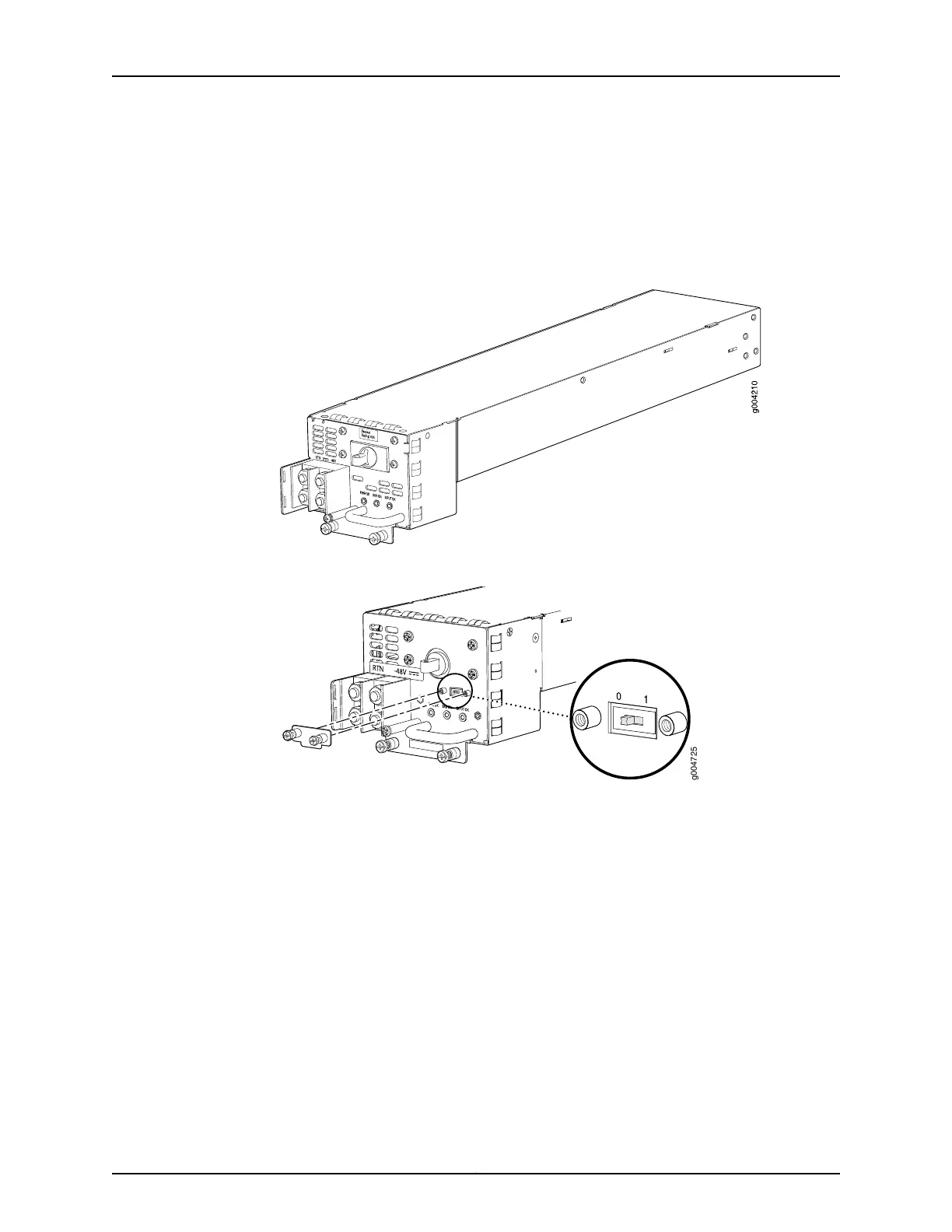
power supply has a single DC input (–48 VDC and return) that requires a dedicatedcircuit
breaker.
For high capacity power supplies, we recommend that you provision 60 A or 70 A per
feed, depending on the selected DIP switch setting.
Figure 35: DC Power Supply
Figure 36: High-Capacity DC Power Supply
DC Power Supply Configurations
In the DC power configuration, the MX480 router contains either two or four DC power
supplies (see Figure 35 on page 103) located at the rear of the chassis in slots PEM0
through PEM3 (left to right). You can upgrade your DC power system from two to four
power supplies.
Four power supplies provide full redundancy. If a DC power supply in a redundant
configuration is removed or fails, its redundant power supply takes over without
interruption. The DC power supply in PEM2 serves as redundant to the DC power supply
in slot PEM0, and the DC power supply in PEM3 serves as redundant to the DC power
supply in slot PEM1. If only two DC power supplies are installed, they must be installed
in slots PEM0 and PEM1 or in slots PEM2 and PEM3.
Table 63 on page 104 shows the components that are powered by each DC power supply
slot. It applies to existing and high-capacity power supplies.
103Copyright © 2017, Juniper Networks, Inc.
Chapter 7: Power System Components and Descriptions



 To Next Page