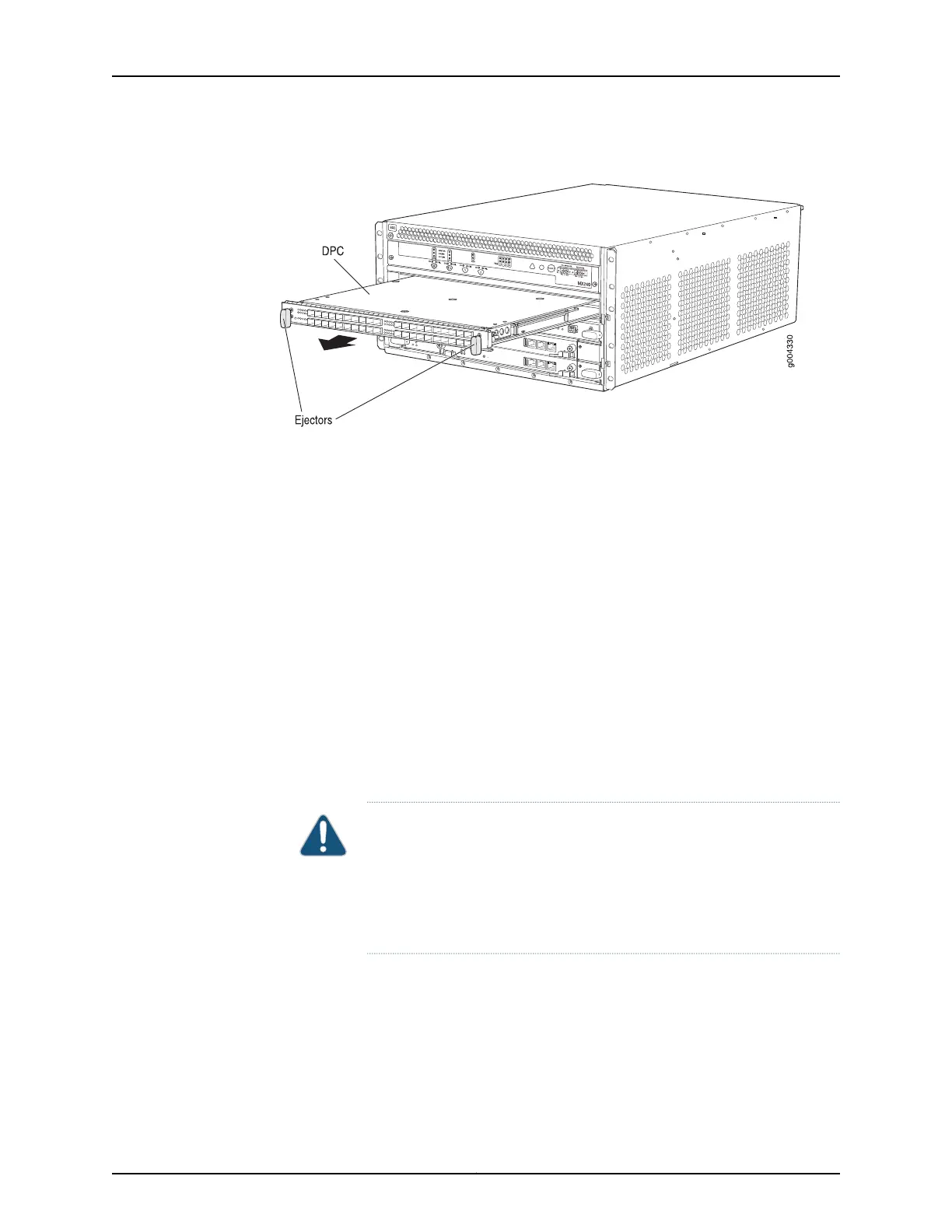
Figure 66: Removing a DPC
Removing the FPCs Before Installing the MX480 Router Without a Lift
To remove an FPC (see Figure 67 on page 207):
1. Have ready an antistatic mat for the FPC. Also have ready rubber safety caps for each
PIC using an optical interface on the PIC that you are removing.
2. Attach an ESD grounding strap to your bare wrist and connect the strap to one of the
ESD points on the chassis.
3. Simultaneously turn both the ejector handles counterclockwise to unseat the FPC.
4. Grasp the handles, and slide the FPC straight out of the card cage halfway.
5. Place one hand around the front of the FPC and the other hand under it to support it.
Slide the FPC completely out of the chassis, and place it on the antistatic mat or in
the electrostatic bag.
CAUTION: The weight of the FPC is concentrated in the back end. Be
prepared to accept the full weight—up to 18 lb (8.2 kg)—as you slide the
FPC out of the chassis.
When the FPC is out of the chassis, do not hold it by the ejector handles,
bus bars, or edge connectors. They cannot support its weight.
Copyright © 2017, Juniper Networks, Inc.206
MX480 3D Universal Edge Router Hardware Guide



 To Next Page