CAUTION: Do not let fiber-optic cable hang free from the connector. Do
not allow fastened loops of cable to dangle, which stresses the cable at
the fastening point.
CAUTION: Avoid bending fiber-optic cable beyond its minimum bend
radius.An arc smallerthan a few inches in diameter can damage the cable
and cause problems that are difficult to diagnose.
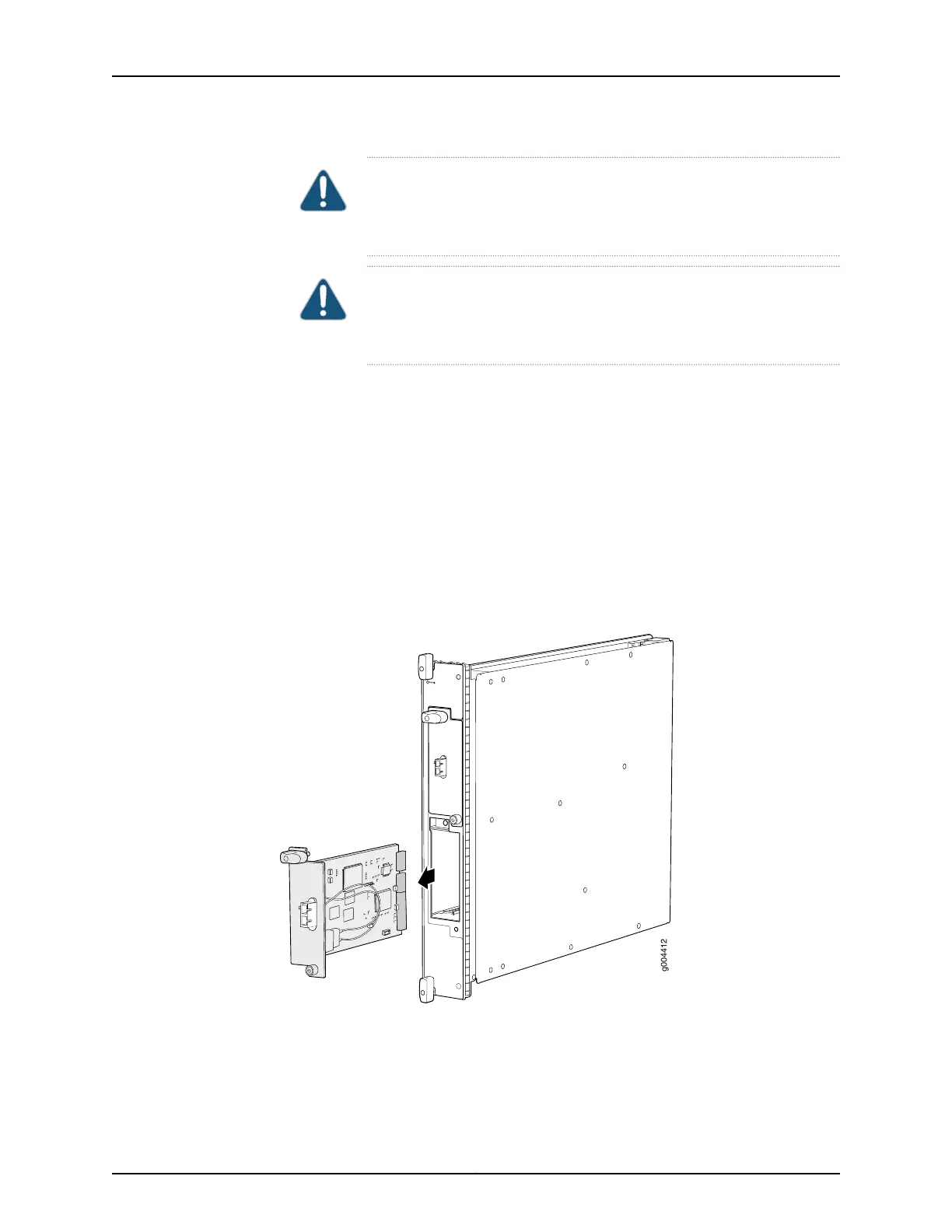
7. For an FPC3 PIC, loosen the captive screw at the bottom of the PIC faceplate, then
twist the ejector handle at the top of the faceplate counterclockwise to unseat the
PIC.
8. Slide the PIC out of the FPC card carrier and place it in the electrostatic bag or on the
antistatic mat.
9. If you are not reinstalling a PIC into the emptied PIC slot within a short time, install a
blank PIC panel over the slot to maintain proper airflow in the FPC card cage.
Figure 151: Removing a PIC
See Also Preventing Electrostatic Discharge Damage to an MX480 Router on page 484•
• Installing an MX480 PIC on page 271
• Troubleshooting the MX480 PICs on page 449
Copyright © 2017, Juniper Networks, Inc.352
MX480 3D Universal Edge Router Hardware Guide



 To Next Page