Do not stack FPCs on top of one another after removal. Place each one
individually in an electrostatic bag or on its own antistatic mat on a flat,
stable surface.
11. If necessary, remove each installed PIC from the FPC.
12. After you remove each PIC, immediately place it on an antistatic mat or in an
electrostatic bag.
13. If you are not reinstalling an FPC into the emptied DPC slots within a short time, install
a blank DPC panel over each slot to maintain proper airflow in the card cage.
CAUTION: After removing an FPC from the chassis, wait at least 30
seconds before reinserting it or inserting an FPC into a different slot.
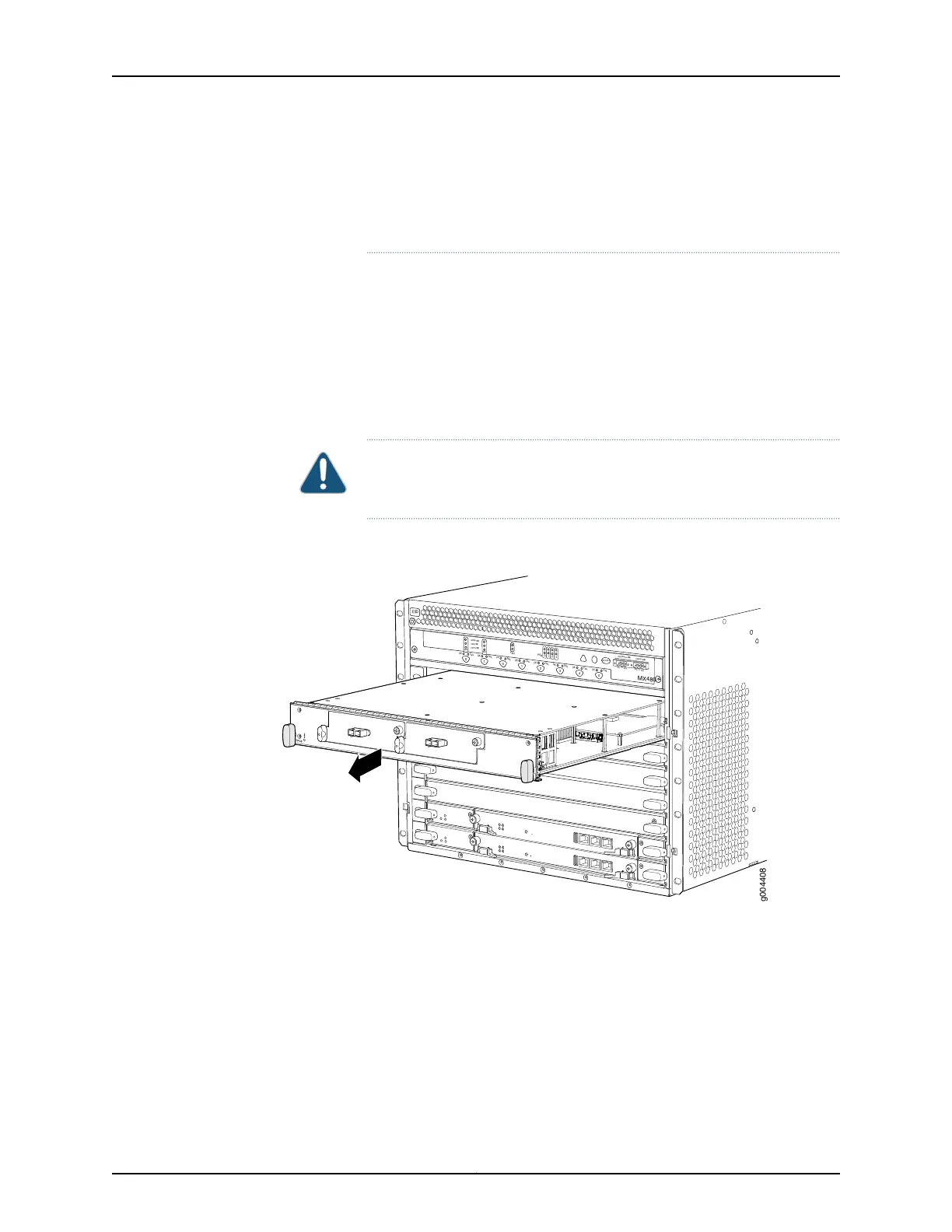
Figure 141: Removing an FPC
OK
MASTER
F
AN
ONLINE
OFFLINE
0
1
1
0
F
AI
L
F
AI
L
PEM
F
AI
L
F
AI
L
F
AI
L
F
AI
L
F
AI
L
F
AI
L
ESD
OK
OK
OK
OK
OK
OK
OK
2
3
4
5
ACO/
L
T
Y
EL
L
OW
ALARM
RED
ALARM
NC
NO
C
NC
N
O
C
MX480
REO
RE1
0
1
2
3
g004408
See Also Preventing Electrostatic Discharge Damage to an MX480 Router on page 484•
• Removing an MX480 PIC on page 351.
• Holding an MX480 FPC on page 427
• Storing an MX480 FPC on page 429
• Installing an MX480 FPC on page 261
• Maintaining MX480 FPCs on page 425
Copyright © 2017, Juniper Networks, Inc.334
MX480 3D Universal Edge Router Hardware Guide



 To Next Page