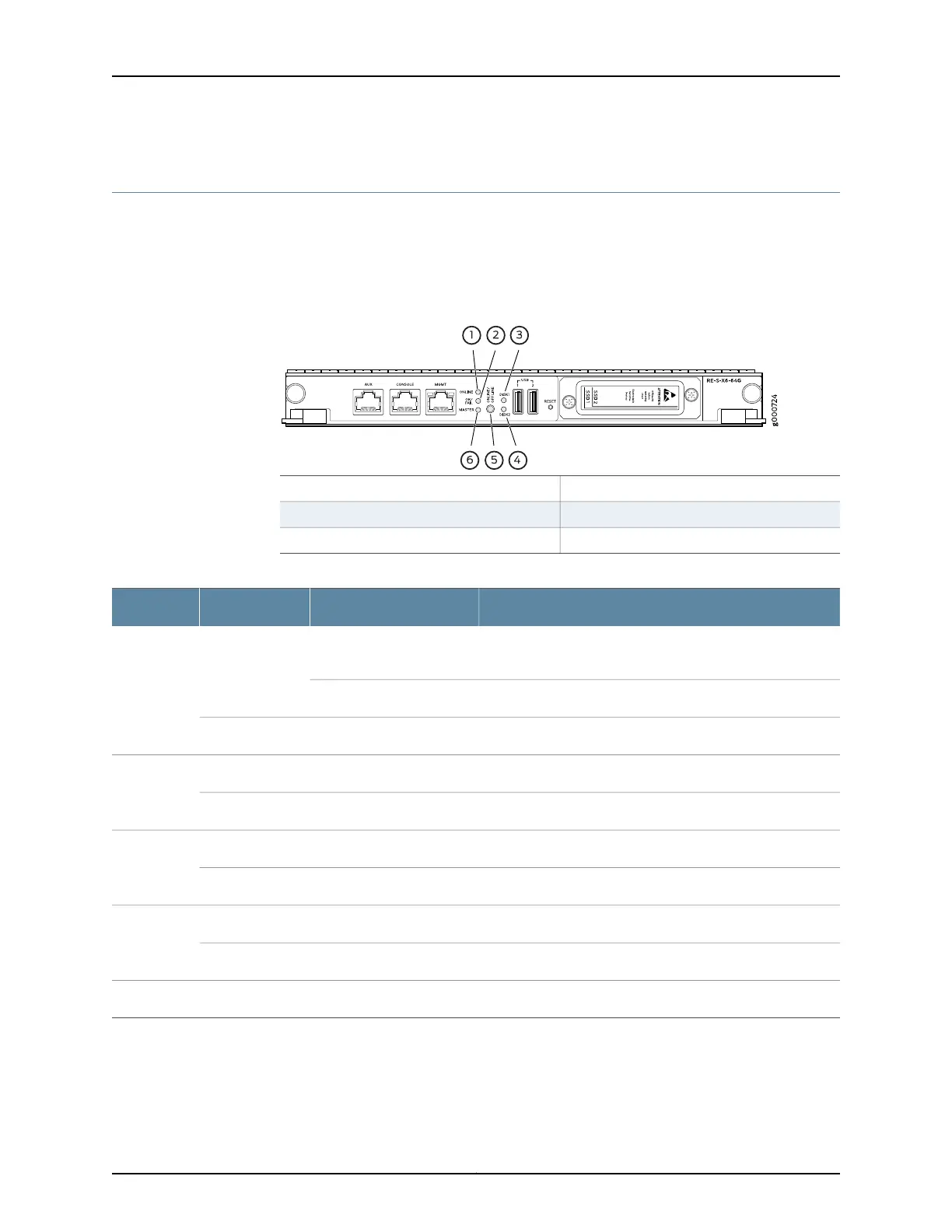
RE-S-X6-64G Routing Engine LEDs
Each Routing Engine has five LEDs that indicate its status. The LEDs—labeled MASTER,
DISK1, DISK2, ONLINE, and OK/FAIL—are located on the faceplate of the Routing Engine.
Table 15 on page 34 describes the functions of the Routing Engine LEDs.
Figure 18: RE-S-X6-64G Routing Engine LEDs
4—1—
DISK2 LEDONLINE LED
5—2—
ONLINE/OFFLINE buttonOK/FAIL LED
6—3—
MASTER LEDDISK1 LED
Table 15: RE-S-X6-64G Routing Engine LEDs
DescriptionStateColorLabel
Routing Engine is in the process of booting BIOS, and the host
OS.
Blinking slowlyGreenONLINE
Routing Engine is in the process of booting Junos OS.Blinking rapidly
Routing Engine is not online or not functioning normally.Off-
Indicates presence of disk activity.BlinkingGreenDISK1
There is no disk activity.Off-
Indicates presence of disk activity.BlinkingGreenDISK2
There is no disk activity.Off-
Routing Engine is powering up.On steadilyGreenOK/FAIL
Routing Engine is not powering up, which indicates failure.On steadilyYellow
This Routing Engine is the Master Routing Engine.On steadilyBlueMASTER
Related
Documentation
MX240 Routing Engine Description•
• MX480 Routing Engine Description on page 27
Copyright © 2017, Juniper Networks, Inc.34
MX480 3D Universal Edge Router Hardware Guide



 To Next Page