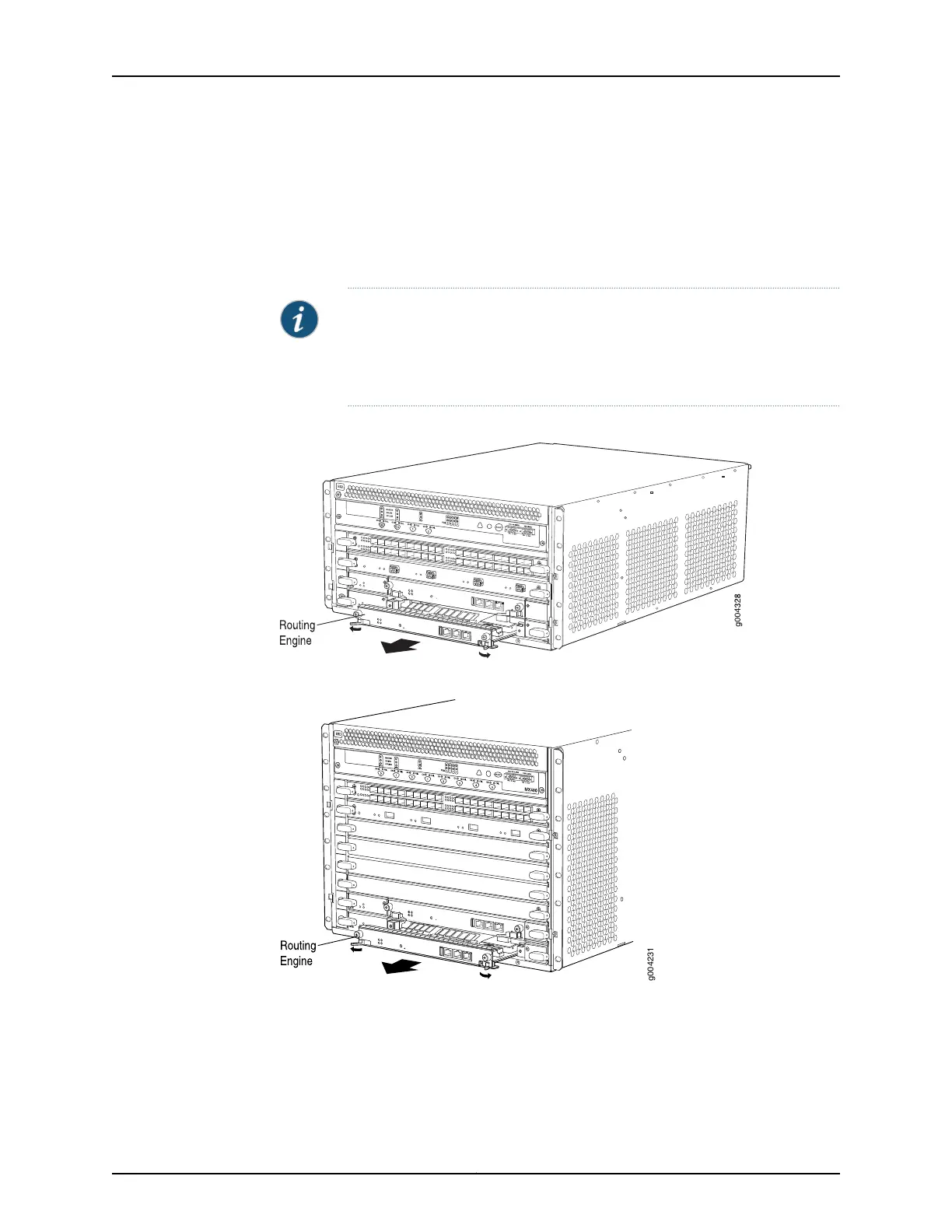
6. Grasp the Routing Engine by the ejector handles, and slide it about halfway out of the
chassis.
7. Place one hand underneath the Routing Engine to support it, and slide it completely
out of the chassis. Place the Routing Engine on the antistatic mat.
NOTE: To maintain proper airflow through the chassis, do not leave an SCB
installed in the chassis without a Routing Engine for extended periods of time.
If a Routing Engine is removed, a replacement Routing Engine should be
installed as soon as possible.
Figure 132: Removing a Routing Engine from an MX240 Router
Figure 133: Removing a Routing Engine from an MX480 Router
315Copyright © 2017, Juniper Networks, Inc.
Chapter 24: Replacing Host Subsystem Components



 To Next Page