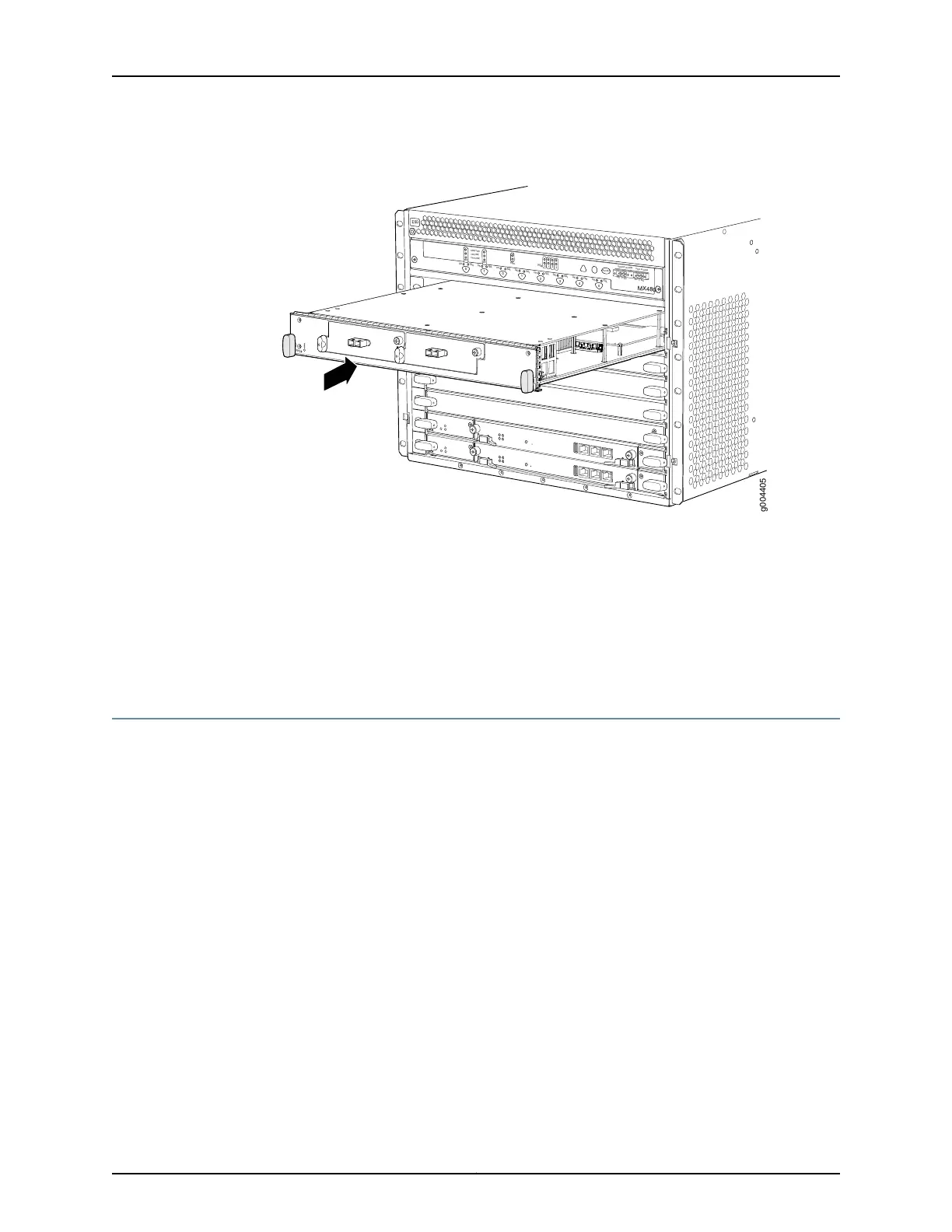
Figure 73: Reinstalling an FPC
OK
MASTER
F
AN
ONLINE
OFFLINE
0
1
1
0
F
AI
L
F
AI
L
PEM
F
AI
L
F
AI
L
F
AI
L
F
AI
L
F
AI
L
F
AI
L
ESD
OK
OK
OK
OK
OK
OK
OK
2
3
4
5
ACO/
L
T
Y
EL
L
OW ALARM
RED ALARM
NC
NO
C
NC
NO
C
MX480
REO
RE1
0
1
2
3
g004405
Related
Documentation
Preventing Electrostatic Discharge Damage to an MX480 Router on page 484•
• Tools Required to Install the MX480 Router Without a Mechanical Lift on page 201
• Removing Components from the MX480 Router Before Installing It Without a Lift on
page 202
• Installing the MX480 Chassis in the Rack Manually on page 208
Installing the MX480 Router Cable Management Bracket
The cable management brackets attach to both sides of the router. To install the cable
management brackets (see Figure 74 on page 216):
1. Attach an ESD grounding strap to your bare wrist and connect the strap to one of the
ESD points on the chassis.
2. Position the cable management brackets on the front sides of the chassis.
3. Insert the tabs into the slots.
4. Tighten the captive screws completely.
215Copyright © 2017, Juniper Networks, Inc.
Chapter 16: Installing the MX480 Router



 To Next Page