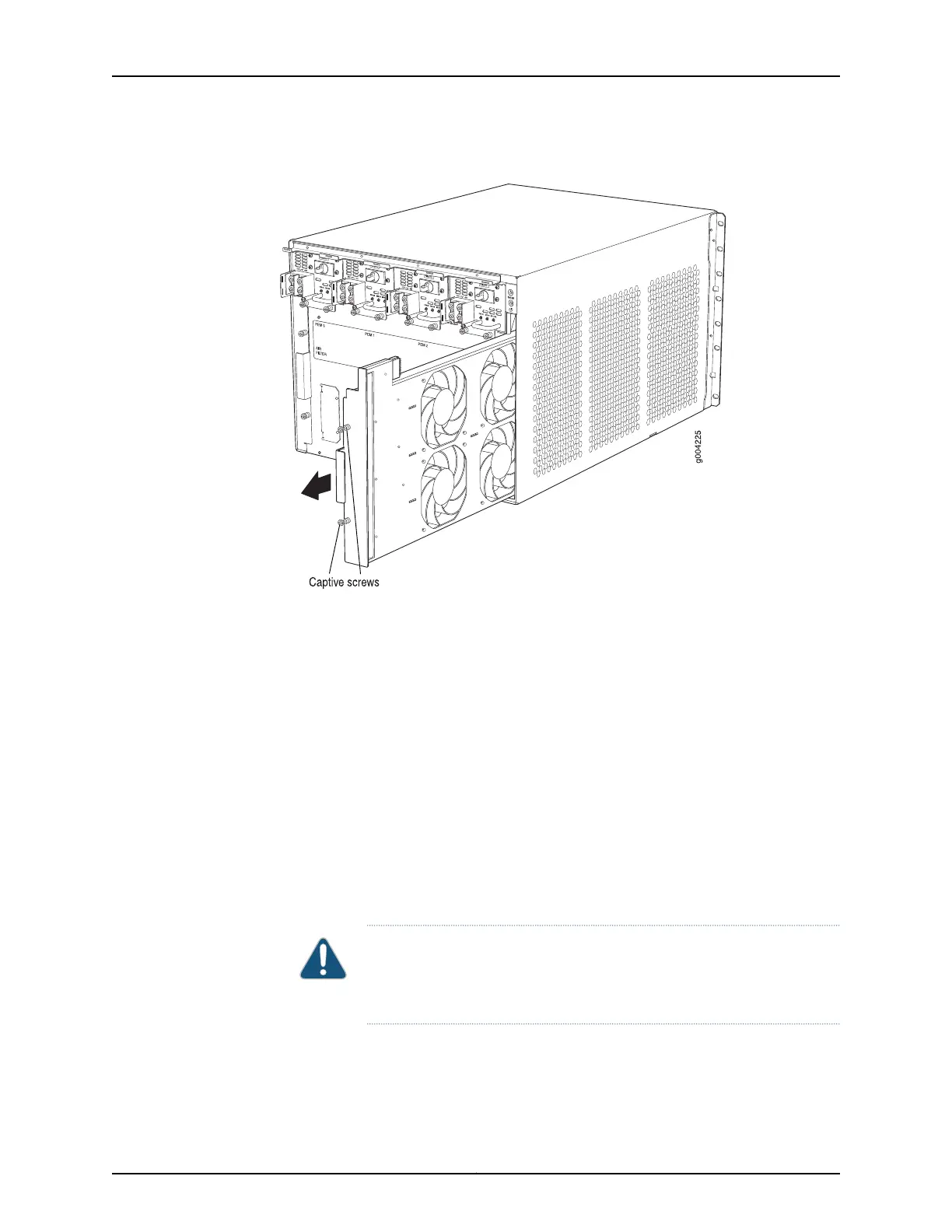
Figure 64: Removing the Fan Tray
Removing the SCBs Before Installing the MX480 Router Without a Lift
To remove the SCBs (see Figure 65 on page 205):
1. Place an electrostatic bag or antistatic mat on a flat, stable surface.
2. Attach an electrostatic discharge (ESD) grounding strap to your bare wrist, and connect
the strap to an approved site ESD grounding point. See the instructions for your site.
3. Rotate the ejector handles simultaneously counterclockwise to unseat the SCB.
4. Grasp the ejector handles, and slide the SCB about halfway out of the chassis.
5. Place one hand underneath the SCB to support it, and slide it completely out of the
chassis. Place it on the antistatic mat.
CAUTION: Do not stack hardware components on one another after you
remove them. Place each component on an antistatic mat resting on a
stable, flat surface.
6. Repeat the procedure for each SCB.
Copyright © 2017, Juniper Networks, Inc.204
MX480 3D Universal Edge Router Hardware Guide



 To Next Page