16 Special Functions
16.6 GC Configuration
252
GC-2010 Plus
16.6.8.5 AUX APC Name Customization
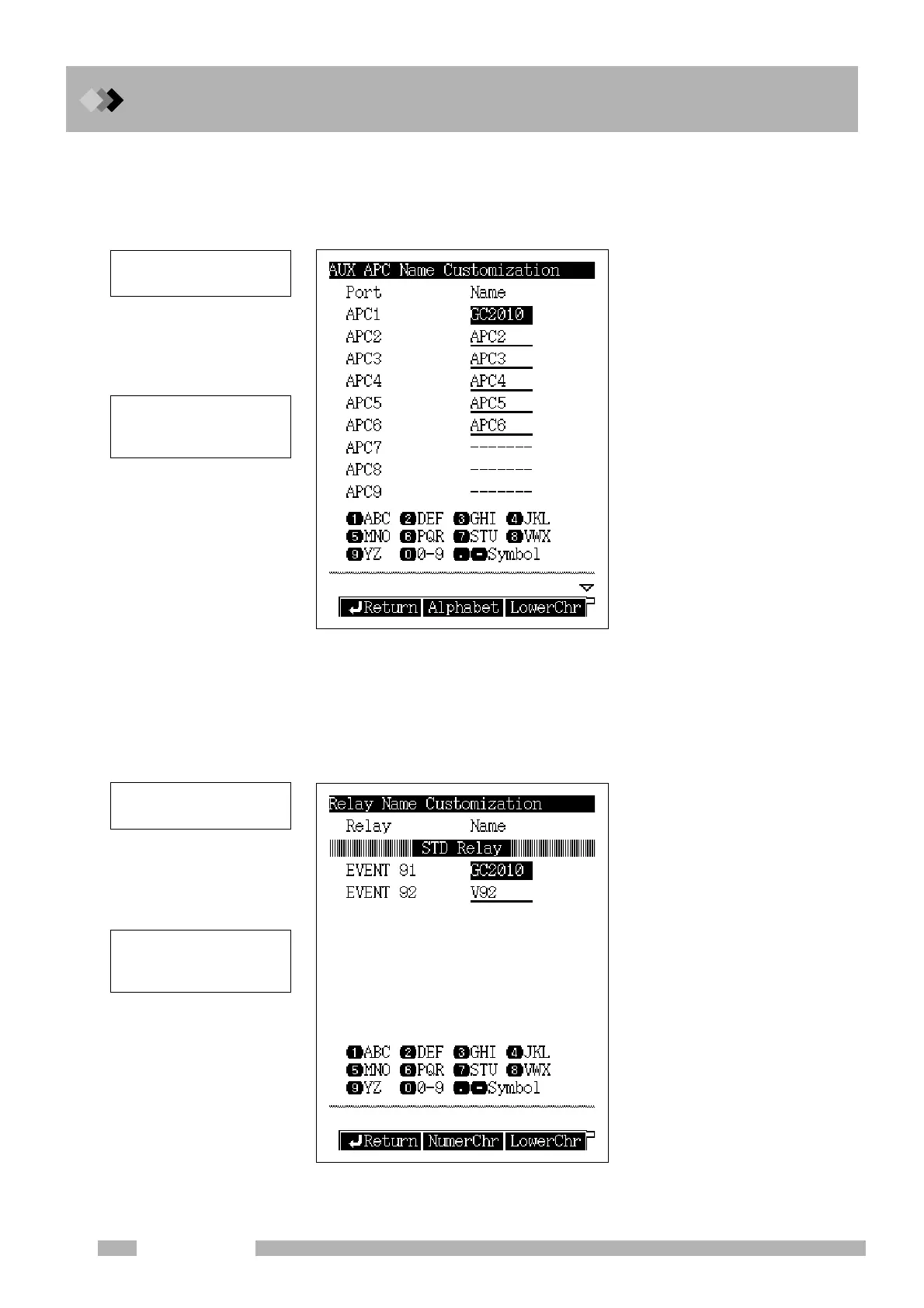
Select “6. GC CONFIGURATION” from the [FUNC] key screen, and then “6. PORT
NAME CUSTOMIZATION”, and finally “AUX APC NAME CUSTOMIZ”, to open the
screen shown in Fig. 16.6.17.
16.6.8.6 Relay Name Customization
Select “6. GC CONFIGURATION” from the [FUNC] key screen, and then “6. PORT
NAME CUSTOMIZATION”, and finally “RELAY NAME CUSTOMIZ”, to open the screen
shown in Fig. 16.6.18.
Fig. 16.6.17 AUX APC name setup screen
Fig. 16.6.18 Relay name setup screen
Only listed APC options can
be named.
To change the names, refer to
“5.3.5 Changing item names”
in “5.3 Basic Key Operations”.
Only listed relays can be
named
To change the names, refer to
“5.3.5 Changing item names”
in “5.3 Basic Key Operations”.



 To Next Page
 Loading...






