16 Special Functions
16.6 GC Configuration
255
GC-2010 Plus
16.6.11 Other Settings
16.6.11.1 Screen description
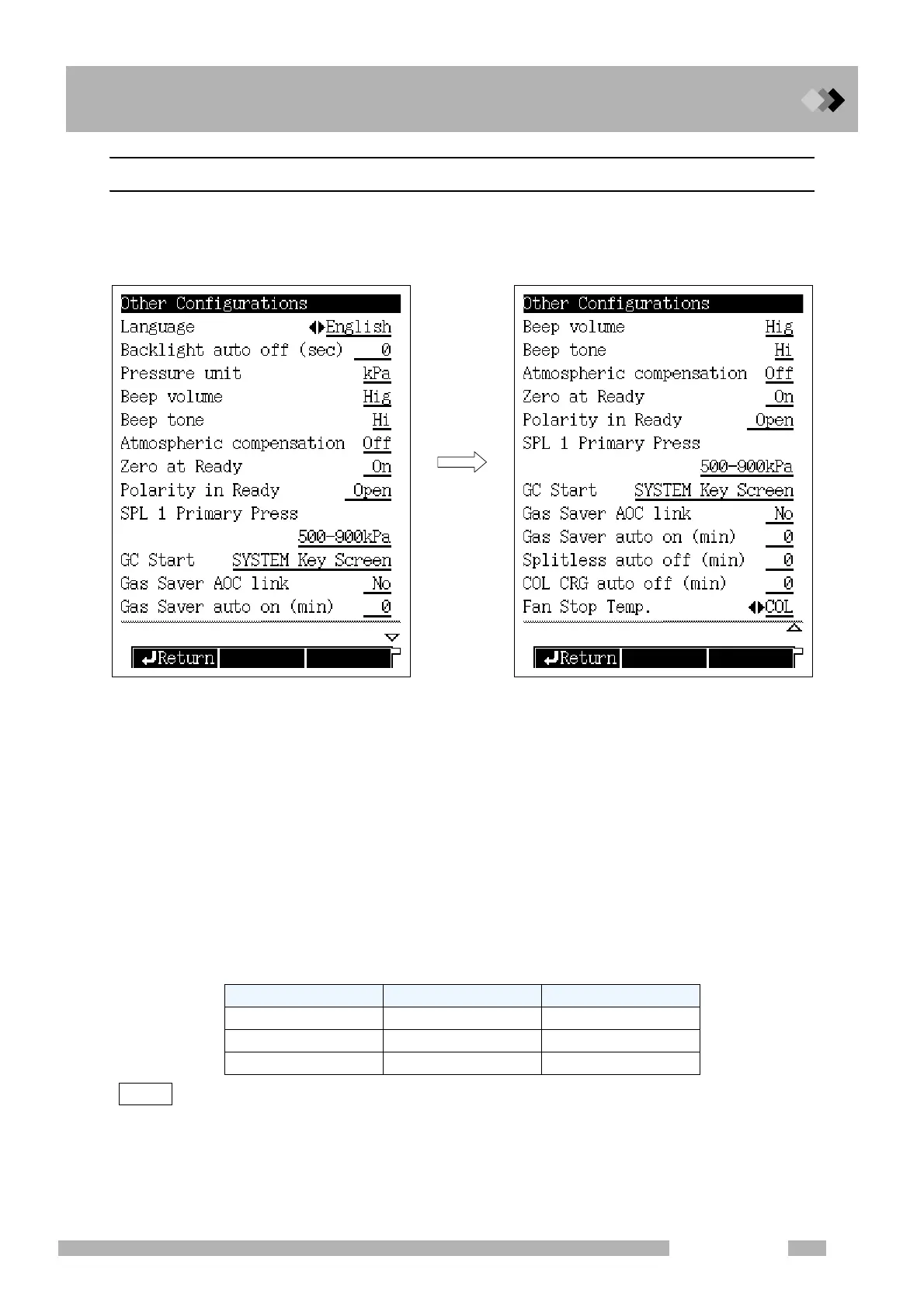
Select “6. GC CONFIGURATION” from the [FUNC] key screen, and then select “9.
OTHER CONFIGURATIONS” to open the configurations screen shown in Fig. 16.6.21.
16.6.11.2 Parameter list
LANGUAGE
Selection: Alt./English, Default: English
Switch between Japanese (Alt.) and English screen languages.
BACK LIGHT AUTO OFF
Range: 0−9999 (sec)., Default: 0 (sec)
Set the period of time when the backlight LCD display automatically turns off.
PRESSURE UNIT
Selection: kPa/bar/psi., Default: kPa
Set the pressure units for display.
NOTE In the case that the presssure unit of “bar” or “psi” are used, pay attention to the following.
Fig. 16.6.21 Setup screen of other configuration
Range (kPa = 1) Increase quantity
kPa 1 0.1
bar 1/100 0.01
psi 1/6.895 0.1
Scroll Down



 To Next Page
 Loading...






