PASSWORD PROTECTION
Overview
4-56 Aquastorm™ Series Options Guide Rev. 1
4
Section A:
. . . . . . . . . . . . . . . . . . . . . . . . . . . . . . . . . . .
Functional Description
Overview
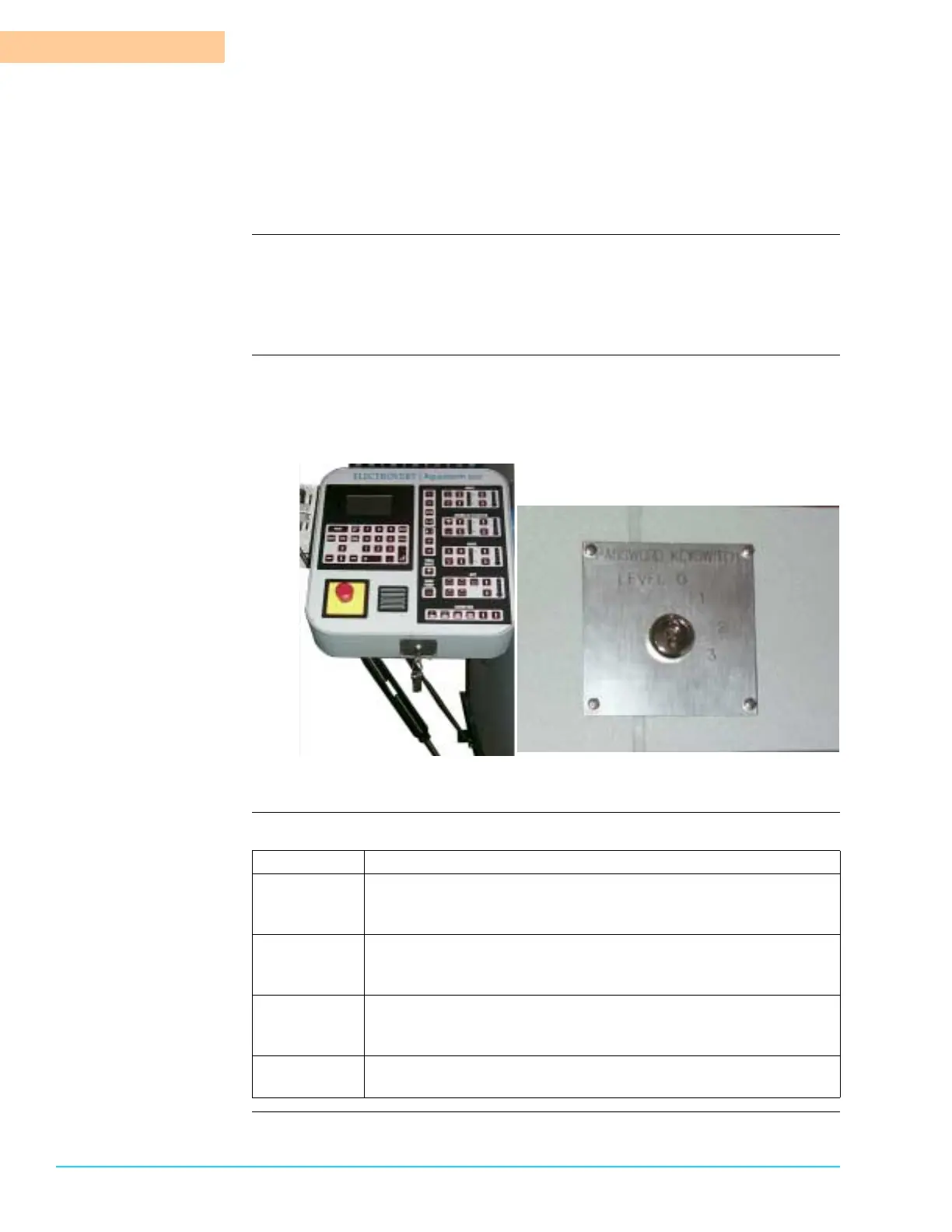
Introduction Password protection provides the ability to lock out certain functions through the
use of a four position keyswitch. The keyswitch is located on the base of the
Front Control Panel. Key Switch positions are labeled 0, 1, 2, and 3. Each
position allows access to certain functions.
Diagram Figure 4–1 shows the password keyswitch location on the Aquastorm™ series
system control panel and a close-up view of the keyswitch plate. Refer to Access
Limits on page 57 for a complete description of the keyswitch position access
limits.
Figure 4–1
Access Table Refer to the following table to identify access limits for each keyswitch position:
Position Access Limits
3 Key 3 turned to position 3 allows access to all system
administrator functions including option configuration, set up
system processes, and system maintenance.
2 Key 2 turned to position 2 allows conveyor, blowers, heaters,
wash and final rinse controls, board tracking, and speed
adjustments. Includes access to all position 1 and 0 operations.
1 Key 1 turned to position 1 allows temperature and conveyor set
point adjustments and temperature unit modification. Includes
access to all position 0 operations.
0 This position does not require a key. It allows basic machine On/
Off and Auto operation functions.



 To Next Page