LIGHTED STATUS TOWER
Replace Light Tower Lens
5-74 Aquastorm™ Series Options Guide Rev. 1
5
Replace Light Tower Lens
Introduction In the unlikely event that a status light tower lens is damaged or broken, the lens
can be replaced.
Safety To ensure personal safety and avoid equipment damage observe the following:
Electrical Hazard
If a status light tower lens is damaged or broken, ensure a qualified electrical
engineer performs the check out procedure.
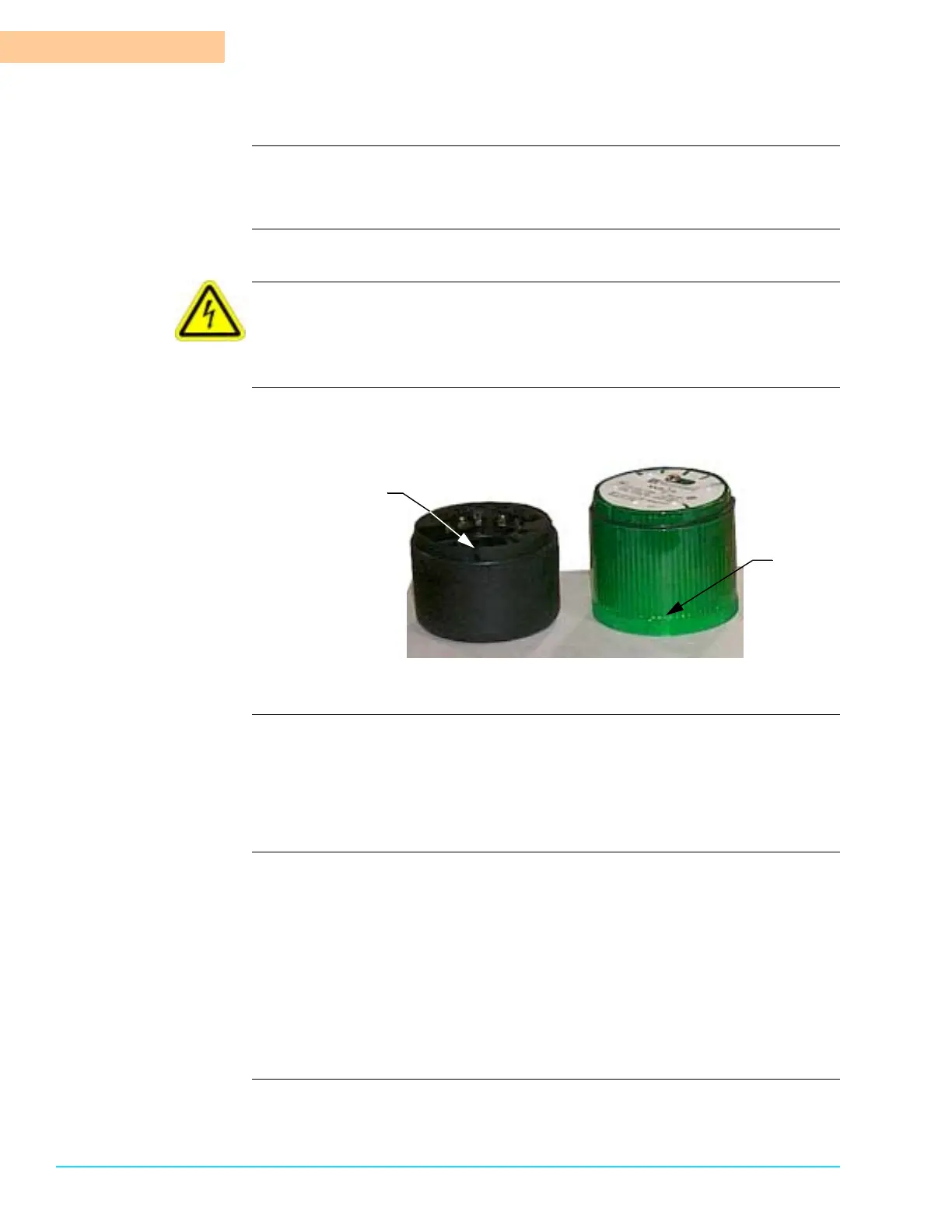
Photographs Figure 5–5 shows the light tower base and groove and the alignment arrow on a
light tower lens.
Figure 5–5
Tools and materials Use the following tools and materials to replace a damaged lens:
• Flat head screwdriver
• Phillips head screwdriver
• Replacement lens
Shut Down/Start Up
Procedure
Use the following steps prepare for the procedure.
1. Shut down Aquastorm system operation.
2. Ensure system power is Off.
3. Perform Lock Out/Tag Out steps. See Lock-Out Tag-Out on page 10.
4. Perform procedure.
5. Remove Lock Out-Tag Out tags. See Lock-Out Tag-Out on page 10.
6. Begin system operation. For detailed information refer to the Aquastorm 200™
or Aquastorm 100™ Programming and Operation Manual.
Alignment
Groove
Alignment
Arrow



 To Next Page