CONVEYOR ENHANCEMENTS
Clean Photocell
6-122 Aquastorm™ Series Options Guide Rev. 1
6
Clean Photocell
Introduction The photocell provides an automatic standby mode for PCB detection. To ensure
effective PCB detection, the sensor and reflector must remain clean. The optional
photocell units mount on the adjustable inlet conveyor and the CheckMate™ exit
conveyor.
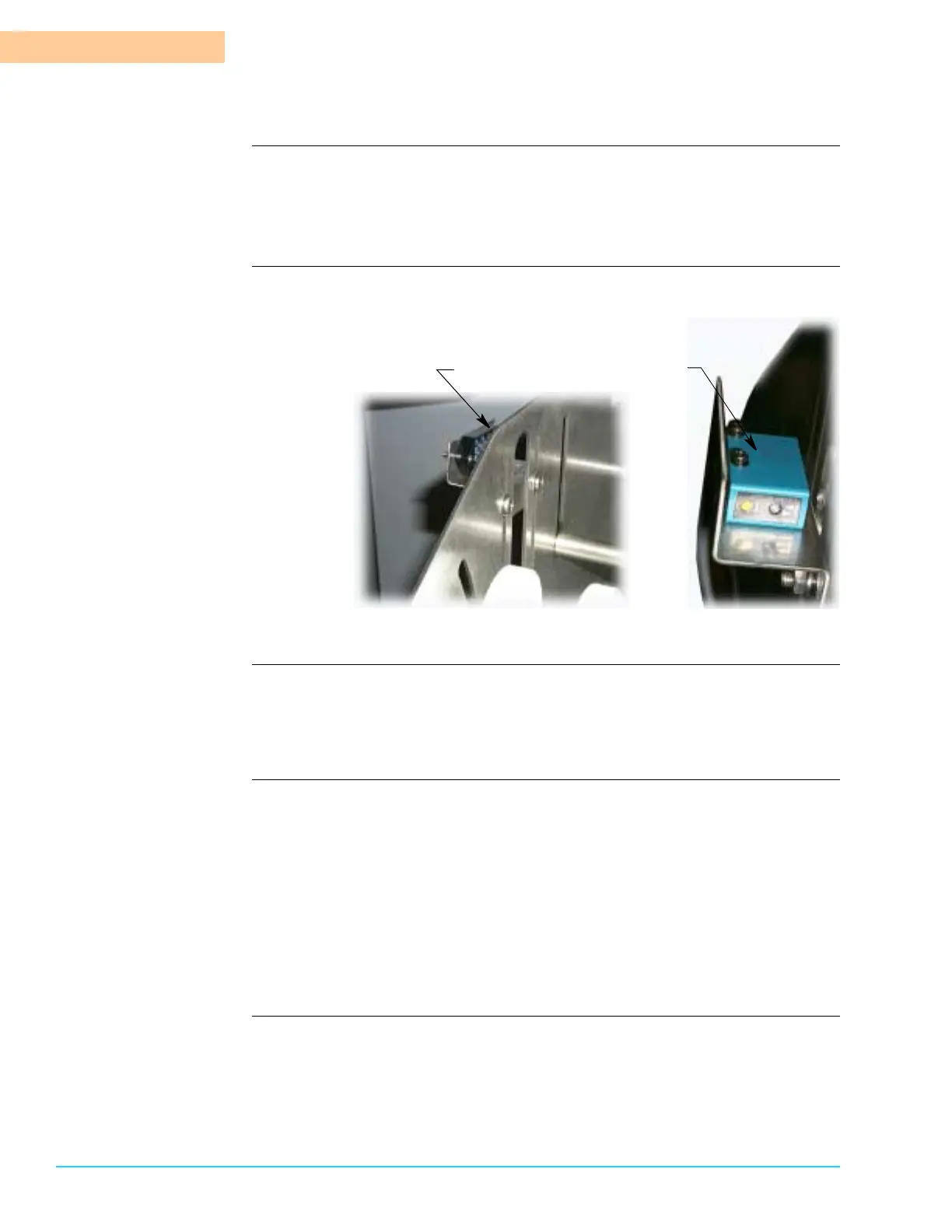
Photographs Figure 6–31 shows close up views of the photocell reflector and sensor.
Figure 6–31
Tools and Materials Use the following tools and materials for cleaning:
• Clean, white, lint free, soft dry cloth
• All purpose ammonia based cleaner
Procedure Use the following steps to clean entrance end photocell:
1. Shut down Aqauastorm™ system operation.
2. Ensure system power is Off.
3. On the entrance end angle adjust inlet conveyor, just below the gauge panel,
use a soft white cloth moistened with ammonia based cleaner and wipe down
the reflector unit face and external surfaces.
4. On the entrance end angle adjust inlet conveyor, just behind the control
panel, use a soft white cloth moistened with ammonia based cleaner and
wipe down the sensor unit external surfaces.
Sensor Unit
Reflector Unit



 To Next Page