. . . . .
CONVEYOR ENHANCEMENTS
Photocell Adjustments
2-9317-600-00-0 Aquastorm™ Series Options Guide 6-103
Photocell Adjustments
Introduction Ensure the photocell sensor emitter and reflector are aligned to provide proper
product detection when items enter the system for auto start mode or become
entangled at the exit end of the system where the CheckMate™ option is installed.
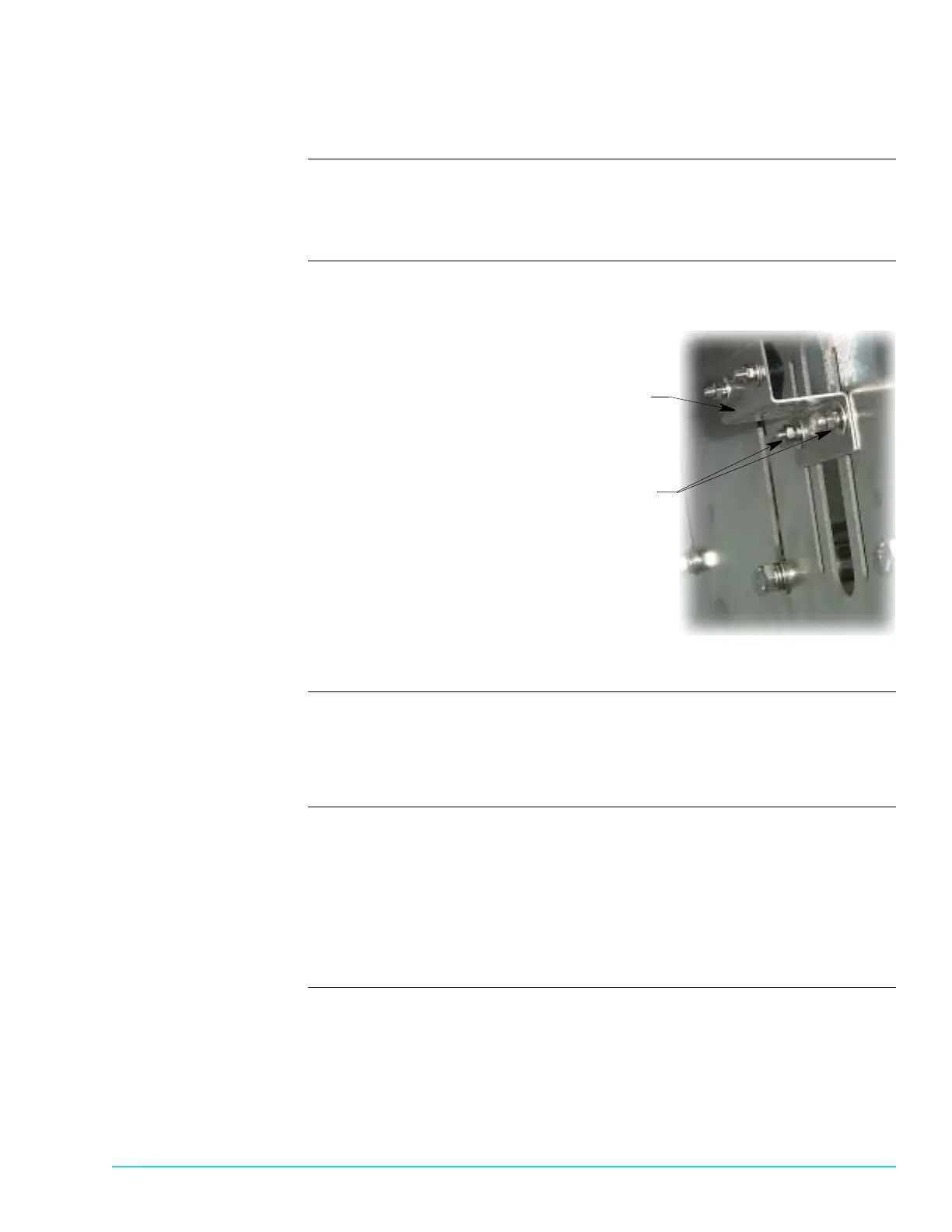
Photographs Figure 6–15 shows a close up view of the photocell mounting bracket and height
adjust bolts.
Figure 6–15
Tools Use the following tools to set up and adjust photocell:
• Small jeweler size flat head screwdriver
• M5 socket
Procedure Use the following steps to prepare photocell emitter:
1. Ensure system power is On.
2. Remove any objects obstructing the emitter path.
3. Check the green LED on the photocell emitter.
4. Adjust the photocell emitter so the green indicator on the emitter illuminates
with normal movement at the entrance end of the conveyor.
Mounting Bracket
Height Adjust Bolts



 To Next Page