Project
P/N 7010-0628
3-5
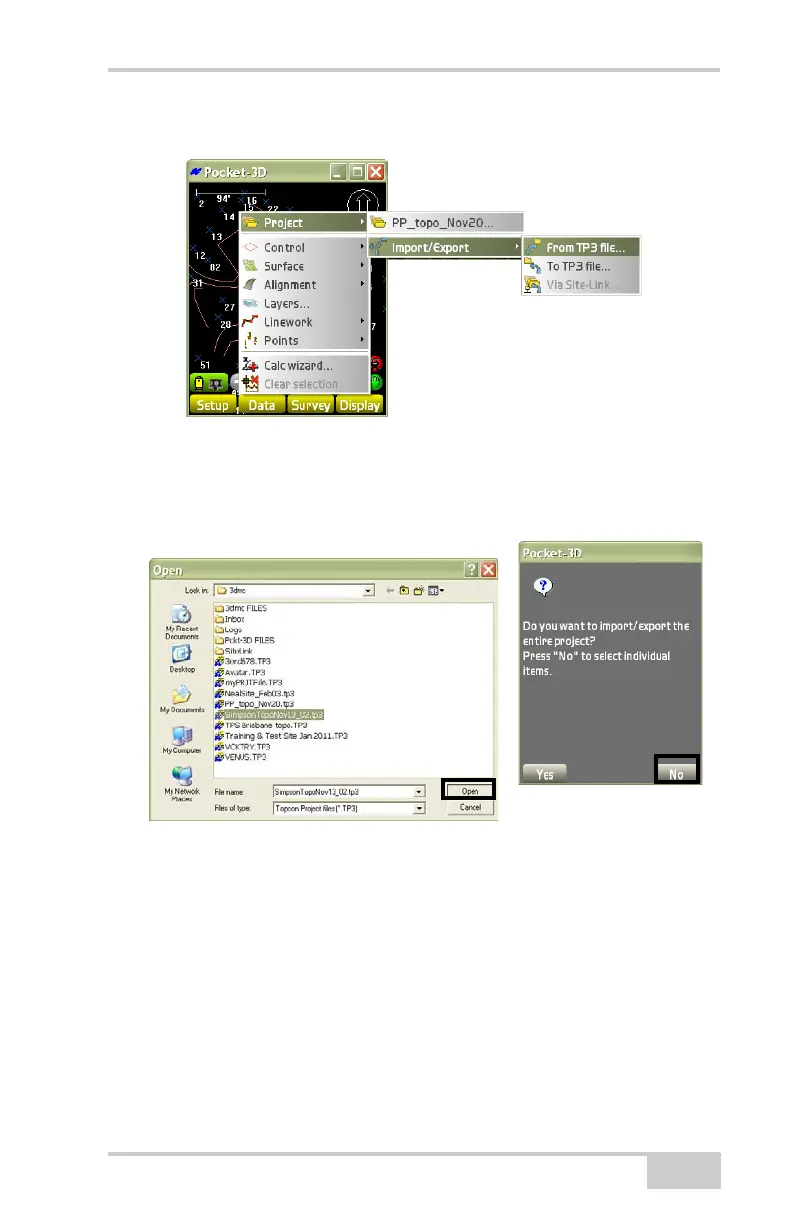
Figure 3-7. Select a Design Surface File
1. On the File dialog box, select a project (.TP3) file to import.
Then click Open. The Copy files dialog box displays
(Figure 3-8).
Figure 3-8. Import a Project File
2. At the prompt, press Ye s to Import/Export the entire project or
press No to select individual items.



 To Next Page