Surface
P/N 7010-0628
3-35
above for details.
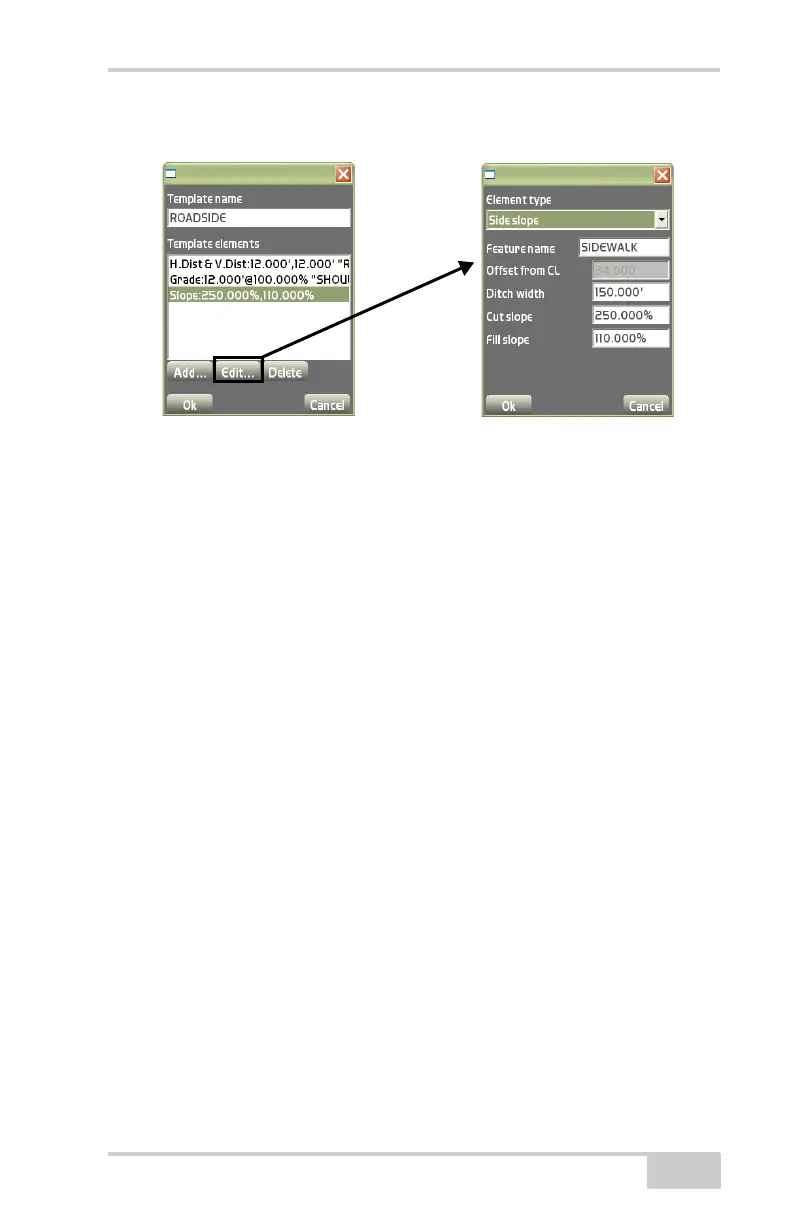
Figure 3-50. Template Definitions / Add Templates Dialog Boxes
• Delete – on the Template definitions dialog box (Figure 3-48 on
page 3-34), press Delete to remove the selected template.
On the add templates dialog box (Figure 3-51 on page 3-36), press
Add to enter a template and its respective information, then press Ok
to save.
• Template name – enter in the name of the Template.
• Template elements – on the Template elements dialog box,
template elements can be created, edited, or deleted. After
creating template elements press Ok to continue (
Figure 3-52 on
page 3-37).
• Add – On the template elements dialog box, press Add to enter a
template element and it’s respective information, then press Ok to
save the information.
• Edit – on the template elements dialog box, press Edit to edit the
selected element. See the “Add” bullet for details.
• Delete – on the template elements dialog box, press Delete to
remove the selected element.



 To Next Page