Data Menu
Pocket-3D Reference Guide
3-34
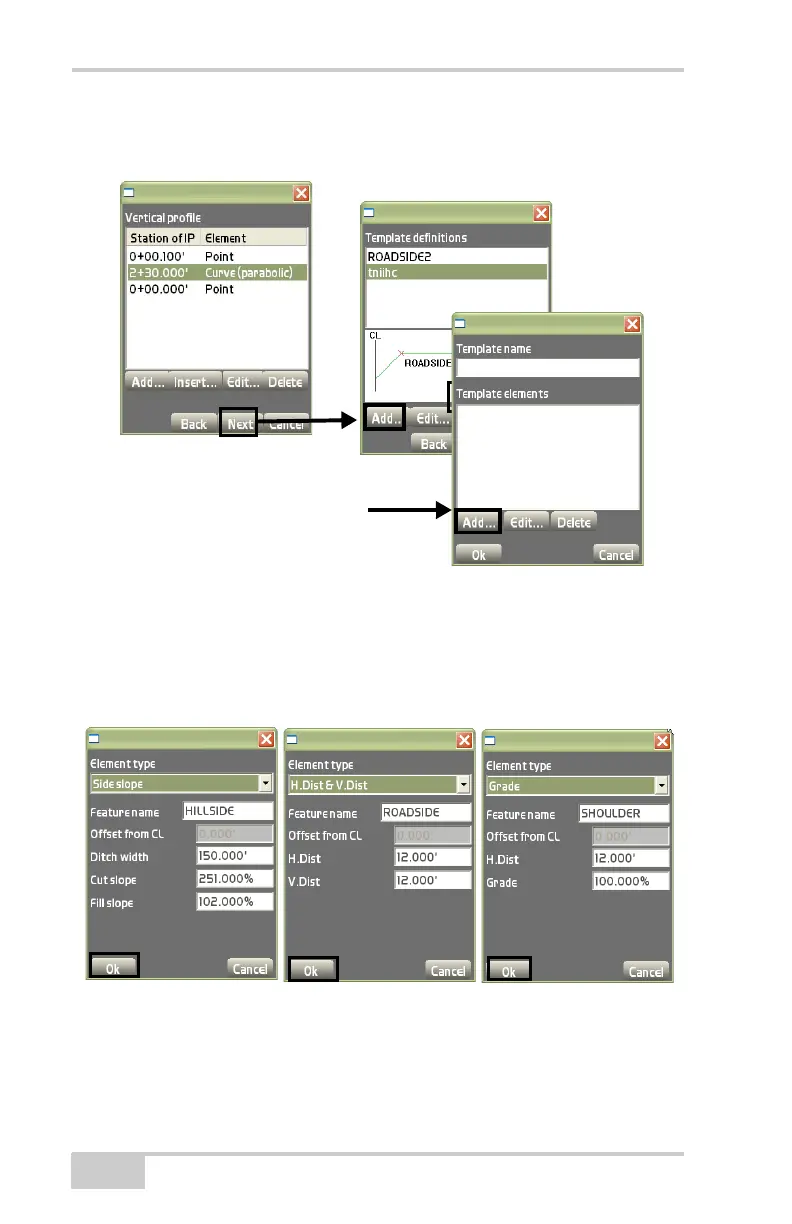
Figure 3-48. Vertical Profile / Template Definitions Dialog Boxes
• Add – on the template definitions dialog box (Figure 3-48), press
Add display the add template elements dialog box (Figure 3-48).
Add new template definitions (Figure 3-49), then press Ok to
save the information.
Figure 3-49. Add Template Definitions Dialog Boxes
• Edit – on the template definitions dialog box (Figure 3-50 on
page 3-35), press Edit to edit the selected template. The add
templates dialog box displays (Figure 3-50). See the “Add” bullet
Vertical Profile
Template Definitions
Add Template
Elements



 To Next Page